Unity Wētā Tools Roadmap - Vision and Product Showcase
Explore Unity Wētā Tools' vision, timeline, and innovative features for 3D creation. Discover how these tools integrate with major engines and enhance artistic workflows across various domains.

Unity on Android: Performance Improvements and Development Impact
Explore Unity's latest improvements on Android, including Vulkan and multithreading, to enhance game development performance and productivity.
Unity Character Movement Using Mouse Click - 3D Game Tutorial
Learn to implement click-to-move functionality in Unity 3D games using NavMesh and raycasting. Create realistic character movement with animations for RPGs, RTS, and TPS games.
Unity TextMesh Pro - Customizing Text in Games
Learn to enhance game text using Unity TextMesh Pro: create custom fonts, apply effects like glow and shadows, and master text styling for both 2D and 3D environments.
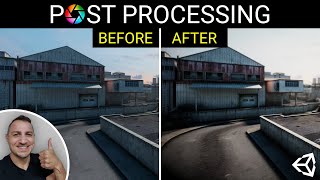
Unity Post-Processing - Every Effect and Technique
Comprehensive guide to Unity's post-processing effects, covering every available option from bloom to motion blur. Learn to enhance your game's visual quality through step-by-step demonstrations.
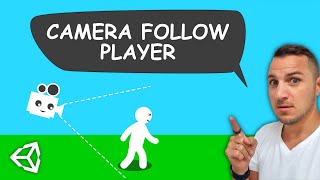
Camera Follow in 3D Unity Games - Smooth Player Tracking
Learn to implement smooth camera following in Unity 3D games. Covers player movement, camera scripts, and the use of lerp for fluid motion. Essential skills for creating immersive 3D game experiences.
Unity Attributes - 15 Tips for the Perfect Inspector Experience
Discover 15 Unity Attributes to enhance your Inspector experience. Learn how to customize fields, add tooltips, create sliders, and optimize your workflow for more efficient game development.
Create Color Bump 3D - Unity Game Tutorial
Learn to build Color Bump 3D from scratch in Unity. Master game mechanics, level design, and visual effects while creating a popular mobile game. Gain practical skills in Unity game development.
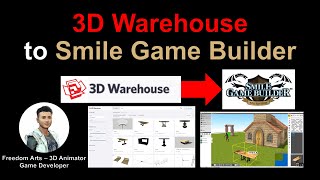
Importing 3D Models from 3D Warehouse to Smile Game Builder
Learn to import free 3D models from 3D Warehouse into Smile Game Builder for creating games without coding. Covers SketchUp Pro, 3DXchange, and Simplygon to prepare models for game development.
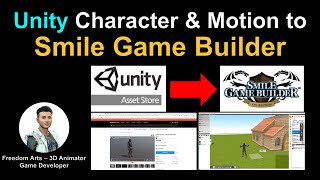
Unity to Smile Game Builder - Character and Motion Import Workflow
Learn to import characters and motion from Unity Asset Store into Smile Game Builder with this step-by-step tutorial, covering 3DXchange 7, Mixamo, and essential workflow techniques.
Unity Crash Course for Absolute Beginners - Learn C# and Make Games
Comprehensive introduction to Unity game development, covering installation, UI basics, C# scripting, and creating interactive elements. Perfect for beginners eager to start making their own games.
Monetize Your Unity Game with Ads, In-App Purchases, and Subscriptions
Learn to monetize Unity games with ads, in-app purchases, and subscriptions using Qonversion. Implement cross-platform infrastructure, A/B testing, analytics, and engagement automation to optimize revenue and grow your app faster.

Build a Full Unity Game with Ads in Under 1 Hour
Learn to create a monetized Unity game with integrated ads in just one hour, covering game mechanics, particle effects, menu design, and ad implementation.
Creating a Login System for Unity Games - Full Stack Unity and ASP Tutorial
Learn to create a full-stack login system for Unity games using ASP.NET backend and Treblle API monitoring. Covers user registration, database integration, Azure deployment, and Unity frontend implementation.

Make a First-Person Shooter in Unity - 3-Hour Course
Comprehensive 3-hour Unity tutorial on creating a first-person shooter game, covering map design, character movement, enemy AI, weapons, UI, and game loop implementation.
Dynamically Adding Content in Unity 2021 - Best Practices and Tips
Learn to dynamically add content in Unity using ExecuteInEditMode and Unity Handles. Discover techniques for placing permanent content in your scene and enhancing your game development workflow.
Unity In-App Purchases (IAP) Complete Tutorial - Monetize Your Game
Learn to integrate in-app purchases in Unity, from setup to implementation. Create a store UI, handle transactions, and monetize your game with virtual goods and premium features.
Full Unity Course - Learn C# Coding by Building Games
Learn C# coding fundamentals through hands-on game development in Unity. Build two games from scratch, mastering essential programming concepts and game design techniques along the way.
Make Unity Game Without Coding - 3-Hour Tutorial
Learn Unity game development without coding. Create a maze game, understand fundamentals, and explore Unity's interface and features. Gain practical skills in game mechanics, UI, physics, and audio implementation.
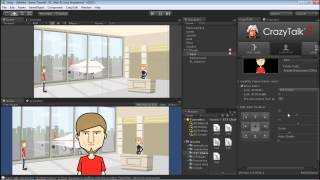
Adding a Talking Avatar to a 2D Game Scene in Unity
Learn to create and animate a talking avatar for 2D games using CrazyTalk and Unity. Master facial animation, dialogue triggers, and seamless integration into game scenes.
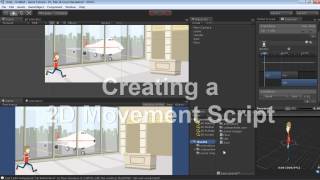
Setting Up a Scene and Character Animation in Unity - Part 2
Learn to set up a 2D game scene in Unity, import and animate sprite characters, create movement scripts, and refine sprite sheet motions for a fully-functional game scenario.