
Easy Text Effects in Procreate - Tutorials
Learn 5 easy text effect techniques in Procreate, including paper cut-out, 3D, and marble effects. Perfect for beginners looking to enhance their digital lettering skills.
Experimenting with Adobe Firefly
Explore Adobe Firefly's AI-powered features with Howard Pinsky, including text-to-image generation, text effects, and image manipulation tools for enhanced creative workflows.
How to Use Adobe Firefly
Learn to create AI-generated images and text effects using Adobe Firefly, then combine them in Photoshop for stunning composites. Master effective prompts and explore various features in this hands-on tutorial.
How to Make Metallic Text in Blender
Create eye-catching metallic text effects in Blender with this comprehensive tutorial. Learn techniques for realistic texturing, lighting, and rendering to achieve stunning results.
How to Create a Text Logo in Photoshop for Your Website - Social Media - Beginners Guide
Learn to design a simple text-based logo in Photoshop for websites and social media. Perfect for beginners, this tutorial covers font selection, text manipulation, and basic effects to create professional-looking logos.

Building Blocks of Live Streaming and Video Production
Weekly live tutorial on mastering live streaming and video production skills. Learn step-by-step techniques for creating professional and engaging content with hosts ana and Fuljens.
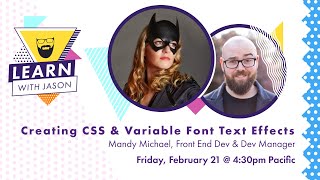
Variables Fonts and Text Effects - Learn With Jason
Explore creative typography with Mandy Michael: learn variable fonts, text effects, gradients, and advanced CSS techniques to enhance web design and create visually stunning text.
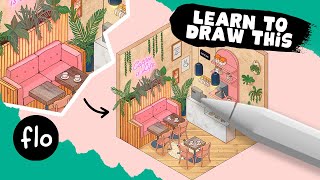
Draw an Isometric Coffee Corner in Procreate
Learn to create an isometric coffee corner in Procreate with step-by-step guidance. Master techniques for furniture, textures, colors, and lighting effects to bring your digital illustration to life.
Photoshop 101 - Basics for Beginners
Learn essential Photoshop skills in 50 minutes. Covers fundamental tools, techniques, and features for beginners to start editing images and creating designs effectively.

How to Create a 3D Letter Effect in Photoshop
Learn to recreate the 3D lettering effect from the Sharper movie poster using Photoshop tools like transform, distort, blur gallery, masking, and gradient map for coloring.
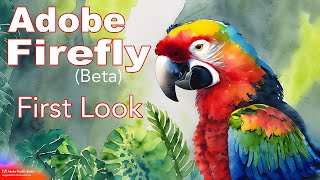
Adobe Firefly Beta - First Look at Text-to-Image, Text Effects, and Vector Recoloring
Explore Adobe Firefly's AI-powered features including Text to Image, Text Effects, and Recolor Vectors. Learn how to access and use this innovative tool for creative digital art generation.
Blender Tutorial - Typing Effect with Animation Nodes
Learn to create a dynamic typing animation in Blender using Animation Nodes. This tutorial guides you through the process, offering practical skills for enhancing your 3D animations with text effects.
How to Make a Metallic Effect in Illustrator
Learn to create stunning brushed metal and silver text effects in Illustrator. Master techniques for realistic metallic textures, backgrounds, and graphic styles in this step-by-step tutorial.
Create and Then Shatter a Grid - Making a Typographic Poster
Learn to create a dynamic typographic poster by breaking grid conventions, using Photoshop and Illustrator for a dark, grungy aesthetic with custom text layouts and visual effects.
Dynamic Recessed Watercolor Typography Effect in Photoshop
Create a stunning design by blending vector elements and watercolor effects with text, focusing on image and color selection techniques in Photoshop.
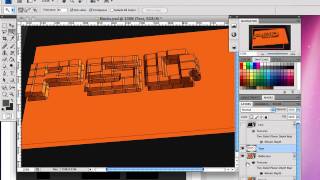
How to Create 3D Text Blocks in Photoshop
Learn to craft eye-catching 3D text block effects in Photoshop, exploring techniques to add depth and dimension to your typography for stunning visual impact.
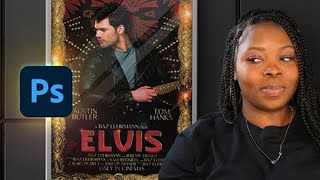
How to Design an Elvis Movie Poster in Photoshop
Learn to create a stunning Elvis-inspired movie poster using Photoshop. Master techniques for background setup, bling effects, and poster composition to craft a visually striking tribute to the King of Rock and Roll.
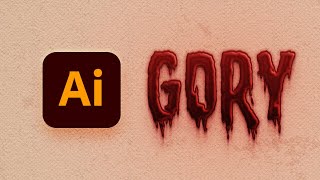
How to Create a Dripping Blood Text Effect in Adobe Illustrator
Learn to create a spooky dripping blood text effect in Adobe Illustrator using fonts, the Appearance panel, and textures. Perfect for horror-themed designs and Halloween projects.
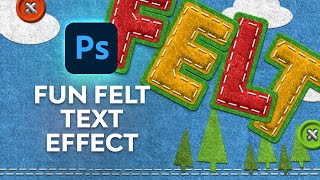
How to Create a Fun Felt Photoshop Text Effect
Learn to create a stitched felt text effect in Photoshop, covering background creation, text styling, stitch brush application, color customization, and button design for unique visual projects.
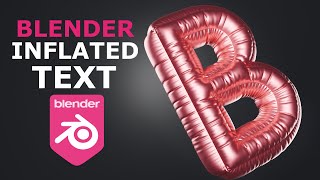
Inflated 3D Text Tutorial - Blender 4.2
Create eye-catching inflated 3D text in Blender 4.2 using built-in tools. Learn techniques to design visually striking typography for various projects.
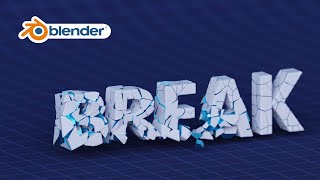
Blender Tutorial - Text Break Effect with Physics
Create a dynamic text break effect using physics in Blender. Learn techniques for shattering and animating 3D text with expert guidance from KennyPhases in this hands-on tutorial.