CSS Only Lightsaber - With Sound
Learn to create an interactive lightsaber using only CSS, including styling, animation, color changes, and even sound effects. Perfect for Star Wars fans and CSS enthusiasts alike!
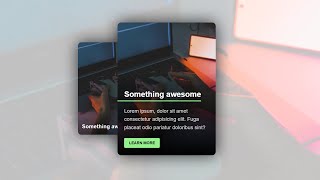
CSS Card With Hover Animation and Mobile Fallback
Learn to create an animated CSS card with hover effects and mobile compatibility, covering HTML structure, CSS styling, animations, accessibility, and performance optimization.
Sass Features That Make It Better Than Vanilla CSS
Explore advanced Sass features like nesting, mixins, partials, functions, and loops to enhance your CSS workflow and create more efficient, maintainable stylesheets.

Responsive Design Made Easy
Learn to create responsive layouts easily with custom properties, basic styling, and layout techniques for a pain-free approach to building adaptable websites.

Animated Card with HTML & CSS - Tutorial
Learn to create an animated card design using HTML and CSS, inspired by a popular gaming website. Explore techniques for styling, hover effects, animations, and responsive layouts.
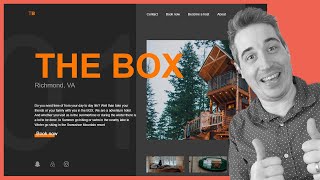
Creating a Responsive, Asymmetrical Design with HTML & CSS
Learn to create responsive, asymmetrical designs using modern CSS tools like grid, subgrid, flexbox, and clamp(). Master mobile-first approach and adapt layouts for larger screens.
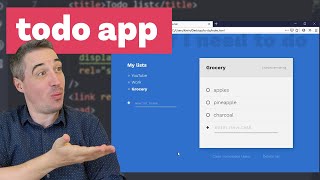
Creating a Better Todo App - The HTML and CSS
Learn to create an engaging todo app interface with HTML and CSS, focusing on custom checkboxes, transitions, and responsive layouts using grid and flexbox.
Coding a Responsive Webpage From Start to Finish
Learn to build a responsive webpage from scratch using HTML and CSS, covering mobile and desktop layouts, typography, navigation, and various sections like hero, products, and footer.
Coding the Front-End of a Signup Form
Learn to create an attractive signup form using CSS Grid, custom properties, and pseudo-elements. Explore layout techniques, styling, and tooltip creation for an enhanced user interface.

Create a Responsive Navigation Nav With No JS
Learn to create a responsive navigation menu using modern CSS techniques, including flexbox, grid, and pseudo-elements, without relying on JavaScript for functionality.

Responsive Navigation With an Animated Dropdown Using CSS Clip-Path
Learn to create a responsive navigation menu with an animated dropdown using CSS clip-path, jQuery, and custom hamburger menu animation for enhanced user experience.

How to Perform End to End Testing With Selenium - Selenium Tutorial - LambdaTest
Learn end-to-end testing with Selenium WebDriver, including cross-browser and parallel testing at scale. Covers test scenarios, encapsulation, dynamic waits, and using LambdaTest's online Selenium Grid.
Test Orchestration Using HyperExecute - A Giant Leap From Test Execution - LambdaTest Webinar
Discover HyperExecute, a smart test orchestration platform that accelerates end-to-end automation tests by up to 70%, enabling faster time-to-market and improved test efficiency for businesses.
Complete Selenium 4 Tutorial - A Detailed Guide on Selenium 4 New Features
Comprehensive guide to Selenium 4's new features, including relative locators, Chrome DevTools Protocol, enhanced Grid, and advanced testing capabilities for improved web automation.

How Does Enterprise Accelerate Test and Release Velocity - LambdaTest Webinar
Discover strategies to accelerate test execution and release velocity in enterprise environments. Learn about automation testing best practices, DevOps tools, and actionable techniques to improve software delivery speed.
How to Handle Windows and Frames in Selenium - Selenium Testing Tutorial
Learn to handle multiple windows and frames in Selenium WebDriver for efficient automation testing. Master techniques for switching between windows, interacting with frames, and managing nested structures.

Renaissance of End-to-End Testing - Software Testing - LambdaTest Webinar
Explore HyperExecute, a next-gen platform revolutionizing end-to-end testing with smart workflows, auto test splitting, and real-time logs for faster, more efficient software testing.
How to Handle Dropdown and Alerts in Selenium - Selenium Testing Tutorial
Learn to handle dropdowns and alerts in Selenium with practical examples. Master Select methods, multiple dropdowns, and various alert interactions for effective automated browser testing.
How to Interact With Web Elements in Selenium WebDriver - Selenium Testing Tutorial
Learn to write Selenium test scripts in Java, interact with web elements, and use locators for automated browser testing. Covers ChromeDriver, element interactions, and cross-browser execution.

Implement BDD Testing for Quality Test Automation - Software Testing Webinar
Learn to implement BDD testing for quality test automation, integrating Virtuoso with LambdaTest. Explore writing automated tests, leveraging BDD requirements, and accelerating testing using cloud grid.
How to Perform Real-Time Testing on LambdaTest Platform - Manual Testing
Learn to perform live interactive cross-browser testing on 3000+ real browsers using LambdaTest's Real-Time Testing feature for desktop and mobile websites, including locally hosted sites.