Design with Canva
Canva is a graphic design platform that is used to create social media graphics, presentations, posters, documents and other visual content. Learn how to design and create in Canva with expert help from our community team
Canva - Graphic Design for Beginners
Aprende a diseñar con Canva desde cero con tutoriales básicos y esenciales. Descubre trucos, herramientas ocultas y cómo mejorar tu productividad y creatividad en diseño gráfico.
Design Makeovers - Canva Workshops
Expert-led design improvement series showcasing community submissions. Learn graphic design fundamentals and Canva techniques through practical makeovers across various design types and platforms.

Microsoft Office for Beginners - Excel, Word, and PowerPoint Training
Comprehensive training on Excel, Word, and PowerPoint essentials, covering interface navigation, basic functions, document creation, formatting, and presentation design for beginners.

Canva Graphics Design Course
Aprende a diseñar miniaturas de YouTube, editar videos, crear presentaciones, currículums, logos y más con Canva, una herramienta gratuita y fácil de usar.

Create Confidently with Adobe Express - Beginners Tutorial
Learn to create professional graphics, slideshows, and presentations with Adobe Express. Master image editing, video creation, PDF manipulation, and QR code generation in this comprehensive beginner's guide.

Microsoft PowerPoint Tutorial - Beginners Level 1
Learn essential PowerPoint skills: creating slides, adding text and images, customizing designs, applying animations, and presenting effectively. Master the basics to create impressive presentations.
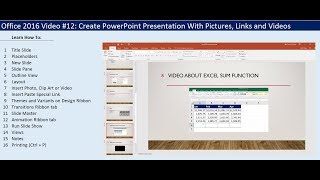
Create PowerPoint Presentation With Pictures, Links and Videos
Learn to create engaging PowerPoint presentations with images, links, and videos. Master essential features like slide layouts, transitions, animations, and printing options for professional-looking slideshows.
BuilderAll Training Videos
Comprehensive digital marketing platform training: build websites, create funnels, automate marketing, and manage online businesses with BuilderAll's all-in-one tools and features.
Canva Tutorial Series
Aprende a usar Canva desde lo básico hasta la gestión avanzada de capas, edición de imágenes, animaciones y más, utilizando la versión gratuita de la aplicación web.
Design Presentations with Canva
Master Canva's presentation tools to create engaging, animated, and on-brand slides with expert tips for design, delivery, and audience interaction.
Complete Beginner's Guide to Apple Keynote
Comprehensive guide to creating stunning presentations with Apple Keynote, covering everything from basic setup to advanced features like animations, collaboration, and exporting.
Things PowerPoint Beginners Want to Know How to Do
Master essential PowerPoint skills: text, shapes, images, backgrounds, animations, transitions, alignment, music, icon insertion, and chart creation for impactful presentations.

Microsoft PowerPoint for Beginners - Training Course in PowerPoint 2021/365
Comprehensive beginner's guide to PowerPoint 2021/365, covering interface basics, slide design, formatting, and advanced features like shape merging and morph transitions. Includes practical exercises for hands-on learning.
Winning the Room - Creating and Delivering an Effective Data-Driven Presentation
Learn strategies for creating compelling data-driven presentations that engage non-technical audiences. Master techniques to clarify, simplify, and refine your message while maintaining accuracy and maximizing impact.
Keynote Tutorial
Comprehensive guide to Apple Keynote: from basics to advanced features. Learn to create, customize, animate, and share professional presentations using various multimedia elements and collaboration tools.
Canva Complete Course
Master Canva's tools and features to create stunning designs, from logos to animations, in this comprehensive Urdu/Hindi tutorial series.
Boost Efficiency in Microsoft Office - PowerPoint, Excel, and Outlook Tips
Master essential productivity hacks across Microsoft Office - from PowerPoint's Morph transitions and design automation to Excel's dynamic formulas and Outlook's email management strategies for a more organized workflow.
Microsoft PowerPoint Course for Beginners - Presentations Tutorial
Comprehensive tutorial covering PowerPoint basics to advanced techniques, including interface navigation, object creation, design elements, animations, and photo editing for impactful presentations.
Creating Professional PowerPoint Presentations with Templates
Learn to create professional PowerPoint presentations quickly using templates. Master slide building, design techniques, and presentation aids to deliver impactful content efficiently.
Cool Text Effects in Keynote for Mac
Discover easy-to-create, impressive text effects in Keynote for Mac, including textured backgrounds, neon, and glitch styles. Enhance your presentations with these cool techniques.