Automating Ubiquiti EdgeRouter IP Blacklist Configuration with PowerShell
Automate Ubiquiti EdgeRouter IP blacklist configuration using PowerShell to generate a Bash script, enhancing network security by dynamically updating firewall address groups with untrusted IP addresses.
Register for Filesystem Events with PowerShell Using Visual Studio Code and Remote Containers
Learn to monitor filesystem events using PowerShell in VS Code with Docker and Remote-Containers. Explore automatic script invocation for efficient software development and systems automation.
Debugging PowerShell Modules with Pester Unit Tests in Visual Studio Code
Learn to debug PowerShell modules using Pester unit tests in Visual Studio Code. Build a module, write failing tests, set breakpoints, and step through code to identify and fix issues.
Customize Your PowerShell Prompt with Nerd Fonts and ANSI Escape Sequences
Learn to enhance your PowerShell prompt using Nerd Fonts and ANSI escape sequences for colorization and icons. Discover techniques to write content anywhere on the terminal using coordinates.
Define Cross-Platform System Configuration Requirements with PowerShell
Explore Microsoft's "Requirements" PowerShell module for system compliance. Learn to create and check requirements on MacOS, including directory creation and VS Code extension installation.
Improving Get-Random Randomness in PowerShell
Enhance PowerShell's Get-Random function using -SetSeed parameter and system ticks for improved randomness in data generation.
Build and Throw Custom Exception Classes in PowerShell
Learn to create and use custom exception classes in PowerShell, enhancing error handling and debugging in your applications by leveraging .NET Framework inheritance.
Easily Generate Random Data in PowerShell
Generate random test data effortlessly with PowerShell using the NameIT module. Learn to create realistic names, addresses, and more for your scripts and reports.
Building PowerShell Functions That Support Pipeline Input
Learn to create PowerShell functions that accept pipeline input, exploring advanced function components and execution blocks for enhanced automation and scripting capabilities.
Working with Windows Performance Counters from PowerShell
Explore Windows performance counters using PowerShell's Get-Counter command to search and retrieve metrics from various systems, including Hyper-V and SQL Server.
Analyze Data with PowerShell - U.S. Presidential Election 2020 Dataset
Learn to analyze U.S. Presidential Election 2020 data using PowerShell. Download JSON data, convert it to objects, filter results, and add calculated properties for insightful data exploration.
Handling Errors in PowerShell with Try-Catch-Finally
Learn to effectively handle errors in PowerShell scripts using try..catch..finally statements. Explore terminating vs non-terminating errors, multiple catch blocks, and the $ErrorActionPreference variable for robust exception management.
PowerShell - Creating a User Interface Lesson 1 - Quick & Easy
Learn to create basic user interfaces in PowerShell using built-in functionality. Explore prompting, formatting, and function creation for simple yet effective UI development.

PowerShell Remoting - Scaling Automation to a New Level
Learn to configure and utilize PowerShell remoting on Azure VMs, enabling scalable automation through remote command execution and practical demonstrations.
Introduction to PowerShell - Loops
Learn PowerShell looping constructs including For, ForEach-Object, While, and Pipeline loops. Gain practical skills through demonstrations and understand key considerations.

Creating Custom PowerShell Modules
Learn to create and utilize PowerShell script modules, including advanced concepts like module manifests and dynamic function loading for enhanced DevOps efficiency.

PowerShell - A Brief Introduction to the Language
Explore PowerShell basics, syntax, environments, and scripting essentials. Learn about versions, security, and key features like variables, conditionals, and pipelines.
Powershell for Windows Azure
Learn PowerShell for Windows Azure: create resource groups, virtual networks, security groups, and virtual machines. Hands-on practice with essential Azure management tasks using PowerShell commands.
PowerShell - An Open Source and Cross-platform Solution
Explore PowerShell as an open-source, cross-platform automation tool. Learn its capabilities, advantages, and practical applications for efficient system management and scripting.

Adding PowerShell to Your Arsenal
Explore PowerShell's potential in information security with Jared Haight. Learn how to leverage this powerful scripting language for automation and enhance your cybersecurity toolkit.
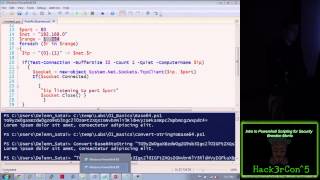
Introduction to PowerShell Scripting for Security - Hack3rcon 2014
Learn essential PowerShell scripting techniques for enhancing cybersecurity, covering key concepts and practical applications to strengthen your defensive capabilities.