Luminar 4 and Photoshop Tutorial - Editing Geese in Flight Image
Learn to enhance a "Geese in Flight" photo using Luminar 4 as a Photoshop plugin. Master tools, techniques, and luminosity layer masking for stunning wildlife imagery.

Topaz Mask AI Tutorial - Creating Perfect Masks for Image Editing
Learn to create perfect masks for background replacement and specific image adjustments using Topaz Mask AI, enhancing your photo editing skills in Photoshop or Affinity Photo.

Topaz Studio 2 Tutorial - Motion Blur Filter
Learn to create dynamic motion effects in photos using Topaz Studio 2's Motion Blur Filter. Discover techniques to enhance images with realistic movement and artistic blur.

Topaz Studio 2 - Using the Focal Blur Filter for Natural Background Blur
Learn to create natural out-of-focus backgrounds using the Focal Blur Filter in Topaz Studio 2, enhancing your photo editing skills and achieving professional-looking results.
DXO Film Pack 5 in PhotoLab 4 - Creative Film Rendering Tutorial
Explore creative film rendering techniques using DXO FILM PACK 5 within DXO PHOTOLAB 4. Learn to apply vintage and modern film effects to enhance your digital photography.

TOPAZ MASK AI: Sky Replacement Tutorial - Simplifying Complex Masking
Learn to replace skies in photos using Topaz Mask AI's new features, including Translucent Mode for fabric and semi-transparent materials. Improve your photo editing skills with this powerful and user-friendly tool.
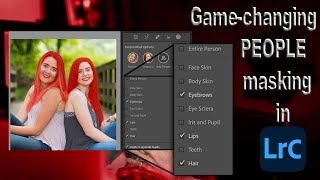
Lightroom 12 and ACR Update - One-Click Beauty Retouching with New Selection Tools
Discover new masking tools in Lightroom Classic and Adobe Camera Raw for effortless one-click beauty retouching, enhancing portraits with precision selections for hair, eyes, skin, and lips.
Full Edit Tutorial: Grazing in the Green - TK Friday
Comprehensive Photoshop editing tutorial using TK9 plugin, demonstrating advanced techniques on a landscape image. Includes downloadable resources for hands-on practice.
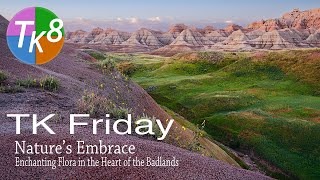
Nature's Embrace: Enchanting Flora in the Badlands - Full Edit Tutorial
Enhance your photo editing skills with Photoshop and TK8 Plugin. Learn techniques for sky, foreground, color grading, and more in this comprehensive tutorial.
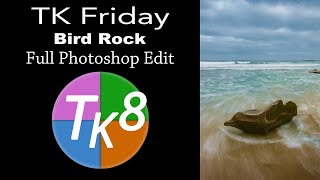
TK Friday - Full Edit of Bird Rock Image Using TK8 Plugin for Photoshop
Comprehensive Photoshop editing tutorial using TK8 plugin, featuring advanced techniques for enhancing a landscape image with step-by-step guidance and downloadable resources.

ON1 Photo Raw 2018 - Simulating Shallow Depth of Field with Lens Blur Filter
Simulate shallow depth of field using ON1 Photo Raw 2018's Lens Blur Filter. Learn to create professional-looking photos with blurred backgrounds, even without expensive lenses.

The Easiest Way to Tackle Tough Panoramas
Learn techniques for stitching challenging panoramas using PTGui and Luminar, with tips on shooting and processing workflows to create stunning wide-angle images.
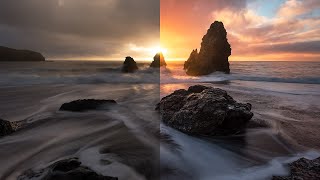
Color Grading in Lightroom and Adobe Camera Raw - New Features Tutorial
Explore advanced color grading techniques in Lightroom and ACR, including midtone control, luminosity adjustments, and blending options for enhanced photo editing.

Topaz DeNoise AI and Sharpen AI - Photoshop Workflow Tutorial
Learn an efficient Photoshop workflow integrating Topaz DeNoise AI and Sharpen AI for enhanced image quality. Discover techniques to reduce noise and improve sharpness in your photos.
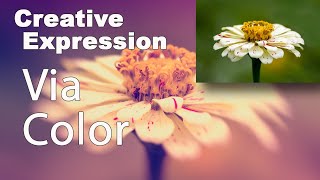
Creative Expression via Color Using NIK Collection Color Efex Pro 4
Explore creative artistic expression through color using the NIK Collection's Color Efex Pro 4. Learn techniques to enhance and transform your digital photography with powerful color editing tools.
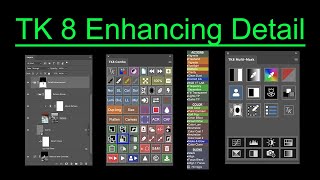
TK8 Enhancing Detail - New Technique for Photoshop
Aprenda uma nova técnica para realçar detalhes em fotografias usando o plugin TK8 para Photoshop. Inclui exemplos práticos e dicas para melhorar a clareza e o impacto visual das suas imagens.
NIK Collection 5 - Color Efex Pro 5 and TK8 Plugin for Photoshop Workflow Tutorial
Discover advanced photo editing techniques combining NIK Collection 5's Color Efex Pro and TK8 Plugin for Photoshop. Learn a powerful workflow to enhance your images with professional-grade tools and filters.
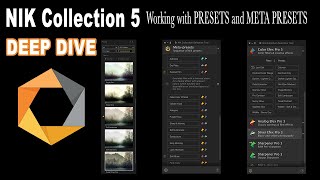
NIK Collection 5 - Deep Dive into Presets, Meta Presets, and the NIK Selective Tool
Explore advanced techniques for enhancing photos using NIK Collection 5, focusing on presets, meta presets, and the NIK Selective Tool for precise editing and creative effects.
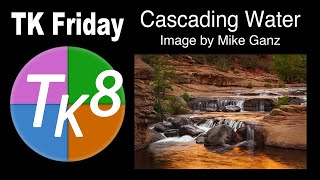
Full Edit Tutorial: Cascading Water Image Using TK8 Plugin for Photoshop
Learn advanced photo editing techniques using Photoshop and TK8 plugin. Enhance a cascading water image with step-by-step guidance, downloadable resources, and expert tips for stunning results.

TOPAZ MASK AI - New Update V1.2.0 First Look
Explore the latest Mask Ai update with a first-look tutorial, showcasing new features and improvements for efficient image editing and masking techniques.

Topaz Sharpen AI - Major Update V2.0.2 Review: Batch Processing and Masking
Explore the latest Topaz Sharpen AI update, featuring new batch processing and masking capabilities for enhanced photo editing efficiency and precision.