Creating a Neo-Constructivist Poster with Photoshop
Learn to create a vibrant 'Neo-Constructivist' poster using Photoshop, exploring bright colors, geometric forms, and digital collage techniques inspired by the Constructivist movement.
How to Make a Poster or Collage in Photoshop
Master the art of creating impactful posters and collages in Photoshop, from planning and resource gathering to assembly and final touches. Perfect for projects, advertisements, and campaigns.

Create a Music Movie Poster in Photoshop
Learn to recreate the "Echo in the Canyon" movie poster using Photoshop techniques like guide layout, frame coloring, text manipulation, and texture application for professional-looking designs.

Family Marvel Poster Compositing Tutorial
Learn to create a personalized Marvel-inspired family poster using Photoshop, from theme selection and photoshoot to compositing techniques and adding Easter eggs.

How to Use "Blend If" in Photoshop - Recreating the "OLD" Movie Poster
Learn to recreate the "OLD" movie poster using Photoshop's "Blend If" feature, along with techniques for curves, color, gradients, and masks to achieve professional-level design results.
How to Design a Rockin' 80s Party Poster
Learn to create a vibrant 80s-themed party poster with photo manipulation, custom textures, and retro design elements in this step-by-step graphic design tutorial.
How to Create an Ice-cold Poster with 3D Text
Create an eye-catching poster combining 3D text and stock images with an icy theme. Learn effective techniques for text placement, color manipulation, and image blending to achieve a striking visual impact.
Design a High Impact Gig Poster Suitable for Screen-Printing
Learn to create stylized, high-impact posters for screen-printing, focusing on a 3-color design that's effective for digital display, home printing, and silk-screen methods.
Create and Then Shatter a Grid - Making a Typographic Poster
Learn to create a dynamic typographic poster by breaking grid conventions, using Photoshop and Illustrator for a dark, grungy aesthetic with custom text layouts and visual effects.
How to Create a Scarlet Eclipse Effect for Posters and Flyers
Learn to design a dark eclipse poster using blends, effects, transformations, and textures in Adobe Illustrator for striking visual impact.
How to Design an Elvis Movie Poster in Photoshop
Learn to create a stunning Elvis-inspired movie poster using Photoshop. Master techniques for background setup, bling effects, and poster composition to craft a visually striking tribute to the King of Rock and Roll.

Glass Effect in Photoshop - Ripley Poster Tutorial
Create a Netflix-inspired "Ripley" poster using Photoshop's glass effect, while mastering selections, masks, and color adjustments in this hands-on tutorial.

Swiss Geometric Poster Design Tutorial in Adobe Illustrator
Learn to create clean, geometric Swiss-style posters in Adobe Illustrator. Master grids, typography, color, and layout techniques to design striking visual compositions inspired by Swiss design principles.

How to Create a Xerox Poster Effect in Photoshop
Learn to recreate a vintage xerox copy effect for character posters using Photoshop's Hard Mix blend mode and Knockout feature. Master smart-object based masks for unique, professional designs.

Creating a Shogun-Style Poster in Photoshop - Western Twist
Learn to design a Shogun-inspired poster with a Western twist using Photoshop. Master compositing, gradient maps, blending techniques, and layer styles to create a striking visual with gold titling and red oil splotch effects.
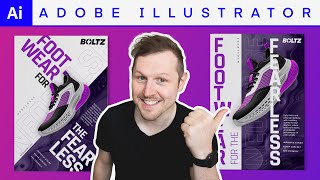
Axial Grid Poster Design in Adobe Illustrator
Learn to create dynamic typographic posters using the Axial grid system in Adobe Illustrator. Master image manipulation, typography, color, and composition techniques to design impactful sneaker company promotional materials.
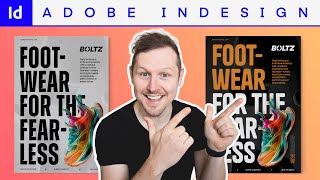
Creating a Bold Typographic Poster in Adobe InDesign
Learn to create dynamic typographic posters in Adobe InDesign. Master project setup, typography, images, color, composition, and exporting through a step-by-step process for a sneaker company promotion.
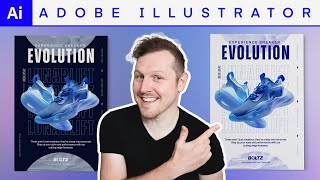
Creating an Urban Typographic Poster in Adobe Illustrator
Learn to design dynamic urban typographic posters in Adobe Illustrator. Master layout, typography, imagery, and color to create eye-catching designs for promotional campaigns.
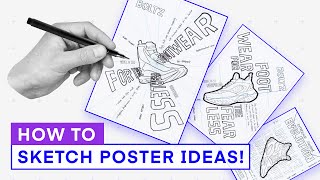
Generate Amazing Poster Ideas with Powerful Sketching Techniques
Unlock the power of sketching to generate innovative poster ideas. Learn techniques to transform thoughts into visual concepts, enhancing creativity and streamlining the design process.
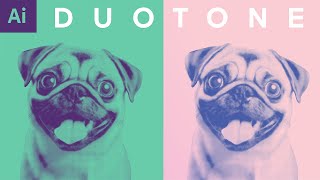
Duotone Image Effect with Halftone in Adobe Illustrator - Design Tutorial
Create impactful duotone and halftone effects in Adobe Illustrator. Learn to set up, prepare colors, apply effects, and explore color combinations for bold, graphic designs.
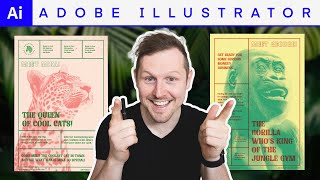
Screen Print Poster Effect in Adobe Illustrator - Poster Design Tutorial
Create a screen print poster effect in Adobe Illustrator. Master typography, imagery, and color techniques to design eye-catching zoo posters with a tactile, human quality.