Topaz Studio 2 Tutorial - Working with Textures
Discover the power of textures in Topaz Studio 2. Learn to enhance images using texture overlays, blend modes, and layer masking for artistic expression and creative photo editing.

65+ Pro-Level Photoshop Keyboard Shortcuts for Efficient Editing
Unlock 65+ pro-level Photoshop shortcuts to enhance efficiency in brushes, selections, layers, and hidden features. Master time-saving techniques for a faster, more creative editing workflow.

Dune Part Two Style Poster Creation in Photoshop
Learn to recreate the Dune Part Two movie poster in Photoshop, mastering techniques like gradient maps, film grain, skin smoothing, and dodge and burn for a professional cinematic look.

Using the Render Tree Filter in Photoshop - Tutorial
Learn to master Photoshop's Render Tree Filter, overcome its limitations, and create stunning composites using photos, generative fill, and various tools like curves, hue/saturation, and pattern overlay.
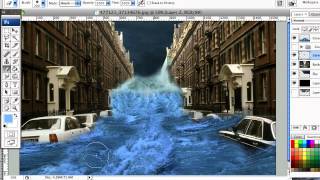
How to Create a Photo Manipulation of a Flooded City Scene
Learn techniques to transform a simple photo into a dramatic flooded cityscape using semi-realistic, stylized effects in this step-by-step digital manipulation tutorial.
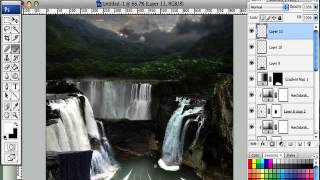
How to Create a Fantasy Landscape Photo Manipulation
Learn to craft enchanting fantasy landscapes using simple Photoshop techniques. Master stock selection and manipulation to bring imaginative scenes to life.
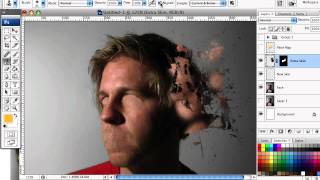
How to Mold Paint Splatter to a Face in Photoshop
Learn to apply splattered paint brushes to a model's face contours in Photoshop, creating artistic effects with a simple yet impactful technique.
How to Design a Rockin' 80s Party Poster
Learn to create a vibrant 80s-themed party poster with photo manipulation, custom textures, and retro design elements in this step-by-step graphic design tutorial.
How to Create a Fiery Demon Montage in Photoshop
Learn to craft a striking photo montage of a demon wreaking havoc on a city using stock images and Photoshop techniques in this step-by-step tutorial.
How to Create a Fantasy Photo Manipulation
Learn to craft captivating fantasy worlds through photo manipulation techniques, blending multiple images to create an enchanting visual narrative.
How to Create a Surreal Scene of Flying Bombs on Fire
Learn to craft a surreal digital scene with flaming bombs raining from the sky using Photoshop techniques suitable for beginners and advanced users alike.
Create a Cybernetic Woman in Photoshop - Part 6
Learn advanced Photoshop techniques to transform a model photo into a stunning cybernetic woman using stock images and creative digital manipulation.
Manipulate Smoke to Create Hyper-Real Images - Photoshop Tutorial
Learn to transform smoke into realistic skull imagery using Photoshop's Warp Tool and advanced techniques. Applicable to various elements like water and clouds.
How to Create a Dark Emotional Photo Manipulation
Learn to blend images, modify elements, and create a moody atmospheric illustration using photo manipulation techniques in this hands-on tutorial.
The Expendables Tutorial - Creating Movie-Style Text Effects in After Effects
Create an action-packed movie poster inspired by "The Expendables" using Photoshop techniques for dramatic lighting, gritty textures, and explosive effects.
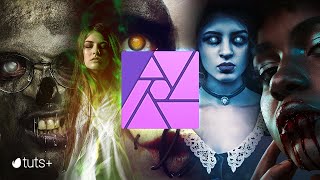
Super Creepy Photo Manipulation Horror Effects - Affinity Photo Manipulation Tutorial
Learn to create five spooky photo manipulation effects in Affinity Photo, including blood, zombies, magic glows, ghosts, and Halloween face paint. Perfect for enhancing your Halloween-themed designs.

Creating a Split Water Effect in Photoshop - Book Cover Design Tutorial
Learn to create a stunning split water effect in Photoshop, perfect for book covers. Master techniques for blending above and below water elements, and create a reusable smart object template for future projects.

The Ultimate Guide to Photoshop Adjustment Presets
Unlock the power of Photoshop 2024's updated Adjustment Presets. Learn to create custom presets, understand limitations, and craft unique looks like Autumn, Urban Blue, and Schindler's List.
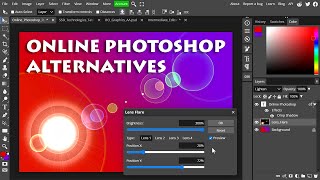
Online Photoshop Alternatives - Comparison and Functionality Test
Comprehensive comparison of online Photoshop alternatives, focusing on functionality, layer effects, and PSD file compatibility. Explores Pixlr, Canva, Photopea, Adobe Express, and Photoshop on the Web.

High-Resolution Generative Fill and Updates for PiXimperfect Photoshop Plugin
Explore new features in PiXimperfect's Photoshop plugin, including unlimited resolution Gen-Fill, improved navigation, smarter functions, and enhanced compositing tools for faster and easier image editing.

Firefly Image 3 in Photoshop Beta - Exploring Generative AI Advancements
Explore Adobe Firefly Image 3 in Photoshop Beta: Discover practical and innovative features of this generative AI update, revolutionizing image editing workflows.