
Glass Smash Tutorial - Blender Destruction
Learn to create realistic glass shattering effects using Blender's fracture tools, rigid body simulator, constraints, particles, and smoke simulator for stunning visual impact.
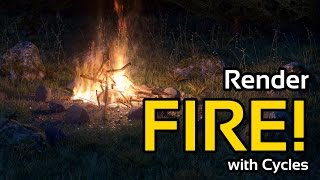
How to Render Fire in Cycles
Learn to simulate and render realistic smoke and fire effects using Blender's Cycles renderer, enhancing your 3D scenes with dynamic and visually striking elements.

How to Make a Christmas Tree in Blender
Learn to create a realistic Christmas tree using Blender's sapling add-on and particle systems, enhancing your 3D modeling skills for festive scenes and decorations.

How to Make a Rainy Window in Blender
Learn to create realistic rainy window effects in Blender, enhancing your 3D rendering skills with advanced techniques for atmospheric scenes and water droplet simulations.

Blender Beginner Tutorial - Creating Floating Particles with Geometry Nodes - Part 12
Learn to create floating particles using geometry nodes in Blender, enhancing your donut scene with lively, dynamic elements in this comprehensive tutorial.
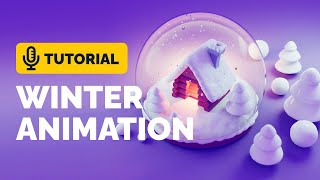
Snow Globe Animation Tutorial in Blender - Polygon Runway
Learn to model and animate a stylized snow globe in Blender using lattice modifier and particle systems. Master techniques for creating charming 3D illustrations with this step-by-step tutorial.

Car Loop Animation Tutorial in Blender - Polygon Runway
Learn to create a captivating car animation loop using Blender 3.1's animation graph and particle systems. Master advanced techniques for dynamic 3D illustrations and enhance your modeling skills.

Blender 3.0 Christmas Tree Tutorial - Polygon Runway
Create a festive Christmas tree illustration using Blender 3.0's addons and particle systems. Learn efficient techniques for quick and stylish 3D modeling in this hands-on tutorial.
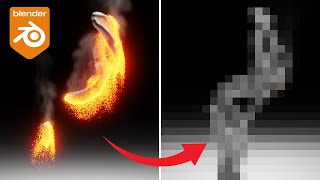
Blender Tutorial - Particle Reveal Effect Animation
Learn to create a particle reveal effect animation in Blender using Geometry Nodes, Dynamic Paint, Particle Systems, and Materials. Master advanced techniques for stunning visual effects in 3D animation.
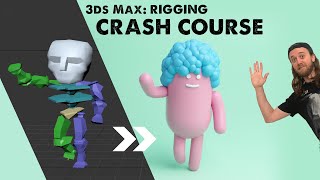
3ds Max - Rigging Crash Course
Comprehensive guide to character rigging in 3ds Max, covering bone tools, CAT rigs, and BIPED. Learn to model, create bone systems, and skin meshes for animation, with a bonus on TyFlow for hair particles.
iClone Tutorial - Custom Environmental Particle Settings
Learn to enhance scene realism with custom environmental particle effects, elevating your iClone projects to new levels of immersion and visual impact.
Eye-popping Effects with PopcornFX - Webinar
Learn to create stunning visual effects using PopcornFX plugin for iClone 7. Master customization techniques, explore sample effects, and integrate them into your 3D animation projects for professional-looking results.

iClone 7.2 Tutorial - Applying Magic Particle Effects
Master iClone's PopcornFX Library to create stunning magical effects. Learn to apply character auras, lightning attacks, and ambient lighting for captivating visual scenes in your 3D projects.

iClone 7.2 Tutorial - Creating Floating Dust and God Rays with PopcornFX Super Tools
Learn to create realistic floating dust and heavenly god rays using iClone 7.2's PopcornFX Super Tools. Master texture emitter techniques for stunning visual effects in your 3D animations.
iClone 7.2 Tutorial - PopcornFX Super Tools Ribbon Emitter
Explore the Ribbon Emitter in iClone's PopcornFX, covering basic settings, circulation, appearance, and forces. Master this tool to create stunning particle effects for your 3D animations.
iClone 7.2 Tutorial - PopcornFX Super Tools: Distortion Emitter
Learn to create realistic water ripples, wave effects, boat wakes, and heat waves using iClone's PopcornFX Distortion Emitter. Master professional-level visual effects for enhancing your 3D animation projects.

iClone 7.2 Tutorial - Controlling Particle Appearance with Texture in PopcornFX Super Tools
Learn to customize particle effects in iClone using PopcornFX Super Tools. Master mesh sampling, color mapping, lifetime control, and texture-based emission for enhanced visual production.
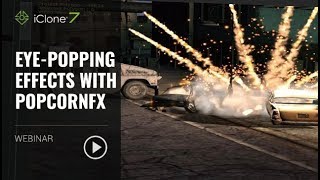
Eye-popping Effects with PopcornFX - January 23, 2018
Learn to create stunning visual effects using PopcornFX plugin for iClone 7. Master customization techniques, explore sample libraries, and integrate effects into your projects for professional-looking results.
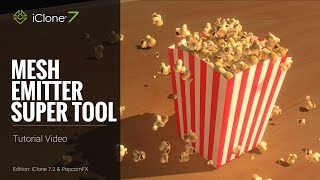
iClone 7.2 Tutorial - PopcornFX Super Tools - Mesh Emitter
Explore iClone's PopcornFX Mesh Emitter tool to enhance 3D projects with dynamic particle effects. Learn UI, mesh replacement, material settings, physics, color, rotation, and environmental forces.

iClone 7.2 Tutorial - PopcornFX Super Tools: Texture Emitter Advanced Techniques - Part 2
Explore advanced PopcornFX particle effects in iClone, including initial speed, particle life, rotation, and color changes, to enhance visual appeal in 3D projects.
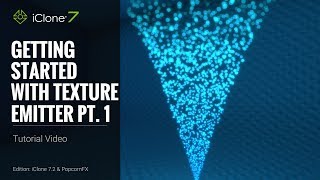
iClone 7.2 Tutorial - Getting Started with PopcornFX Texture Emitter - Part 1
Explore PopcornFX Texture Emitter in iClone: learn folder structure, change particle textures, adjust distribution, spread, volume, and emit position for enhanced visual effects.