Logic Pro 11 Chord Track Tutorial - Music Composition and Arrangement Features
Master Logic Pro 11's Chord Track feature for music composition, arrangement, and theory learning. Create custom progressions, use keyboard and bass players, and explore generative tools for enhanced music production.

Logic Pro 11 - Stem Splitter Techniques for Drum Replacement and Vocal Enhancement
Master advanced stem splitting techniques in Logic Pro 11 to enhance drums and vocals through practical remastering methods and professional audio manipulation strategies.
Fine-Tuning Session Player Arrangements and Articulations in Logic Pro 11 - Part 11
Master the art of fine-tuning arrangements and articulations in Logic Pro 11's Session Players, covering chord regions, bass techniques, drum patterns, and dynamic layering for professional-sounding productions.
Tracks and Regions in Logic Pro 11: MIDI, Patterns, and Audio Recording - Part 5
Master essential track types, MIDI recording, pattern creation, and session players in Logic Pro 11. Learn software instruments, drum sequencing, and audio recording techniques for music production.
Making Music with Loops in Logic Pro 11 - Part 8
Master the art of creating music with Apple Loops in Logic Pro 11, from basic loop types to advanced chord track integration and arrangement techniques for building dynamic musical compositions.
MIDI and Software Instruments in Logic Pro 11 - Lesson 9
Master MIDI fundamentals and software instruments in Logic Pro 11, from basic concepts to recording techniques, velocity control, and working with presets to create professional-quality music productions.

Building Chord Progressions with Logic Pro 11's Chord Track Feature
Master the efficient chord progression workflow in Logic Pro 11 using the drag-and-drop chord track feature, eliminating the need for MIDI controllers or chord packs while creating professional compositions.
Piano Roll and MIDI Edit Tools in Logic Pro 11 - Part 11
Master essential MIDI editing tools and techniques in Logic Pro's piano roll editor, from basic note manipulation to advanced automation controls and specialized editing features.
Recording Audio with a Microphone in Logic Pro 11 - Part 13
Master essential microphone recording techniques in Logic Pro, from choosing between dynamic, condenser, and ribbon mics to capturing acoustic guitar and vocals with proper setup, EQ, and take management.
Quick Swipe Comping, Edits and Fades in Logic Pro 11 - Part 14
Master Quick Swipe Comping techniques in Logic Pro 11 to create perfect vocal and guitar takes, navigate take folders efficiently, and learn essential editing and fading workflows.
Edit Tools in Logic Pro 11: Pointer and Marquee Tools Guide - Part 19
Master essential editing techniques in Logic Pro 11 with pointer and marquee tools, including shortcuts, configurations, and advanced functions for efficient music production workflow.
Logic Pro 11 Essential Edit Tools - Part 20
Master essential Logic Pro 11 editing tools including scissors, join, fade, gain, slip, and rotate functions. Learn time-saving techniques for audio manipulation and region editing to enhance your music production workflow.
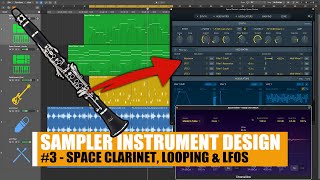
Creating a Space Clarinet Sampler Instrument in Logic Pro - Design Series Part 3
Learn to create a custom space clarinet instrument in Logic Pro using sampling, modulation, LFOs, and effects to transform basic clarinet samples into ethereal soundscapes.
Sends, Buses, Auxiliary Tracks and Time-Based Effects in Logic Pro 11 - Lesson 28
Master essential mixing techniques in Logic Pro 11, focusing on sends, buses, and auxiliary tracks. Learn to enhance vocals using Space Designer, Ensemble, and Tape Delay while understanding different send routing options.
Track Stacks and Bus Processing in Logic Pro 11 - Part 29
Master track organization and mixing in Logic Pro 11 through Track Stacks - learn folder and summing stacks for efficient audio routing, instrument layering, and professional bus processing techniques.
Better Vocal Processing - How to Tame Harshness Using Smart Resonance Suppression
Master advanced vocal processing techniques using Curves Equator plugin to eliminate harshness and achieve smoother, more balanced vocals while maintaining natural tone and presence in your audio productions.
How to Create Infinite Bassline Variations from a Single Pattern - Music Production Tutorial
Master techniques for transforming a single bassline into countless variations, building dynamic arrangements and creating an extensive pool of musical ideas for compelling storylines.
Understanding Ableton Live's Instrument Rack - Features and Functions
Master Ableton Live's Instrument Rack features, from basic setup to advanced chain selection and macro controls, enhancing your music production workflow with powerful sound layering and mapping capabilities.
Jazz Chords That Always Sound Good in Ableton Live
Discover easy-to-use jazz chord progressions in Ableton Live, from basic structures to advanced variations, perfect for creating rich musical compositions without deep theory knowledge.
Creating Bell Sounds in Ableton Live Using Analog, Operator and Wavetable Synthesizers
Master bell sound synthesis using Ableton Live's Analog, Operator, and Wavetable synthesizers through hands-on demonstrations of different approaches to creating distinctive bell tones.
Creating Synth Sounds with Nord Drum 3P - Vintage, FM, and Ambient Synthesis Tutorial
Master sound design techniques for creating vintage, FM, and atmospheric synth sounds on the Nord Drum 3P through hands-on demonstrations of subtractive synthesis, frequency modulation, and ambient textures.