Motion Builder Motion Editing for Unreal Characters - Part 1
Learn to edit motion capture files for Unreal characters using Motion Builder. Explore seamless FBX export from iClone and Character Creator, and compare editing processes in Motion Builder and iClone.
DeepMotion to Unreal Engine 5.1 - Converting MP4 to FBX with Embedded Mocap Animation
Learn to convert MP4 videos into FBX files with embedded mocap data, integrate DeepMotion with iClone 8 and Unreal Engine 5.1, and overcome common challenges in the animation pipeline.
DeepMotion Mocap Integration - MP4 Video to Lifelike Animation in iClone 8
Learn to integrate DeepMotion's AI-powered mocap technology with iClone 8, converting MP4 videos into lifelike animations using 3DXchange 7 for seamless character animation workflows.
From Webcam to Unreal Engine 5.2: Free Motion Capture Using ThreeDPoseTracker
Learn to create free motion capture animations using a webcam or MP4 video with ThreeDPoseTracker, then import and retarget them onto 3D models in Unreal Engine 5.2 for game development and animation projects.
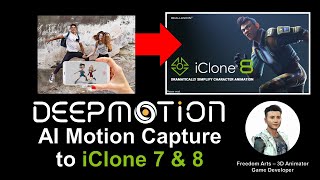
DeepMotion AI Motion Capture for iClone and Character Creator - Full Tutorial
Step-by-step guide on using DeepMotion AI to convert MP4 videos into body motion for iClone and Character Creator, enhancing 3D animation workflows with AI-powered motion capture technology.
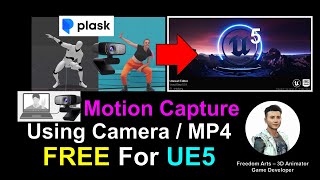
Webcam and MP4 AI Motion Capture for Unreal Engine 5.0.1 - Plask AI Tutorial
Learn to create AI-powered motion capture animations using webcam or MP4 video for Unreal Engine 5.0.1 with Plask. Step-by-step guide covers workflow from capture to import, enhancing 3D animation skills.
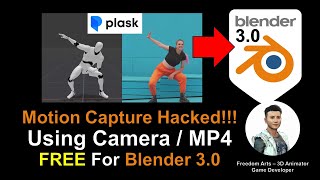
AI Motion Capture for Blender Using Camera or MP4 Video - Plask Tutorial
Learn to create AI-powered motion capture animations in Blender using webcam or video footage. Step-by-step guide covers Plask.ai integration, 3DXchange Pipeline, and iClone workflow for seamless animation transfer.
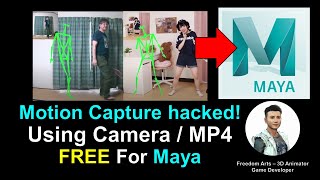
AI Motion Capture for Maya 3D Avatar Using Camera or MP4 Video - ThreeDPoseTracker Tutorial
Learn to create AI-powered motion capture for Maya 3D avatars using a camera or MP4 video with ThreeDPoseTracker. This tutorial covers the complete workflow from capturing motion to importing into Maya.
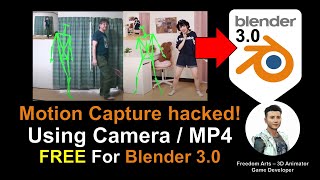
AI Motion Capture for Blender 3D Avatar Using Camera or MP4 Video - ThreeDPoseTracker Tutorial
Learn to create AI-powered motion capture for Blender 3D avatars using a camera or MP4 video with ThreeDPoseTracker. This tutorial covers the complete workflow from capturing motion to applying it in Blender.
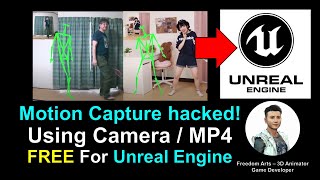
AI Motion Capture for Unreal Engine Using Camera or MP4 Video - Full Tutorial
Learn to create AI-powered motion capture animations for Unreal Engine using a webcam or MP4 video. This tutorial covers the complete workflow from capture to import, enabling free and accessible mocap for game development.
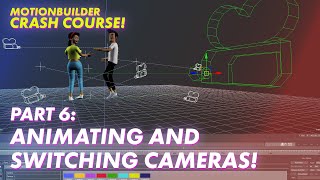
Animating and Switching Cameras in Motionbuilder - Mocap Crash Course Part 6
Learn to animate and switch cameras using Motionbuilder's Camera Switcher tool, enhancing your motion capture skills and creating dynamic visual sequences.
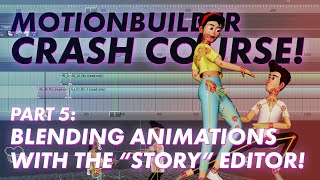
Blending Animations from Multiple Sources - Motionbuilder Mocap Crash Course Part 5
Learn to blend animations from multiple sources in Motionbuilder, enhancing your mocap skills and creating seamless, dynamic character movements.
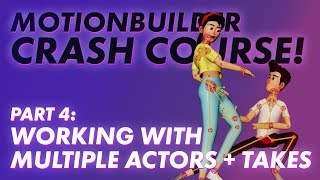
Adding Multiple Actors to a Scene - Motionbuilder Mocap Crash Course Part 4
Learn to incorporate multiple actors into a single scene using Motionbuilder, covering topics like mocap library, T-pose, multiple takes, character attachment, and animation baking.
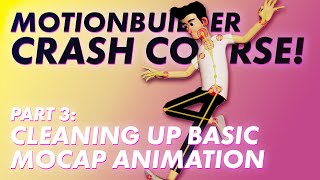
How to Clean Up Basic Motion Capture - Motionbuilder Mocap Crash Course - Part 3
Learn essential techniques for refining raw motion capture data, including cleaning keyframes, using animation layers, and reducing jitter for smoother, more polished animations.
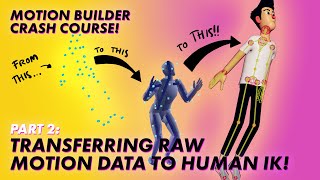
Motionbuilder Mocap Crash Course - Transferring Raw Motion Data to HIK - Lecture 2
Learn to convert raw optical data into usable animation in MotionBuilder, exploring techniques for transferring motion capture data to the Human IK system.

Face Mocap Using Any Camera - Creating and Applying Motion Capture Data
Learn to create face motion capture using any camera and apply it in Blender with free and paid addons. Covers data extraction, application, clean-up, and tweaking for realistic facial animations.
Retargeting Motion Capture Data to Game Characters
Learn to seamlessly apply motion capture data to game characters, enhancing animation realism and efficiency in game development.
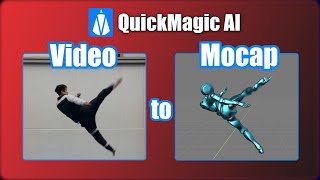
QuickMagic: High Quality Video to Motion Capture Tutorial
Learn to generate AI motion capture from video using QuickMagic, including 2D refinement, testing, and importing into Blender. Explore free and paid tiers of this powerful tool for creating high-quality mocap data.
Rokoko to Blender Workflow - Smartsuit Pro II Motion Capture and Cloth Simulation
Learn to integrate Rokoko motion capture with Blender, including retargeting and cloth simulation. Covers unboxing, setup, recording, and advanced techniques for creating realistic character animations.
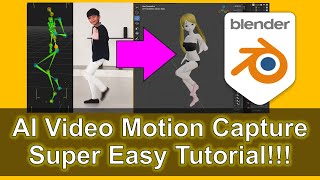
AI Video Motion Capture for Blender 4.1 - ThreeDPoseTracker to BVH Tutorial
Learn to perform AI video motion capture for Blender 4.1 using ThreeDPoseTracker. This step-by-step guide covers converting video to BVH format and importing into Blender for 3D humanoid animation.
Facial Animation and AccuFace Mocap in Character Creator and iClone - Part 9
Enhance character animations with AccuFace mocap in iClone. Learn to export from Character Creator, import mocap data, and refine animations using iClone tools for realistic facial expressions.