
M Code Class from Basic to Advanced - Power Query Excel & Power BI, Custom Functions
Comprehensive tutorial on M Code in Power Query for Excel and Power BI, covering basics to advanced topics like custom functions, data types, and lookups. Ideal for mastering data manipulation.
Azure Functions - Discover OpenAPI and Power Apps
Explore integrating Web API projects and Azure Functions with OpenAPI, and learn to consume APIs in Power Apps, Mobile Apps, and Progressive WebApps for enhanced development capabilities.
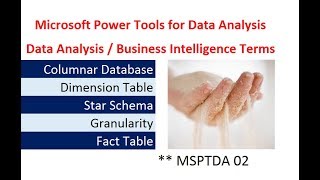
Data Analysis Business Intelligence Terms - Microsoft Power Tools for Data Analysis Class
Comprehensive overview of data analysis and business intelligence concepts, including data types, models, and database structures for effective data management and analysis.
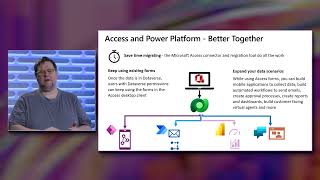
Access Connector for Dataverse and Power Platform GA Launch
Explore the integration of Microsoft Access with Power Platform, enabling hybrid solutions and mobile scenarios through Dataverse connectivity. Learn about migration, data export, and creating mobile apps.
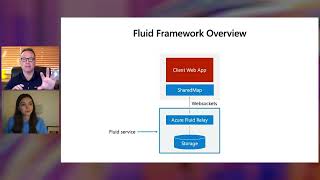
Building Real-Time Collaborative Apps with Azure, Microsoft 365, and Power Platform
Learn to build real-time collaborative apps using Azure, Microsoft 365, and Power Platform. Explore Fluid Framework, Azure Fluid Relay, Power Automate, and Microsoft Graph to enhance business productivity.

Exciting Innovations in Power Automate - Latest Updates and Capabilities
Explore latest Power Automate updates: desktop capabilities, cloud flow connectors for ISVs, and process advisor innovations. Learn about document automation, custom connectors, and streamlining business processes.

Implement Power Platform with Architecture Best Practices and Fusion Development
Discover scalable governance workflows, reference architecture, and deployment blueprints for Microsoft Power Platform. Learn to enable fusion team development and implement enterprise-level solutions with best practices.
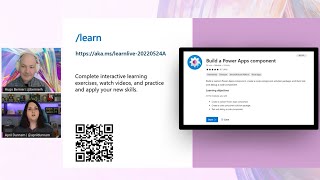
Build a Power Apps Component
Learn to create custom UI components for Power Apps using web development tools, enhancing app functionality with tailored solutions that integrate seamlessly with the platform.
Pro Developer Capabilities of Power Apps and Dataverse for Access Developers
Explore advanced developer capabilities in Power Apps and Dataverse, including APIs, data virtualization, custom code, and webhooks. Learn to leverage these tools beyond low-code solutions.
Power Apps Tutorial
Learn to create custom business apps without coding using Microsoft Power Apps. Connect to various data sources, design interfaces, and integrate with SharePoint and Power BI for powerful, tailored solutions.
Power Automate Advanced Tutorial
Comprehensive tutorial on advanced Power Automate features, covering integration with Microsoft tools, workflow creation, and automation techniques for increased productivity and efficiency.

Power Automate Beginner Tutorial
Learn to automate tasks in Microsoft ecosystem using Power Automate. Create efficient workflows, integrate with various Microsoft apps, and monitor flow statistics for improved productivity.
Microsoft Power Automate Tutorial for Beginners
Learn to create automated workflows using Microsoft Power Automate. Master different flow types, navigate the interface, and build flows from templates and scratch in this comprehensive tutorial.
Introduction to Power Automate
Learn to automate workflows using Power Automate, including email sentiment analysis and SharePoint file approvals. Gain practical skills through demos and hands-on labs in this Microsoft Power Platform session.
How to Build a Canvas App
Learn to create canvas apps using Power Apps Studio, exploring basic and advanced controls through hands-on demos and a practical site tracking application example.
Introduction to Power Apps
Learn to create apps with Power Apps, including demos on Dataverse integration, Excel data usage, and AI features like text recognition and object detection.
Introduction to Dataverse
Explore Dataverse: Learn about tables, columns, relationships, and creating Power Apps. Part of Microsoft Power Platform Fundamentals Bootcamp for PL-900 certification preparation.
Introduction to Microsoft Power Platform
Explore Microsoft Power Platform's key components, business value, and features like AI Builder and Dataverse. Learn about compliance, privacy, and accessibility in this comprehensive introduction.
How to Build a Dashboard - Microsoft Power Platform Fundamentals Bootcamp
Learn to create, visualize, and share data-driven dashboards using Power BI Desktop, including connecting data sources, defining relationships, and optimizing for mobile viewing.
Power Query Group By - Complete Lesson with 10 Examples
Comprehensive tutorial on Power Query's Group By feature, covering basic to advanced applications with 10 practical examples for data analysis and calculations in Excel.
Shapeshifter: A Power App and PCF Showcase - Dynamic Control Rendering
Explore advanced Power Platform development techniques, including Power FX enhancements and dynamic control rendering with PCF, showcasing innovative solutions for complex business needs.