
Presenting Using Virtual Camera
Learn to create engaging presentations and webinars using Ecamm Live's virtual camera, scene creation, and integration with Zoom for professional online events and improved audience engagement.
Ecamm Challenge - Recording Video
Learn to record high-quality videos using Ecamm, covering profiles, camera switching, aspect ratios, and more. Gain essential tips for creating professional content and repurposing live streams.
Live Streaming & Multistreaming in Ecamm Live
Learn to live stream and multistream with Ecamm Live. Discover benefits, reach wider audiences, and master essential techniques. Step-by-step guide covers destinations, scheduling, branding, and best practices.
An Overview of Ecamm Live
Comprehensive introduction to Ecamm Live v4.0, covering key features, modes, and settings. Includes hands-on challenge to set up preferences and create a profile for enhanced livestreaming and recording.
Unleashing the Power of Ecamm Live - Building Blocks with Ana and Fuljens
Explore new features in Ecamm Live 4.0 for enhanced video production, including interactive widgets, LinkedIn tools, camera effects, text overlays, and more. Learn tips to create engaging, professional live streams.
Vertical Overlay Designs for Live Streaming - BuildingBlocks Tutorial
Learn to create engaging vertical overlays for live streaming on Instagram. Gain practical skills in video production, from setting up RTMP feeds to adjusting layouts using grids and templates.
Creating Flipbooks in Canva and News Overlay Reveal - BuildingBlocks
Learn to create engaging flipbooks using Canva and integrated apps. Explore Heyzine, Publuu, and Canva's flipbook options. Discover a new overlay system for professional, interactive live streaming and video production.
Building Blocks of Live Streaming and Video Production
Weekly live tutorial on mastering live streaming and video production skills. Learn step-by-step techniques for creating professional and engaging content with hosts ana and Fuljens.
Building Blocks of Video Transitions - Creating Cool Transitions in Ecamm Live
Learn to create engaging video transitions using Ecamm Live, incorporating branding elements and built-in effects to enhance your live streams and video productions.
How to Produce Podcasts from Live Shows - Full Workflow
Comprehensive guide to creating podcasts from live shows, covering planning, guest management, production, editing, and distribution using various tools and platforms.
Podcasting 101: From Live Shows to Successful Podcasts - Everything You Need to Know
Learn to launch a video podcast from live shows, covering planning, setup, hosting, editing, and equipment with expert Colin Gray's insights on creating engaging content.
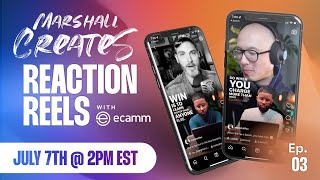
Marshall Creates Reaction Reels Using Ecamm Live
Learn to create engaging reaction reels using Ecamm Live and Final Cut Pro. Master green screen setup, recording techniques, and post-production workflows to enhance your content and grow your audience.
Custom Shaders to Modify Live OBS Video
Learn to create custom OBS shaders and animations for livestreams. Explore pixel-space effects, rainbow explosions, and "hacker mode" to enhance your streaming experience with expert Mark Dobossy.
Zoom + Ecamm Without Fuzzy Presentations - Zoom Workshop Day 2
Enhance Zoom presentations with Ecamm: create high-quality videos, add graphics, overlays, and eliminate fuzziness. Learn to boost engagement and master professional live video production techniques.
Using Green Screens with Ecamm Live
Discover advanced green screen techniques for enhancing video and livestreams. Learn to create custom backgrounds, fine-tune settings, and achieve transparent effects for professional-looking content.

How to Use OBS Studio - Complete Tutorial for Beginners
Comprehensive guide to mastering OBS Studio for live streaming. Learn interface, settings, scene setup, source management, filters, and going live. Perfect for beginners seeking to enhance their streaming capabilities.
Ecamm Live Masterclass- Collaborative Video Editing with Scenery Video
Discover Scenery, a web-based collaborative video editor designed to streamline team workflows. Learn about real-time collaboration, multicam editing, asset management, and cloud capabilities for efficient video production.

Midjourney and Stable Diffusion + GPT-3 - Live
Explore AI-powered image generation using Midjourney and Stable Diffusion 1.5. Learn to create prompts with GPT-3, compare results, and experiment with various styles and techniques for stunning digital art.
Freedom, Flexibility and Fun - Taking Back Your Live Streams with Owncast
Explore self-hosted live streaming with Owncast. Learn installation, configuration, and scaling techniques. Discover viewer engagement features and understand the mechanics of live video streaming.
Custom Twitch Overlays and Interactions - Learn With Jason
Create custom Twitch overlays and interactive elements using JavaScript, CSS, and web technologies for engaging livestream experiences.
Build a Twitch Extension - Learn With Jason
Learn to create custom Twitch extensions for displaying specific information on profiles, working across website and apps. Gain hands-on experience with practical demos and code examples.