
Write Cursive With Me - Happy New Years
Practice cursive writing through interactive prompts, exploring personal reflections and creative expression in this engaging live stream session.
Use Blender to Create Transparent Overlays for OBS
Learn to create transparent video overlays using Blender and VP9 codec for enhancing OBS scenes with detailed 3D animations and graphics.
Build Custom Twitch Bots and Overlays
Learn to create custom Twitch overlays and chatbots with LuckyNoS7evin. Discover the inner workings of these tools and gain hands-on experience in building interactive stream elements.
Character Drawing Stream
Live character drawing stream featuring popular game characters like Mario, PUBG, Alok, Godzilla, One Punch Man, and CJ from GTA. Includes artist interactions, celebrations, and a surprise raid by Aaron Blaise.
Drawing in Sketchbook Pro 8 - Ram Studios Comics
Live demonstration of digital drawing techniques in Sketchbook Pro 8, offering insights into the artist's creative process and workflow. Viewers can expect impromptu sketching and real-time interaction.
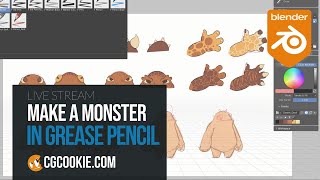
Make-a-Monster with Blender's Grease Pencil - Live 2D Illustration
Create original 2D creatures using Blender's Grease Pencil in real-time. Learn character design techniques, rapid iteration, and final selection process in this interactive live stream.
BeginBot Uses Memes to Trick Viewers into Learning How to Code
Interactive Twitch stream BeginBot combines memes, sound effects, and a virtual economy to engage viewers in learning coding through fun and interactive experiences.

Live Streaming on Twitch - Careers and Challenges in the Metaverse
Explore the world of live streaming, its evolution, challenges, and opportunities with insights from Twitch streamer Swebliss. Learn about online performance, community building, and navigating the digital landscape.
Using a Teleprompter with Ecamm
Learn to enhance your streams and recordings using a teleprompter. Discover its uses, required equipment, software options, and practical tips for confident, professional-looking content creation.
Ecamm Live Masterclass - Streamline Your Creative Workflows with Alteon.io
Streamline creative workflows and collaborate on video projects with Alteon.io. Learn about this all-in-one platform for uploading, sharing, storing, and collaborating on creative work, accessible to everyone.
The Ultimate Guide to Cameras for Content Creators
Expert guide to selecting cameras for content creation, covering key factors like studio size, autofocus, budget, and future-proofing. Includes specific recommendations and tips for streamers and vloggers.
Portable Studio Setup for Live Streaming - BuildingBlocks
Discover essential gear and setup tips for creating professional live video on-the-go, from audio and lighting to cameras and accessories, with expert guidance from experienced hosts.
Ecamm Live Masterclass- Why You Need the Insta360 Link Camera
Discover the versatility and innovative features of Insta360 cameras for high-quality broadcasts and videos. Learn about AI-powered editing, unique shooting techniques, and new product offerings.
Marshall Creates Dynamic Countdown Graphics with Ecamm
Learn to create engaging countdown graphics for live streams using Ecamm. Covers logo enhancement, background selection, Canva design, scene creation, music addition, and timer font tips for professional-looking countdowns.
Interview Mode Guest Features in Ecamm Live - BuildingBlocks Tutorial
Explore Interview Mode guest features in Ecamm Live, including chat, screen sharing, and camera options. Learn to set up guests for success and create engaging live productions.
Ecamm Live Masterclass - Smart Scripts for Streamers with Beat Sheet
Masterclass on using Beat Sheet with Ecamm Live for efficient live stream planning and execution. Learn to create structured shows, add visuals, and streamline your workflow.
Marshall Creates - Finding the Perfect Shot with Ecamm
Discover techniques for creating visually appealing talking head videos, from planning and creativity to optimizing your space, lighting, and equipment for professional-looking results.
Marshall Creates Live Video Podcast Branding with Ecamm
Graphic designer Marshall Fox demonstrates live creation of logos, overlays, and scenes for video podcasts using Ecamm, offering insights and tips for professional-looking digital content.
Creating Show Intro Videos with Ecamm Live
Learn to create dynamic show intro videos using Ecamm Live plugins. Graphic designer Marshall Fox demonstrates techniques for professional-looking livestream and recording intros, focusing on logo enhancement and plugin utilization.
Amazon Live Graphics and Overlays - Creating Custom Visuals for Livestreams
Learn to create engaging custom graphics and overlays for Amazon Live streams using Ecamm. Explore hexagons, lower thirds, text overlays, crop overlays, and more to enhance viewer engagement and professionalism.
Animated Overlays with Ecamm
Learn to create engaging animated overlays for livestreams using plugins and techniques. Enhance your digital presence with professional-looking graphics and boost audience engagement.