
10 Photoshop Selection Methods for Photography Masterclass
Discover 10 essential Photoshop selection techniques to enhance your image editing skills, from basic tools to advanced methods for precise and efficient selections.
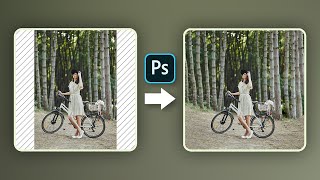
Hate Cropping? - Ways to Expand Photos in Photoshop
Learn three effective techniques to expand photos in Photoshop without cropping, including Content-Aware Fill, Content-Aware Scale, and Mirroring. Perfect for adapting images to various aspect ratios seamlessly.
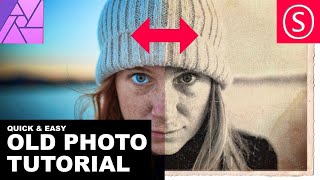
Affinity Photo - Old Photo Look Tutorial
Learn to create authentic 19th-century photo effects in Affinity Photo. Master techniques for aging images, adding textures, and simulating vintage camera characteristics for quick and realistic results.

How to Combine Images in Midjourney - Tokenized AI
Learn to combine images in Midjourney v4, unlocking new creative possibilities. Explore techniques for merging visuals, adding styles, and creating unique scenes through practical examples and expert guidance.
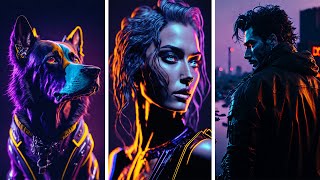
Illuminati Model with Noise Offset and AI Art Challenge
Explore the Illuminati AI model for image generation, participate in an art challenge, and learn advanced techniques for enhancing AI-generated artwork.
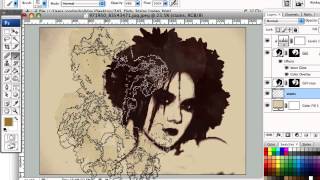
Creating Dirty Stains Design in Photoshop - Grunge Effects Tutorial
Learn to create eye-catching grunge designs using stain-based techniques in Photoshop. Transform photos with filters, brushes, and textures for unique monochromatic effects in this hands-on tutorial.
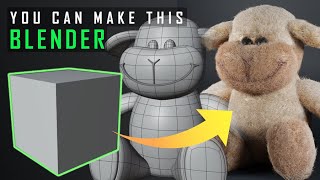
Very Easy Bear in Blender
Step-by-step guide to creating a cute teddy bear model in Blender, covering basic modeling techniques, subdivision surfaces, materials, and hair simulation for beginners.
Adobe Photoshop's New Generative Fill AI Feature - Tutorial and Demonstration
Explore Photoshop's revolutionary Generative Fill feature, an AI-powered tool that enhances image editing capabilities beyond traditional Content-Aware Fill, transforming your workflow and creative possibilities.
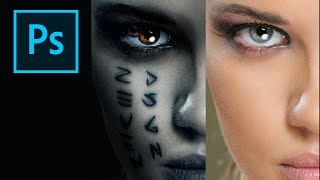
How to Create the Mummy Poster in Photoshop
Learn to recreate the iconic Mummy movie poster using Photoshop techniques. Master digital art skills and enhance your graphic design abilities in this step-by-step tutorial.
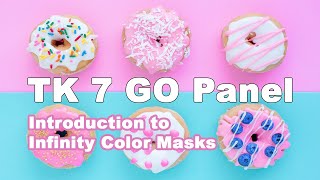
Introduction to Infinity Color Masks in TK7 Go Panel - Luminosity Masks Unmasked Episode 6
Explore powerful Infinity Color Masks in TK7 Go Panel for enhanced photo editing. Learn to create precise selections and adjustments, elevating your image processing skills.
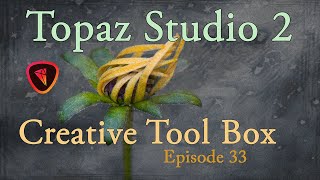
Topaz Studio 2 Creative Toolbox - Texturing for Artistic Images - Episode 33
Explore artistic image creation using Topaz Studio 2's Texture Filter and layer masking technology. Learn techniques for adding textures to enhance your photographs.

Adobe Firefly Text to Image AI Image Generator Tutorial
Explore Adobe Firefly's Text to Image AI generator, learn prompt writing techniques, and enhance AI-generated images in Photoshop. Includes hands-on projects and practical tips for better results.

Add Graphics or Patterns to Clothes Photoshop Tutorial
Learn to add graphics and patterns to clothing using Photoshop's puppet warp, transform warp, and liquify tools. Master techniques for preparing images, creating templates, and molding designs onto garments.

How to Create Golden Hour in Photoshop Tutorial 2022
Learn to create stunning golden hour effects in Photoshop using sky replacement, color adjustments, and atmospheric elements. Master techniques for landscapes, cityscapes, and portraits.

How to Remove a Background in Photoshop Tutorial 2022
Learn essential techniques for removing backgrounds in Photoshop, including one-click removal, lasso tool tricks, select and mask workspace, and advanced methods like pen and channel selections.

Photoshop Overlays Tutorial
Learn advanced Photoshop techniques to recreate the Chaos Walking movie poster, including overlays, masking, color grading, and text styling for dramatic and cohesive image composites.

How to Create Snow Using Optics in Photoshop
Learn to create realistic snow effects in Photoshop using Optics by Boris FX. Master EZ Mask, intersecting masks, clouds filter, Light Leaks, and Film Stocks to enhance your winter scenes.

How to Turn Day to Night Using Optics by Boris FX in Photoshop
Transform daytime photos into stunning nightscapes using Optics in Photoshop. Learn to apply filters like Day for Night, Lens Flare, Night Sky, and more for realistic night effects.

The Haunting of Bly Manor Fading Portrait Tutorial – Photoshop Live Q&A
Learn to create a faded portrait effect inspired by The Haunting of Bly Manor's opening title. Master compositing techniques, including patch tool, painting, and blending modes in this comprehensive Photoshop tutorial.
Introduction to Photoshop for Beginners - Basics on How to Use Photoshop
Learn Photoshop basics: tools, layers, effects, and essential techniques for image editing. Ideal for beginners seeking to master this powerful design software.
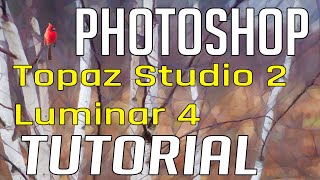
Photo Painting Tutorial - Photoshop, Topaz Studio 2, and Luminar 4
Transform photos into stunning paintings using Photoshop, Topaz Studio 2, and Luminar 4. Learn advanced techniques like AI enhancement, object selection, and blending multiple filters for unique artistic results.