Creating Realistic Bitmap2Material Textures for iClone - Part 1
Learn to create realistic textures using Bitmap2Material, extract various maps, and import them into iClone for enhanced 3D projects. Master mapping techniques and tiling for diverse surfaces.
Character Creator to Unreal - Body Animation in iClone - Part 2
Learn to create and customize character animations in iClone, including idle poses, walk cycles, and root motions. Explore tools like Direct Puppet, Motion Layer editing, and constraints for game-ready animations.
iClone Basics - Transform vs. Physics Wheel Animation
Learn techniques for animating wheels in iClone, including creating custom animation clips, using physics-based constraints, and applying realistic movements over obstacles. Explore different methods for prop animation.
iClone Character Creator Tutorial - Clothing Design and Structure
Learn to customize clothing in iClone Character Creator using Appearance Editor. Explore RGB maps, patterns, decals, and aging effects. Master clothing overlaps and export iAvatars for realistic character designs.

iClone Character Creator Tutorial - Basics, UI, and Character Customization
Learn to create custom 3D characters using Character Creator: UI basics, morphing, skin texturing, aging effects, clothing customization, and exporting to iClone for animation and game development.
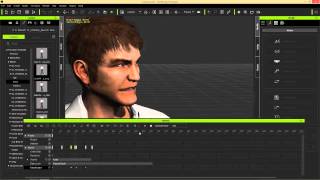
iClone Basics - Timeline for Character Animation - Part 2
Explore iClone 6's timeline for character animation, including motion tools, facial expressions, lip-sync, and keyframe editing to create dynamic and customized animations.
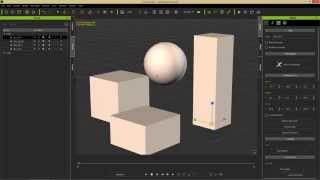
iClone Basics - Prop Movement and Manipulation
Learn essential prop manipulation techniques in iClone 6, including movement, rotation, scaling, pivot points, and alignment. Enhance your 3D animation workflow and speed up production.
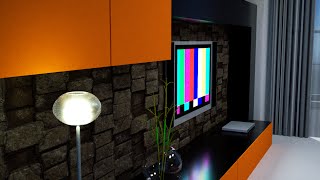
3DXchange 6 Tutorial - Rendering Sketchup Interiors in Indigo - Part 2
Learn to enhance Sketchup interiors in Indigo using 3DXchange 6. Master lighting, shaders, and materials to create stunning architectural renders with iClone and Indigo integration.
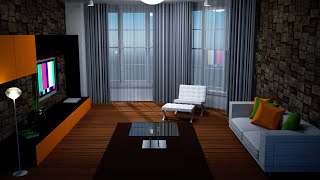
3DXchange 6 Tutorial - Optimizing Sketchup Models for Architectural Rendering
Learn to optimize Sketchup models for rendering in iClone and Indigo. Covers techniques like excluding back faces, smoothing normals, creating sub-props, merging identical meshes, and setting pivot points for efficient customization.
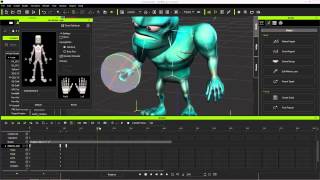
Exporting iClone Content to Unreal - Custom and Embedded Content
Learn to export custom animations, character models, and embedded motions from iClone to Unreal Engine using 3DXchange 6 Pipeline. Covers motion creation, editing, and exporting techniques for game development.
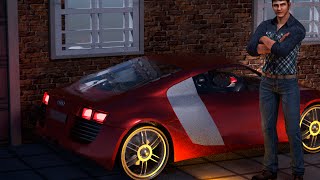
3DXchange 6 Tutorial - Rendering Sketchup Files in Indigo for Realistic Car Rendering
Learn to create realistic car renders using iClone 6 and Indigo. Master mesh refinement, material assignment, shader application, and subdivision techniques for high-quality 3D visualizations from Sketchup files.
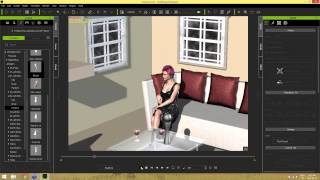
iClone 6 Scene Creation for Moviemaking
Learn essential scene creation techniques for iClone6, including navigation, prop manipulation, material application, and lighting. Enhance your moviemaking skills and create visually appealing scenes for polished productions.
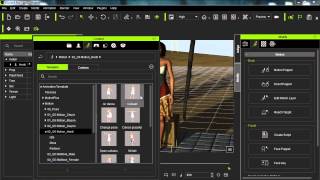
iClone Beginner's Guide: Animating with Motion Clips
Learn to animate characters in iClone using motion clips. Explore persona menus, motion libraries, and tools like Motion Puppet. Discover techniques for blending, breaking, and adjusting clips to create custom animations.
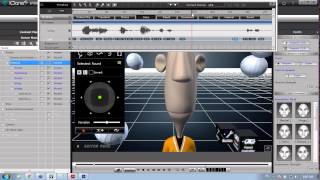
Create Your Pixar-Style Movie with iClone Toon Maker
Learn to create and animate custom cartoon characters using iClone's Toonmaker pack. Explore character design, real-time animation tools, and techniques for bringing unique personalities to life in your 3D animations.
Create a 3D Cartoon Avatar in 5 Minutes - Full Tutorial
Learn to create a personalized 3D cartoon avatar using Vroid Studio, convert it to FBX format, and test compatibility with Autodesk FBX Review and iClone in this step-by-step tutorial.
Buildify to iClone 8 Tutorial - Streamlining 3D Building Creation and Animation Workflow
Learn to integrate Buildify with iClone 8 for efficient 3D building creation and animation. Explore seamless workflows, import techniques, material application, and animation tools to enhance architectural visualization and storytelling.
Create and Animate a 3D Female Zombie Character Using Multiple Software Tools
Learn to design, rig, and animate a 3D female zombie character using multiple software platforms, from initial creation to final testing in game engines and animation tools.
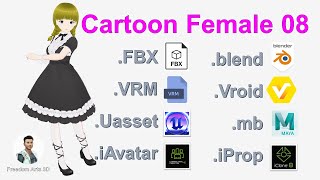
Master 3D Character Workflow: Vroid to Unreal Engine 5 - Cartoon Female Model
Comprehensive guide to creating a 3D cartoon female character, from initial design in Vroid Studio to implementation in Unreal Engine 5, covering multiple software and file formats for versatile use in games and animations.
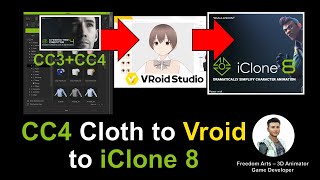
Vroid Studio Avatar with CC3/CC4 Clothes to iClone iAvatar - Full Tutorial
Learn to create a Vroid Studio avatar with CC3/CC4 clothing, export to Maya for rigging, and import into iClone as a fully-functional iAvatar with facial expressions and lip sync capabilities.
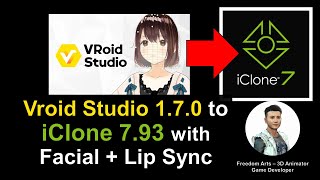
Vroid Studio to iClone - Importing Manga Avatars with Facial Expressions and Lip Sync - Tutorial
Learn to import Vroid manga avatars into iClone 7.93 with full facial expressions and lip sync. Create awesome 3D animations using this step-by-step guide for seamless integration between the two software.
How to Embed Texture in Exported FBX Files - Blender 3.1 Tutorial
Learn to embed textures in exported FBX files using Blender 3.1. Troubleshoot missing textures, ensure proper export, and maintain texture integrity when importing to third-party software like iClone and Maya.