
HTML Tutorial - Creating Your First Web Page with Basic Elements
Master the fundamentals of web development by creating a simple webpage, learning essential HTML elements, document structure, forms, tables, and semantic coding practices for building functional web content.

WordPress Tutorial - Create and Customize Your First Website
Master the essentials of building a professional website with WordPress, from choosing themes and adding content blocks to creating posts and customizing navigation - all in a beginner-friendly step-by-step format.
Stop Using JavaScript for That: Moving Features from CSS to HTML
Explore modern CSS and HTML features to reduce JavaScript reliance, enhancing performance and accessibility in web development. Learn practical techniques for common UI components.

HTML-First Apps are the Future - Comparing Framework Approaches
Explore the power of HTML-first development in modern web frameworks, comparing approaches and examining Ember's evolution towards better markup practices.

How to Make Your Application Accessible and Keep It That Way
Learn strategies to scale accessibility in your app, from GitHub's experience, and ensure compliance with legal requirements for inclusive design.
Design in Figma and Deploy a Pixel Perfect Drupal Website in Days, Not Weeks
Design and deploy a pixel-perfect Drupal website rapidly using Figma, streamlining the process from visual design to implementation.

Building Web Components: A Standard Approach for Microfrontends
Explore Web Components: a standard model for encapsulating and interoperating HTML elements, ideal for microfrontend development.
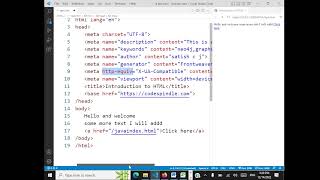
Introduction to HTML - Demo Using Visual Studio Code - Session 1
Learn essential HTML tags and structure using Visual Studio Code, covering elements like meta, style, headings, links, lists, and tables.
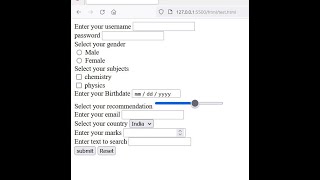
Introduction to HTML - Demo on iframe, video, audio, img, div, form and input tags - Session 2
Explore HTML tags for multimedia, forms, and layout. Learn to embed content, handle user input, and structure web pages effectively.
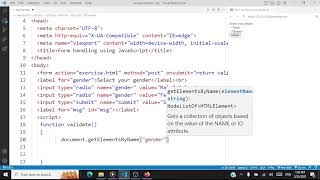
Form Handling using JavaScript - Accessing HTML Form Data
Learn to access and manipulate HTML form data using JavaScript, covering various input types including text, radio, checkbox, select, range, and date.
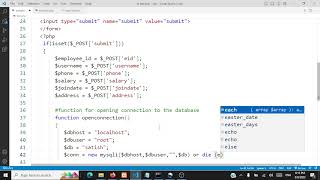
Employee Registration and Data Display with PHP and MySQL
Learn to create employee registration forms with PHP, insert data into MySQL, and display it using HTML tables with styling.

HTML Advanced Tags - Session 3
Explore advanced HTML tags like colgroup, optgroup, hgroup, datalist, fieldset, meter, and details to enhance web page structure and functionality.

Media Queries in CSS - Demo and Exercise
Learn to create responsive web pages using CSS Media Queries through hands-on demonstrations and practical exercises.

Your Website Does Not Need JavaScript
Explore building modern, functional websites using only HTML and CSS, without JavaScript or third-party resources. Learn native browser features for static site development.

2023's Most Interesting Browser APIs
Explore cutting-edge browser APIs: Web Speech, Sensors, WebXR, Internationalisation, Offscreen Canvas, and File System Access. Enhance web apps with voice control, device sensors, VR/AR, and more.

Advanced HTML for Performance and Accessibility
Optimize website performance and accessibility using advanced HTML techniques. Enhance user experience and development efficiency through strategic element and attribute usage.

Anchor Positioning - CSS Day 2024
Explore advanced CSS techniques for precise element positioning using anchor-based methods, enhancing layout control and design flexibility.

Scroll-Enhanced Experiences - Creating Dynamic Narratives with CSS
Explore scrollytelling techniques using CSS Scroll Timeline API to create dynamic, story-driven web experiences that captivate users as they scroll through content.

Creating a Countdown Mini App Using HTML, CSS, and JavaScript
Learn to build a Countdown Mini App using HTML, CSS, and JavaScript. Master web development skills through hands-on coding and create an interactive countdown timer from scratch.
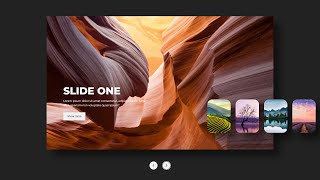
Beautiful Image Slider Using HTML, CSS and JavaScript - Beginner Project
Learn to create an interactive image slider with step-by-step guidance on HTML, CSS, and JavaScript. Perfect for beginners looking to enhance their web development skills through hands-on practice.

Simple Design Tips for Developers
Practical design tips for developers: color palettes, font styling, image sizing, and element spacing to enhance website aesthetics and user experience.