HTML, CSS, and Javascript Website Design Tutorial - Beginner Project Fully Responsive
Step-by-step tutorial for building a responsive website using HTML, CSS, and JavaScript. Covers navbar, hero section, services, footer, and navigation between pages.
CSS Navbar Dropdown Mega Menu Tutorial
Create a CSS Navbar dropdown mega menu using HTML and CSS. Learn to design an interactive navigation panel with multiple sections, icons, and hover effects for an enhanced user experience.
Node.js File Upload API with Express Tutorial
Learn to build a Node.js file upload API with Express, covering server setup, HTML form creation, custom middleware implementation, and file saving processes for efficient backend development.
CSS Responsive Card Design - Mini-Project Tutorial for Beginners
Learn to create a responsive card design using CSS, covering HTML structure, styling, media queries, and breakpoints for various screen sizes.
CSS Columns Tutorial for Beginners - Multicolumns Without Grid or Flexbox
Learn to create multi-column layouts using CSS without grid or flexbox. Covers column properties, rules, gaps, breaks, and spans. Ideal for beginners seeking to enhance their web design skills.

Best Practices of Modern Web Development
Explore modern web development best practices, focusing on user experience, responsive design, and performance optimization for creating effective websites and web applications.
How to Make a Navbar Sidebar Menu Youtube Clone Using HTML, CSS, and Javascript - Vertical Navigation
Create a vertical navigation sidebar menu with toggle functionality using HTML, CSS, and JavaScript, featuring icons and a YouTube-inspired design.
HTML & CSS - How to Add Image and Link? How to Build a Website Step by Step?
Learn to build a basic website using HTML5 and CSS3. Cover adding images, links, navigation, and styling. Ideal for beginners looking to create their first web pages step-by-step.
HTML & CSS - Introduction to CSS - Inline, Internal and External
Introduction to CSS: types, usage with HTML, and implementation of inline, internal, and external styles for web page styling and design.

Doodle Jump in JavaScript
Learn to build Doodle Jump using JavaScript, HTML, and CSS. This tutorial covers game logic, doodler creation, platform mechanics, keyboard controls, and scoring in a hands-on, step-by-step approach.

Wordle Clone in JavaScript
Learn to build a Wordle clone using JavaScript, APIs for word generation and validation, and step-by-step guidance on game logic, UI elements, and styling.

Build and Deploy a Light and Dark Mode Portfolio Using HTML, CSS, and JavaScript
Learn to build and deploy a portfolio website with light and dark mode options using HTML, CSS, and JavaScript. Gain practical skills in web development and design customization.

Build and Deploy a Responsive Gallery Portfolio Using HTML and CSS
Learn to create and deploy a responsive gallery portfolio using HTML and CSS, with step-by-step guidance on design, styling, and hosting your own professional website.

Whac-a-Mole in JavaScript
Learn to create a simple Whac-a-mole game using HTML, CSS, and JavaScript. Cover key concepts like document manipulation, event handling, and timing functions in this hands-on tutorial.

Build a Responsive Online Portfolio from Scratch
Learn to create a responsive online portfolio using HTML, CSS, and basic JavaScript. Covers layout, navigation, sections, media queries, and deployment to a custom domain.

2D Breakout Game in JavaScript
Learn to build and deploy a 2D Breakout game using HTML, CSS, and JavaScript. Create blocks, implement collisions, add user controls, and design game mechanics in this hands-on tutorial.

YouTube Coding Bootcamp
Comprehensive coding bootcamp covering HTML, CSS, and JavaScript fundamentals. Learn web development essentials, from basic syntax to advanced concepts, with hands-on projects and practical exercises.

Build Pacman in Pure JavaScript with Voice Commands
Learn to integrate voice commands into a JavaScript Pacman game using Alan AI. Enhance your skills in implementing voice-enabled features and working with SDK keys in web development projects.
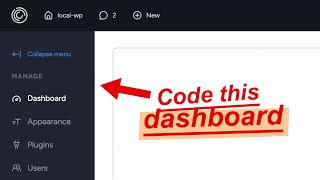
Build a Better Responsive Admin Dashboard UI - HTML, CSS, JavaScript
Learn to build a responsive admin dashboard UI with collapsible sidebar, icons, and dark mode toggle using HTML, CSS, and JavaScript. Gain practical skills in creating common web interfaces.
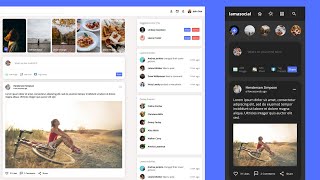
React Social Media App Design - Dark-Light Mode and Responsive with HTML CSS
Design a responsive social media app with React, featuring dark/light mode, protected routes, and UI components like login, navbar, and user profiles.
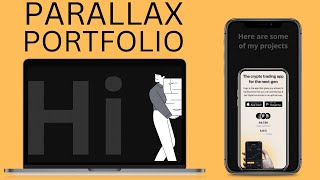
Portfolio Website for Developers and Designers - HTML CSS JS Portfolio
Learn to create a responsive parallax portfolio website using HTML, CSS, and JavaScript. Master design techniques, animations, and deployment for an impressive online showcase.