
Level Up Your CSS Animation Skills
Enhance web design skills with animated headers, hover effects, scroll-triggered animations, parallax scrolling, and responsive techniques. Create impressive, interactive landing pages.
Figma Tutorials
Learn essential Figma techniques: scrolling, components, overlays, menus, web design, prototyping, animations, and more. Master UI/UX design and bring your creations to life with HTML/CSS.

Figma UI Design Speed Art
Learn Figma UI design through speed art tutorials covering various projects, from coffee shops to finance apps, with tips on effects, plugins, and 3D mockups.
CSS Grid Cards With Animated Hover Effect - HTML-CSS
Learn to create responsive CSS grid cards with animated hover effects using HTML and SCSS. Master mobile-first design, desktop styling, and interactive elements for engaging web layouts.

HTML and CSS Tutorial for Beginners
Learn to build responsive websites from scratch using HTML, CSS, and JavaScript, covering layout techniques, icons, hover effects, and advanced features like dark mode.
Create Stunning Animations With Webflow - Crash Course
Learn to create popular Webflow animations including loading, masking, skewing text, button and hover effects, and horizontal scrolling in this comprehensive tutorial for beginners and experienced designers alike.
Create a Tilting Card on Hover With CSS Only
Learn to create an interactive tilting card effect using only CSS, exploring selectors, mouse tracking, and the :has() selector for a visually appealing hover animation.
Cool 3D Grid Layout - Can I Clone It?
Learn to create a visually striking 3D grid layout with hover effects, perspective, and shadows. Follow along as the instructor tackles challenges in real-time, offering insights into problem-solving in web design.

CSS Advanced Tutorial in Hindi
Comprehensive Hindi tutorial covering advanced CSS techniques, animations, and effects. Includes practical projects and in-depth explanations of key concepts for web developers.
Glassmorphism - Shiny Glass Social Media Icon Hover Effects - Z-Index Transition Icon Hover Effect
Learn to create shiny glass social media icons with hover effects using glassmorphism and z-index transitions in this Hindi tutorial. Master modern UI design techniques for eye-catching web elements.

Adobe XD Masterclass - Building a Premium Subscription Webpage - Episode 41
Learn advanced Adobe XD techniques for designing premium subscription webpages, including dark mode, shadows, hover effects, and prototyping. Improve your workflow with expert tips and tricks.

Designing and Animating an Expandable Dropdown Menu - XD Daily Creative Challenge
Learn to design and animate an expandable dropdown menu using Nested Hover in Adobe XD. Master interactive UI elements and enhance your prototyping skills in this hands-on creative challenge.

Adobe XD Masterclass - Designing a Messenger User Interface - Episode 50
Learn advanced Adobe XD techniques for designing messenger interfaces, including user lists, background effects, repeat grids, and interactive elements like hover effects and buttons.
Adobe XD Masterclass - Creating a Landing Page with Hover Effects and Animations
Learn to create an engaging landing page with hover effects and animated elements using Adobe XD. Master layout techniques and design principles in this hands-on tutorial.
Adobe XD Masterclass - Creating Advanced Micro-Interactions with Component States - Episode 2
Learn advanced micro-interactions in Adobe XD with Howard Pinsky. Master component states, hover effects, and animated elements to enhance your UI/UX design skills.
Learn HTML5 and CSS3 From Scratch
Comprehensive guide to modern web development fundamentals, covering HTML5 structure, CSS3 styling, responsive design, and interactive elements for creating visually appealing websites.
TailwindCSS Tutorial
Master Tailwind CSS essentials: installation, styling, layouts, responsiveness, and customization. Hands-on tutorial covering core concepts and practical techniques for efficient web design.
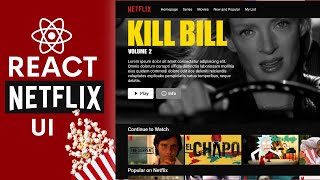
React Netflix Movie App Design Tutorial - React UI Full Course for Beginners
Learn to build a Netflix-like UI with React, including homepage, navbar, featured movie, slider, hover effects, full-screen video, and authentication pages in this comprehensive tutorial.

Three.js Tutorial Crash Course - 2021
Learn to create interactive 3D environments in the browser using Three.js. Covers scene setup, mesh creation, lighting, animations, hover effects, and integrating HTML/CSS interfaces.

How to Create Awesome Infinite Marquee Hover Effect Using HTML, CSS & JS
Learn to create an eye-catching infinite marquee hover effect using HTML, CSS, and JavaScript. Master step-by-step techniques to enhance user experience and add visual appeal to your website.
MDB React & CLI - From Zero to Production in Less Than 20 Minutes
Discover MDB React's potential with 700+ components, free templates, and quick installation. Learn to deploy using MDB CLI for efficient production in under 20 minutes.