
MQTT 102 - Adding Home Assistant Discovery to Your Devices
Learn to integrate MQTT devices with Home Assistant using auto-discovery. Simplify setup, create custom entities, and optimize device integration without complex coding or manual YAML configuration.
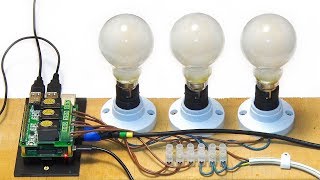
Raspberry Pi Automation - Mains Relay HAT
Tutorial on using Raspberry Pi with a mains relay HAT for home automation, including Python code for controlling light bulbs and other devices. Covers hardware setup and programming basics.

The Dark Age of IoT - Challenges in Smart Home Technology
Explores IoT and Smart Home challenges, debunking interoperability myths and highlighting open source as the key to secure, truly smart home experiences.

Auth for IoT - Securing Your Smart Home
Explore IoT security for smart homes, covering existing platforms and DIY projects. Learn to implement robust authentication, protect your network, and adopt a zero-trust approach for safer home automation.

Create a Generic Thermostat Control for Simple Temp Sensor and Binary Switch in Home Assistant
Learn to create a generic thermostat control in Home Assistant using a binary switch and temperature sensor, enabling easy comfort level management for your smart home setup.

Useful Primitives and Cryptography in the Ads Ecosystem
Explore cryptographic primitives in advertising, covering universal psychography, private computation, and challenges in adoption and scaling of privacy-preserving technologies.
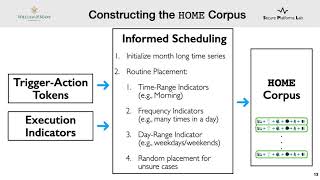
Towards a Natural Perspective of Smart Homes for Practical Security and Safety Analyses
Explore smart home security through natural automation patterns, leveraging user-created routines to generate realistic scenarios for practical safety analyses and policy development.
Frigate NVR in Home Assistant for Automation and Notifications Based on Object Detection
Explore Frigate NVR integration with Home Assistant for advanced object detection, automation, and notifications. Learn setup, configuration, and practical applications for smarter home surveillance.
Home Assistant Scenes - Bring Your Smart Home Devices Together and Make Your Life Easier
Learn to create and use Home Assistant Scenes to group smart devices, automate your home, and simplify daily routines. Discover how to set up, customize, and integrate scenes with automations.
Home Assistant Grids for Beautiful, Functional Dashboards
Learn to create visually appealing and functional Home Assistant dashboards using grid layouts. Discover nested grids, mobile-friendly designs, and tips for effective dashboard organization.
Using Message Queues in Home Assistant to Trigger Automations More Efficiently
Learn to use MQTT with Home Assistant for efficient automation triggers, focusing on setup, integration, and practical application with a Shelly Button device.
Open Source, Self Hosted Mailbox Notification System - Know When Your Posts Arrive Without the Walk
Build a DIY mailbox notification system using open-source tools and a Raspberry Pi. Learn to set up hardware, configure software, and receive alerts when mail arrives, saving time and effort.
Flashing ESPHome or Tasmota to a Smart Device
Learn to flash ESPHome and Tasmota firmware on a Sonoff S31 smart plug. Gain insights into custom firmware benefits, device disassembly, flashing process, and integration with Home Assistant for enhanced smart home control.
Move Home Assistant to Proxmox - A Complete Step-By-Step Guide
Comprehensive guide for migrating Home Assistant to Proxmox, covering hardware requirements, installation, VM setup, backups, and system optimization. Ideal for users seeking improved performance and reliability.
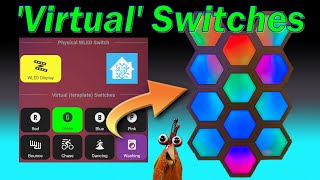
How to Create Virtual Switches in Home Assistant
Learn to create and utilize virtual switches in Home Assistant for enhanced automation and control. Explore practical examples including light brightness, streaming services, WLED displays, and input booleans.
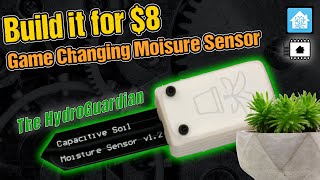
DIY Soil Sensor for Home Assistant Integration
Learn to build and integrate a DIY soil moisture sensor with Home Assistant using ESPHome. Automate your garden watering based on real-time data for efficient plant care and a smarter gardening experience.

Control Your Arduino From Your Phone - HC06 Bluetooth Module
Control your Arduino remotely using a smartphone and HC06 Bluetooth module. Learn to set up the hardware, write Arduino code, and use a terminal emulator app for basic remote control functionality.
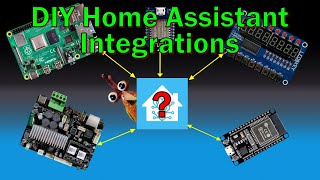
MQTT 101 - Integrate Your DIY Devices into Home Assistant
Learn to integrate DIY devices into Home Assistant using MQTT. Covers MQTT basics, implementation in custom devices, and Home Assistant integration through practical examples and real-world applications.
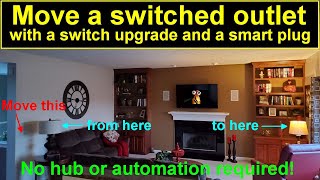
Move a Switched Outlet Control to Anywhere With Just Two Smart Devices
Learn to relocate switched outlet control using smart devices. Upgrade your switch, add a smart plug, and gain flexibility without complex wiring or a smart hub. Step-by-step guide with device selection and configuration.
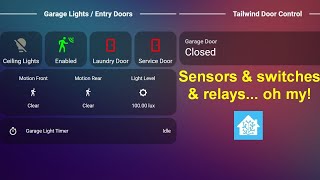
Automated Garage Lighting with Home Assistant
Learn to automate garage lighting using Home Assistant, exploring various sensors and relays for reliable motion detection and energy efficiency. Gain practical insights on overcoming challenges in smart home automation.
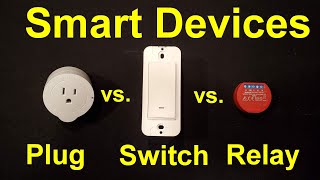
Smart Plugs vs. Switches vs. Relays
Explore smart plugs, switches, and relays for home automation. Compare features, installation, and use cases. Learn about custom firmware and integration with Home Assistant.