
Generative Fill Magic: Creating an Invisible Person Effect in Photoshop
Learn to create an invisible person effect using Photoshop's Generative Fill, selection tools, and painting techniques. Explore advanced features like the pen tool and patterns.
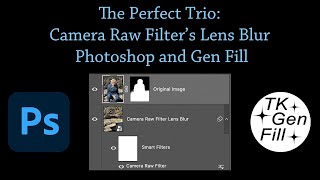
The Perfect Trio: Camera Raw Filter's Lens Blur, Photoshop and Generative Fill
Enhance photos using Camera Raw's Lens Blur, Photoshop, and Gen Fill. Learn to combine these tools for improved image quality, realistic blur effects, and seamless object removal.

High-Resolution Generative Fill and Updates for PiXimperfect Photoshop Plugin
Explore new features in PiXimperfect's Photoshop plugin, including unlimited resolution Gen-Fill, improved navigation, smarter functions, and enhanced compositing tools for faster and easier image editing.

How to Remove Glare from Glasses Using Photoshop
Learn techniques to remove glare from glasses in Photoshop, from beginner to advanced levels. Master tools like Remove Tool, Generative Fill, and Curves to enhance your photo retouching skills.

Photo Manipulation Basics in Adobe Photoshop
Master essential photo manipulation techniques in Adobe Photoshop, from image extraction and blending to color matching and advanced compositing. Learn to create professional-quality manipulations with expert guidance.

Removing Complex Objects in Photoshop - Advanced Techniques
Master advanced Photoshop techniques to remove complex objects like fences, combining Content-Aware Fill, Generative Fill, and Remove Tool for high-quality results in photo editing.

Converting Photos to Art in Photoshop Using Generative AI - New Features and Techniques
Explore Photoshop's new AI-powered features for transforming photos into art, including Generative Fill and Selection Brush. Learn techniques for partial effects and advanced methods.

Adobe Firefly for Beginners - AI Art Generation Tutorial
Learn Adobe Firefly for AI art generation, covering basics to advanced techniques. Master image creation, styles, generative fill, and AI integration in Photoshop for creative digital art projects.
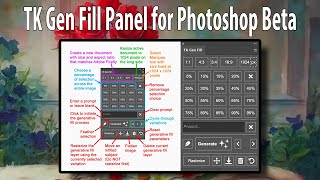
TK GEN FILL Panel for Photoshop Beta's Generative Fill
Streamline your Generative Fill workflow with the TK GEN FILL PANEL for Photoshop Beta. Transform photos into stunning art effortlessly, maximizing efficiency and creativity in photo editing.
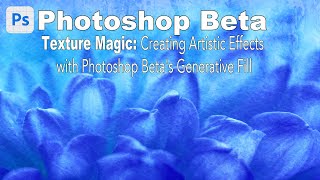
Texture Magic: Creating Artistic Effects with Generative Fill in Photoshop Beta
Explore Photoshop Beta's Generative Fill to create stunning artistic textures. Learn step-by-step techniques for enhancing your artwork with AI-powered effects, suitable for all skill levels.
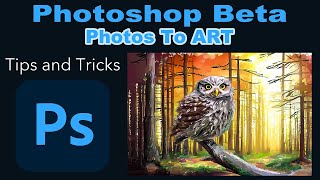
Photoshop Beta: Turning Photos into Art with Generative Fill - Tips and Tricks
Transform photos into stunning artwork using Photoshop Beta's Generative Fill feature. Learn tips, tricks, and a time-saving action to elevate your photo editing skills.

Expand Any Image in Seconds!
Learn to expand and enhance straightened photos using Photoshop Beta's Generative Fill feature. Master techniques for filling transparent areas with realistic details and improving image quality.
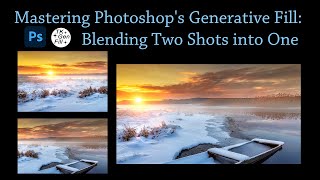
Mastering Photoshop's Generative Fill - Blending Two Shots into One
Learn to seamlessly blend two images using Photoshop's Generative Fill and TK Gen Fill Panel. Discover advanced compositing techniques to create stunning, realistic photo combinations.
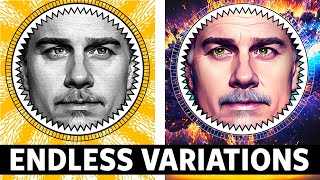
Refreshing Routine Graphics with AI in Photoshop - Generative Fill Techniques
Learn to refresh routine graphics using AI-powered Generative Fill in Photoshop. Discover techniques for creating visually interesting headers, thumbnails, and other graphic elements with ease.

Creating Seamless Patterns in Photoshop - 3 Powerful Techniques
Master three powerful techniques for creating seamless patterns in Photoshop using Pattern Preview and Generative Fill, with real-world applications for textures, walls, and fences.