Escape Room Design: Creating an Explosive Door Opening Effect
Learn to design an explosive door-opening effect for escape rooms using maglocks, relays, and sound effects. Covers mounting, wiring, and safety features for a thrilling player experience.
Add 3D Text to Your Footage with Blender - VFX Tutorial
Step-by-step tutorial on integrating 3D text into video footage using Blender, covering motion tracking, scene setup, text creation, lighting, and compositing for realistic VFX results.
Futuristic HUD Tablet VFX in Blender
Step-by-step guide to creating a futuristic HUD tablet in Blender using plane tracking and compositing. Learn scene setup, tracking, masking, and animation rendering for impressive visual effects.
Anamorphic Illusion - Blender VFX Tutorial
Learn to create stunning anamorphic illusions in Blender with step-by-step guidance on camera tracking, projection mapping, and compositing techniques for impressive visual effects.
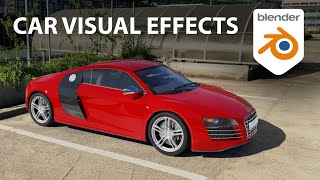
Add Cars to Your Videos With Blender - VFX on a Cloud Computer
Learn to seamlessly integrate 3D car models into videos using Blender. Master camera tracking, lighting, rendering, and compositing techniques for realistic visual effects.
Blender 2.8 Basics Tutorial - Interface & Navigation for Beginners
Learn Blender 2.8's interface and navigation basics, including installation, 3D viewport controls, and options for both 3-button mouse and trackpad users. Perfect for beginners starting their 3D journey.
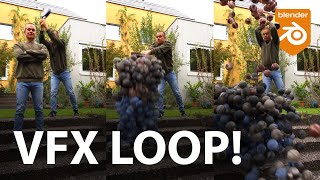
Create Looping VFX Animation with Blender
Learn to create seamless looping VFX animations in Blender. Master techniques for footage preparation, 3D reconstruction, particle systems, shading, and compositing to produce professional-quality visual effects.
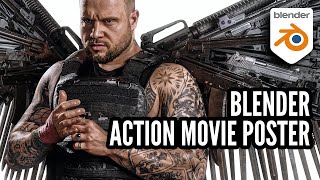
Action Movie Poster Composite Tutorial with Blender & Sketchfab
Learn to create an action movie poster using Blender and Sketchfab. Covers photo-shoot setup, scene reconstruction, model posing, lighting, 3D weapon placement, compositing, and final touches in Photoshop.
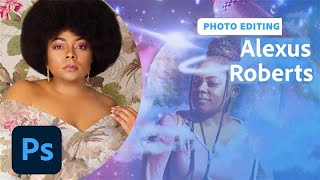
Self-Portrait Composites in Photoshop - Part 1
Learn to create stunning self-portrait composites in Photoshop with photographer Alexus Roberts. Master essential tools, techniques, and creative processes for blending self-portraits with stock images to produce captivating artwork.
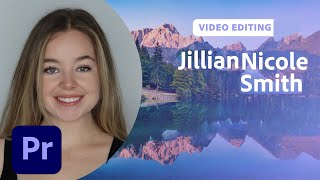
Creating Smooth Transition Videos for TikTok - Part 2
Aprenda técnicas avançadas de transição para TikTok com Jillian Nicole Smith, incluindo mascaramento e modelos de motion graphics no Premiere Pro para criar vídeos envolventes e profissionais.
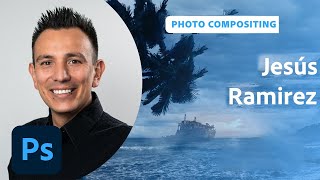
Designing Movie Posters in Photoshop - Part 1
Learn advanced Photoshop techniques for creating captivating movie posters with designer Jesús Ramirez. Master background removal, custom brush design, and seamless image integration in this interactive tutorial.
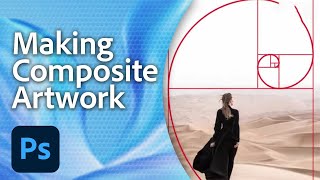
Creating Amazing Photoshop Composites - Workshop with Aaron Nace Part 1
Master conceptual compositing in Photoshop with expert techniques for blending images, adjusting levels, and enhancing details. Learn to create visually striking artwork using Adobe Stock photos and advanced tools.
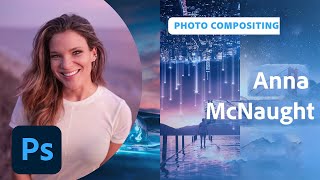
New Features in Adobe Photoshop - Workflow Enhancements and Neural Filters
Explore Photoshop's latest features with photographer Anna McNaught, including neural filters, landscape mixers, and advanced selection tools to enhance your creative workflow and photo editing capabilities.
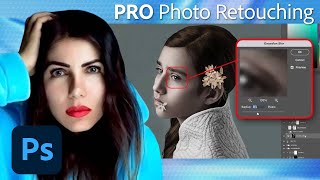
Fine Art Photo Retouching and Editing in Photoshop - Tutorial Part 2
Learn advanced Photoshop techniques for fine art retouching with photographer Elena Paraskeva. Master high-end photo editing, including hair refinement, frequency separation, dodge and burn, color grading, and texture addition.
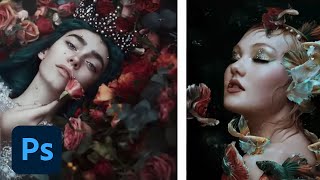
Editorial and Fantasy Photo Editing with Bella Kotak - Part 2
Explore advanced photo editing techniques with Bella Kotak, focusing on compositing, retouching, and color toning for editorial fantasy pieces using Adobe tools.
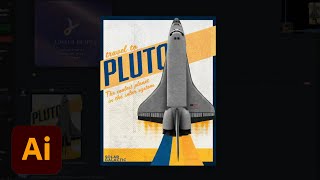
Creating a Poster in Adobe Illustrator - Creative Basics 201
Learn to design a poster in Adobe Illustrator with expert tips on color palettes, typography, gradients, and special effects. Gain practical skills for creating eye-catching designs from professional brand identity designers.
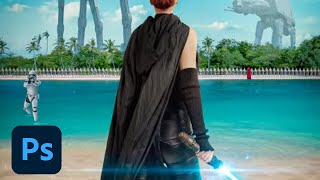
Creating a Sci-Fi Movie Poster in Photoshop - Professional Techniques
Learn to create a professional Sci-Fi movie poster in Photoshop using Adobe Stock images, advanced compositing techniques, and industry-standard design practices with expert guidance from Jesús Ramirez.
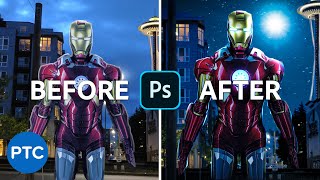
Editing Your Photos - Photoshop Compositing
Learn advanced Photoshop compositing techniques to create an Iron-Man image, including perspective correction, color adjustments, masking, and sky replacement in this comprehensive tutorial.

Recreate The Flash Running Lightning in Photoshop - Copycat
Learn to recreate The Flash's running lightning effect using Photoshop and After Effects. Master background removal, blurring techniques, and three methods for creating and compositing realistic lightning.

Disintegration Effect - Dispersion Effect - Photoshop Tutorial
Learn to create the popular disintegration effect in Photoshop using brushes and patterns. Master techniques for custom brushes, seamless cracks, dust layers, and final adjustments for stunning results.

Create a Stunning Neon Light Effect in Photoshop - Tutorial for Beginners
Learn to create stunning neon light text effects using Photoshop 2023's new Materials and Layer Styles. Master techniques for realistic glow, atmosphere, and sign brackets in this beginner-friendly tutorial.