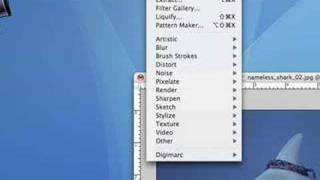
Photoshop 101 - Basics for Beginners
Learn essential Photoshop skills in 50 minutes. Covers fundamental tools, techniques, and features for beginners to start editing images and creating designs effectively.
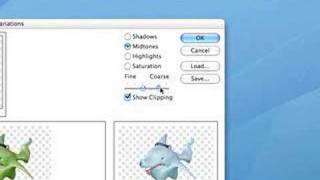
Photoshop 101 - Part 2
Learn essential Photoshop techniques in this concise tutorial. Master key tools and features to enhance your graphic design and photo editing skills.

Creating a Sci-Fi Composite with Generative Fill in Photoshop
Learn to create a sci-fi composite using Photoshop's Generative Fill, silhouette brushes, and advanced techniques for glows and Saturn rings. Master digital art skills for stunning alien landscapes.

Controlling Generative Fill in Photoshop - Watercolor Tutorial
Learn to create watercolor paintings from photos using Photoshop's Generative Fill, exploring intensity control and the quickmask tool for stunning digital art transformations.

Family Marvel Poster Compositing Tutorial
Learn to create a personalized Marvel-inspired family poster using Photoshop, from theme selection and photoshoot to compositing techniques and adding Easter eggs.

Opacity vs Fill in Photoshop - Demystifying Differences and Effects
Explore the nuanced differences between Opacity and Fill in Photoshop, focusing on their unique effects with specific blending modes. Learn to create impossible visual effects by leveraging these distinctions.

Putting Your Face in a Classical Painting Using Photoshop
Learn to seamlessly integrate your portrait into classical paintings using Photoshop techniques. Master the art of digital time travel by blending modern photos with historical artworks for stunning, realistic results.

Photoshop Texture Tutorial - Recreating the Cherry Movie Poster
Learn to recreate the Cherry movie poster using Photoshop techniques like cropping, transform, curves, guides, masks, and gradient maps. Enhance your design skills with professional texture application.

Adding Lightning Effects with Photoshop and Optics
Learn to enhance scenes with realistic lightning effects using Optics filters and integrate them seamlessly into Photoshop composites. Master advanced techniques for creating dramatic, cinematic imagery.

Maleficent-Inspired Composite Tutorial - Photoshop and Optics by Boris FX
Learn to create a Maleficent-inspired composite using Photoshop and Optics plugin. Master compositing techniques, atmosphere addition, depth enhancement, and color grading in this comprehensive tutorial.

Harry Potter Patronus Effect in Photoshop - Tutorial
Learn to create a magical Harry Potter-inspired Patronus effect in Photoshop using advanced techniques for compositing, color grading, lighting, and lettering. Master atmospheric effects to enhance your digital art skills.

Setting Up Your Workspace in Photoshop CC 2020
Learn to customize Photoshop CC 2020's workspace for efficient compositing and retouching, covering interface elements, essential shortcuts, and personal setup tips.

Add Color to Preset Brushes in Photoshop - Compositing and Enhancement Techniques
Learn to add color to preset brushes in Photoshop, along with techniques for compositing, background replacement, color matching, and vignette creation. Enhance your photo editing skills with practical effects.

How to Blend Two Images Creatively in Photoshop - Water in Pavement Effect
Learn creative image blending techniques in Photoshop, including the popular "water in pavement" effect. Master photo manipulation and compositing skills to create dramatic and eye-catching visuals.

Gone Girl Movie Poster Recreation - Photoshop Tutorial
Learn to recreate the Gone Girl movie poster using Photoshop techniques like file setup, guide layouts, gradient backgrounds, layer blending, masking, and custom brushes in this comprehensive design tutorial.
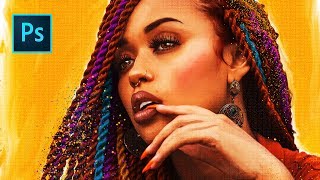
She's Gotta Have It Poster Tutorial - Photo to Faux Oil Painting in Photoshop
Learn to transform a photo into a faux oil painting using Photoshop techniques like selection, quick masks, color manipulation, compositing, and digital painting. Ideal for intermediate users seeking advanced skills.
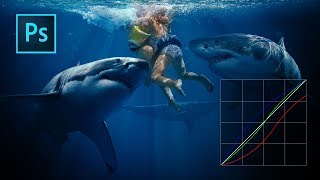
Color Grading with Curves in Photoshop
Master artistic color grading in Photoshop using curves. Learn to edit RGB curves separately, creating three distinct color grades with a single adjustment layer in this hands-on tutorial.
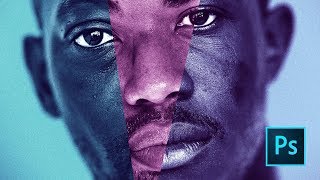
Moonlight Movie Poster Photoshop Tutorial
Learn to recreate the Moonlight movie poster using advanced Photoshop techniques like gradient maps, liquify tool, and blur gallery. Master compositing skills applicable to various design projects.
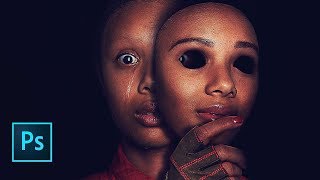
Us Movie Poster Photoshop Tutorial
Learn to recreate the "Us" movie poster using advanced Photoshop techniques. Master compositing, recoloring, masking, and various tools to achieve professional-level results in this comprehensive tutorial.
Topaz Studio 2 - Getting Creative with Texture Filter
Explore creative texture effects in Topaz Studio 2 with expert guidance, enhancing your photo editing skills and unleashing artistic potential.
Photoshop and Topaz Labs Full Edit Tutorial
Comprehensive tutorial on enhancing photos using Photoshop and Topaz Labs plugins, covering noise reduction, sharpening, and advanced editing techniques for stunning results.