
Blender Beginner Tutorial - Creating Floating Particles with Geometry Nodes - Part 12
Learn to create floating particles using geometry nodes in Blender, enhancing your donut scene with lively, dynamic elements in this comprehensive tutorial.

Blender Beginner Tutorial - Random Colored Sprinkles - Part 10
Learn to create diverse sprinkle variations with random colors using Blender's geometry node system, enhancing your 3D modeling skills and adding visual interest to your designs.
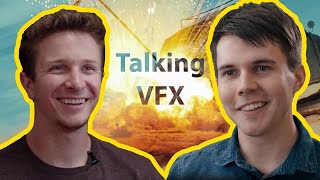
VFX Advice and Studio Tour with Wren Weichman from Corridor Digital
Indepth interview with Corridor Digital's VFX supervisor Wren Weichman, offering valuable insights and advice on visual effects techniques and industry practices.
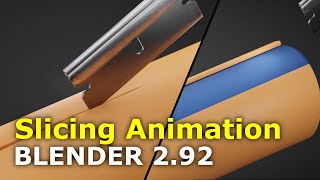
Most Satisfying Blender Animation - Tutorial
Create a captivating looping animation of satisfying cutting in Blender 2.92, mastering techniques for visually pleasing 3D animations.

How to Creatively Use the Difference Blending Mode in Photoshop
Explore creative uses of Photoshop's Difference blending mode to recreate the Scream VI poster, incorporating tri-tone color schemes, gradient maps, and efficient group management for striking graphic effects.

How to Create Blue Hour in Photoshop Tutorial 2022
Learn to create stunning blue hour effects in Photoshop using sky replacement, curves, artificial lights, and flares. Master essential techniques to transform your photos into captivating twilight scenes.

How to Select a Person in Photoshop Tutorial 2022
Learn advanced techniques for selecting people in Photoshop, including smart selections, hand-drawn methods, and channel-based approaches. Master essential skills for compositing, manipulation, and retouching.

How to Remove a Background in Photoshop Tutorial 2022
Learn essential techniques for removing backgrounds in Photoshop, including one-click removal, lasso tool tricks, select and mask workspace, and advanced methods like pen and channel selections.

How to Use Custom Brushes in Photoshop
Learn to create stunning composites using custom silhouette brushes in Photoshop. Master blending, color grading, and atmospheric effects to transform photos into grand-scale artistic scenes.

How to Create a Damaged Bitmap Effect in Photoshop
Learn to recreate the damaged bitmap effect from the Mile 22 poster using Photoshop techniques like mosaic effects, blending modes, gradient maps, masks, grunge textures, and typography.

The Haunting of Bly Manor Fading Portrait Tutorial – Photoshop Live Q&A
Learn to create a faded portrait effect inspired by The Haunting of Bly Manor's opening title. Master compositing techniques, including patch tool, painting, and blending modes in this comprehensive Photoshop tutorial.

Optics by Boris FX - Comprehensive Review and Tutorial
Comprehensive tutorial on Optics plugin by Boris FX for Photoshop, covering workspace, filters, effects, and integration into compositing workflow. Includes tips, tricks, and instructor's insights on the software.

How to Create Atmosphere in Photoshop
Learn to enhance images with mood and drama using Photoshop techniques for fog, dust, rain, and color grading. Master atmosphere creation to elevate your photo editing skills.
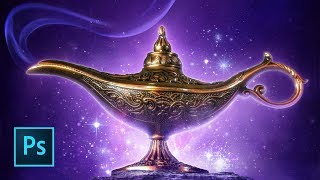
Aladdin Movie Poster Tutorial
Learn to recreate the iconic Aladdin teaser poster using Photoshop techniques like guide layouts, painting, masking, warping, blending modes, and customizing brushes. Master essential skills for stunning movie poster design.
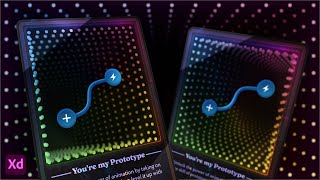
Designing a 3D NFT Card Using Adobe XD
Explore 3D Transforms in Adobe XD to design and animate an NFT-style card with an infinity mirror effect. Learn techniques for creating depth, applying masks, and adding visual elements to enhance your digital artwork.
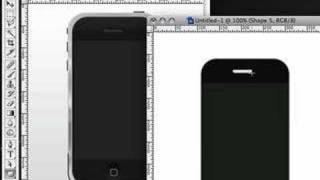
Creating an iPhone in Photoshop
Learn to create a realistic iPhone design in Photoshop using layers, shapes, gradients, and effects. Master essential techniques for digital product mockups and graphic design.
Using AI Art and Photoshop for Unique Digital Art
Learn to combine AI-generated art with Photoshop techniques to create unique digital compositions. Master photobashing, image blending, and advanced editing for stunning visual results.

VSDC Video Editor Tutorial for Beginners - How to Edit Videos
Step-by-step guide to creating beautiful videos using VSDC's free video editor. Learn to import media, add effects, transitions, and more in this beginner-friendly tutorial.

Video Editing for Beginners Tutorial Using Filmora X
Learn beginner-friendly video editing with Filmora X. Create professional-looking videos using stock footage, photos, and music. Master essential techniques like syncing, effects, transitions, and color matching.
Amazon Live Graphics and Overlays - Creating Custom Visuals for Livestreams
Learn to create engaging custom graphics and overlays for Amazon Live streams using Ecamm. Explore hexagons, lower thirds, text overlays, crop overlays, and more to enhance viewer engagement and professionalism.
Remote Live Video Production - Client Onboarding Best Practices
Learn best practices for client onboarding in remote live video production, covering discovery calls, pre-production, production, post-production, and creative strategies to ensure successful live events.