Linux Tutorial for Beginners - Step-by-Step Tutorial with Free Lab Access
Comprehensive Linux tutorial covering essential commands, file management, permissions, user accounts, and system administration. Includes hands-on labs for practical experience.
Learn Moodle Basics
Explore Moodle 3.7's features for course creation, content management, and student engagement. Learn to customize layouts, add resources, set up activities, and use assessment tools.
Windows 11 Tutorial for Beginners - Windows 11 Crash Course
Comprehensive guide to Windows 11: installation, interface changes, personalization, new features like widgets and snap layouts, and built-in apps. Perfect for beginners transitioning to the new OS.
Blazor WebAssembly Tutorials
Master Blazor WebAssembly through hands-on tutorials, covering MVVM, authentication, file handling, SignalR for chat, and deployment. Gain expertise in building modern web applications with practical examples.

How to Use Google Drive - Detailed Tutorial
Comprehensive guide to Google Drive: uploading, organizing, sharing, and collaborating on files. Learn essential features and tips for efficient cloud storage and document management.

PowerShell for IT Professionals
Master PowerShell for IT tasks: from basic commands to advanced scripting. Learn file management, Active Directory setup, remote execution, and API integration for efficient system administration.
SharePoint Online Basics Tutorial
Comprehensive introduction to SharePoint Online, covering navigation, collaboration tools, site creation, and customization within the Microsoft 365 ecosystem. Ideal for beginners and teams implementing SharePoint.

MacOS Terminal - The Beginners' Guide
Learn essential macOS terminal commands and concepts, including file management, navigation, and understanding GUI vs CLI, to boost your productivity and command-line skills.
Amazon S3 Tutorial for Beginners - AWS Storage Services - Cloud Computing
In this tutorial, we have covered all the important topics such as, What is Amazon S3, What is Cloud Storage, Amazon S3 Versioning, Amazon S3 Storage Classes, and much more that will help you to understand this concept with ease.
Deno Jump-Start Tutorial
In this Deno tutorial series, we'll get up and run with Deno and use it to create a simple API.
Learn Moodle 3.3
Explore Moodle 3.3's features: navigation, content creation, activities, assessments, and course management. Master essential tools for effective online teaching and learning.

Linux Course - Engineering, UGC-NET - Ravindrababu Ravula
Comprehensive Linux training covering history, commands, kernel types, file systems, system calls, shell programming, and processes. Ideal for engineering and UGC-NET preparation.

Bash Script with Practical Examples - Full Course
Comprehensive guide to essential Bash commands, shell scripting, and VIM text editor usage. Covers terminal navigation, file manipulation, and customization for improved productivity in command-line environments.
Linux Tutorial Series
Comprehensive guide to Linux basics, covering setup, commands, file management, and running code in Ubuntu. Perfect for beginners seeking practical skills.
Command Line Crash Course
Master essential command line skills through hands-on exercises, covering file manipulation, navigation, and basic operations for efficient terminal use.
Getting Ready to Learn Python, Windows Edition
Prepare your Windows environment for Python programming: learn file management, command prompt usage, text editing, Python installation, and essential tools like pip and git.
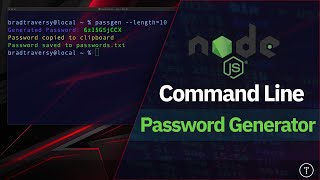
Build a Node.js Password Generator
Create a command-line password generator using Node.js, Commander, and Chalk. Learn to set up options, generate passwords, enhance output, and save results.

How to Use Microsoft OneDrive - For the New User
Learn to use Microsoft OneDrive for file storage, sharing, and collaboration. Master account setup, file management, mobile features, and desktop syncing for seamless cloud storage across devices.

OneNote for iPad Tutorial - With Tips and Tricks
Comprehensive guide to using OneNote on iPad: create notebooks, take notes, insert files, draw, search, use split-screen, and more. Packed with tips for efficient note-taking and organization.
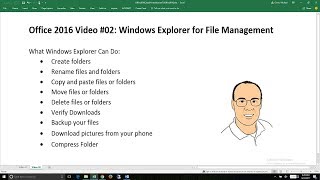
Office 2016 - Windows Explorer for File Management
Learn essential Windows Explorer skills for efficient file management, including folder creation, file operations, backup strategies, and compression techniques.
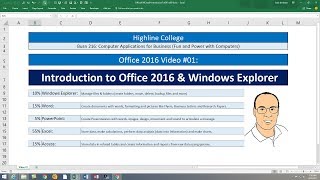
Introduction to Office 2016 and Windows Explorer
Comprehensive introduction to Office 2016 and Windows Explorer, covering essential features, file management, and interface elements for efficient computer use and productivity.