Learn FreeCAD
Master FreeCAD 3D modeling software through comprehensive tutorials covering sketching, extrusion, lofting, sweeping, 3D operations, patterns, boolean operations, and advanced techniques for creating complex designs.
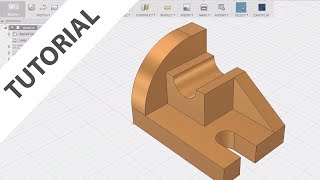
Fusion 360 for AutoCAD Users
Transition from AutoCAD to Fusion 360: Learn basic modeling, sketching, and feature creation while exploring similarities and differences between the two software.
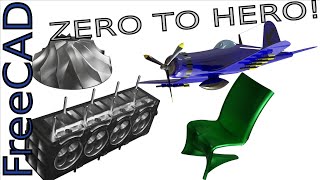
FreeCAD - The Complete Beginners Guide to Part Design
Comprehensive guide to FreeCAD's Part Design workbench, covering essential 3D modeling techniques from basic sketching to advanced multi-body modeling and Boolean operations.
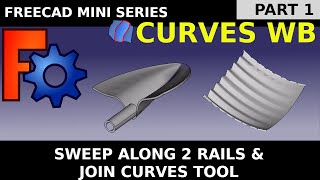
FreeCAD Curves Workbench
Master advanced curved and NURBS surfaces in FreeCAD Curves Workbench. From beginner-friendly basics to practical applications like boat hulls, architectural elements, and 3D-printable designs.
Creo Tutorial for Beginners
Comprehensive Creo tutorial series covering basics to advanced techniques, including sketching, part design, modeling, and various tools, with practical exercises for hands-on learning.
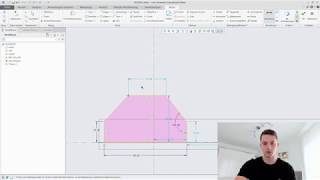
PTC Creo Tutorial für Anfänger - Bauteilmodellierung
Umfassende Einführung in PTC Creo: Von Skizzenmodus und Bauteilmodellierung bis zu fortgeschrittenen Funktionen wie Gewinde, Muster und Rundungen. Praxisnahe Anleitungen für CAD-Anfänger.
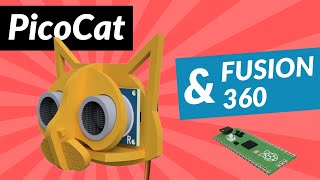
PicoCat & Fusion 360
Learn to design and model PicoCat, a robot based on OpenCat, using Fusion 360. Master 3D modeling techniques for creating custom parts compatible with Raspberry Pi Pico, from basic sketches to complex components.
Fusion 360 for 3D Printing - Using the Sweep Tool
Learn to create complex 3D models using Fusion 360's Sweep Tool. Master techniques for sketching, profiling, tapering, and intersecting to design intricate shapes for 3D printing projects.
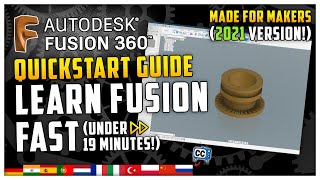
Learn Fusion 360 - Fastest Fusion 360 Quickstart Tutorial
Comprehensive quickstart guide for Fusion 360, covering essential 3D modeling skills from sketching to exporting. Ideal for beginners seeking rapid proficiency in CAD for 3D printing projects.
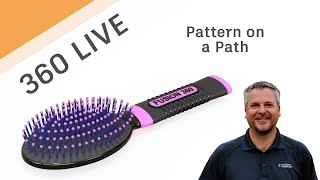
Fusion 360 Live - Pattern on a Path
Learn to use Pattern on a Path in Fusion 360, including creating shapes, construction geometry, and splines. Master extrude, offset planes, sketching techniques, and various project methods for efficient 3D design.
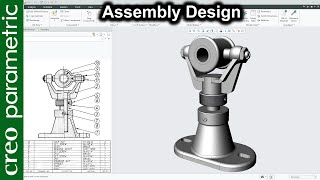
Swivel Bearing Assembly Design in Creo Parametric
Learn to design a swivel bearing assembly using Creo Parametric, covering base, fork, rib, spindle, disk, and set screw components through extrude, revolve, and assembly techniques.
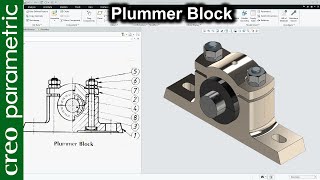
Plummer Block Assembly Design in Creo Parametric
Learn to design a Plummer block using Creo Parametric, covering extrusion, cuts, revolves, and assembly techniques for creating a detailed mechanical component.
Creo Parametric 11 - Basic Modeling for Beginners Tutorial
Learn essential Creo Parametric 11 skills: sketching, modeling, options menu, and basic rendering. Master extrusions, rounds, chamfers, and create a portfolio-ready design.
AutoCAD 2025 - 3D Solids and 2D Parametric Drawing Tutorial for Beginners - Exercise 1
Learn 3D modeling and 2D parametric tools in AutoCAD 2025, covering sketching, extrusion, filleting, chamfering, color adjustments, lighting, and quick rendering techniques.
SolidWorks 2024 - Basic Modeling for Beginners Tutorial
Learn essential SolidWorks 2024 basics: sketching, extrusions, fillets, chamfers, and interface. Master fundamental 3D modeling techniques with expert guidance and practical tips.
Creo Parametric 10.0 - Basic Modeling for Beginners Tutorial
Learn essential Creo Parametric 10.0 skills: sketching, modeling, options menu, rendering tools. Master extrusions, rounds, chamfers, and create a Creo portfolio PDF image.
SolidWorks 2023 - Basic Modeling for Beginners Tutorial
Learn essential SolidWorks 2023 skills: sketching, extrusions, fillets, chamfers, shells, and PhotoView. Master basic modeling techniques with hands-on exercises and expert tips for beginners.
Creo Parametric 9.0 - Basic Modeling for Beginners Tutorial
Explore basic sketching, modeling, and rendering in Creo Parametric 9.0. Learn essential tools and techniques for creating 3D designs, from extrusions to photo-rendering.
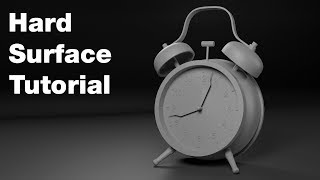
ZBrush Hard Surface Tutorial - Creating an Alarm Clock
Comprehensive tutorial on ZBrush hard surface modeling techniques, demonstrating professional tools and workflows through the creation of an alarm clock model.
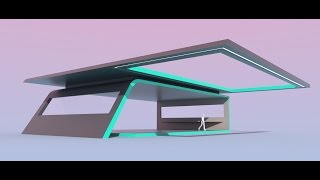
Intro to Design Using Modo - Abstract Building
Learn to create abstract architectural models in MODO using basic tools and shaders. Master freeform modeling, extrusion, beveling, and rendering techniques to produce visually appealing ideation designs.

Black Panther Text Effect in Photoshop - How to Use Layer Styles Like a Pro
Learn to recreate the Black Panther movie poster text effect in Photoshop using advanced layer styles, textures, and effects to achieve a professional, eye-catching result.