DQL Timeseries Command: Usage and Best Practices - Episode 11
Explore DQL timeseries command for metrics access in notebooks, dashboards, and automation. Learn contextualization, conditional formatting, and visualization best practices with expert guidance.
Dynatrace for AI Observability: Monitoring OpenAI, TensorFlow, and Other AI APIs
Gain insights into AI model behavior, performance, and costs using Dynatrace. Monitor OpenAI and TensorFlow APIs, optimize performance, and understand AI observability through practical demonstrations.
Metric Forecasting with Dynatrace - Predictive IT Resiliency Automation
Explore probabilistic forecasting for cloud resource management. Learn mathematical models, leverage forecasts in Notebooks, and automate infrastructure scaling using Dynatrace's predictive IT resiliency.
Dynatrace Product Updates - April 2023 (Versions 263 and 264)
Explore Dynatrace's latest features in v263 and v264, including AppSec updates, DQL commands, UI improvements, and K8s enhancements. Learn about new monitoring capabilities and product developments.
Monitoring Coverage Sample App: Building and Using Dynatrace Apps
Explore Dynatrace's Monitoring Coverage Sample App for managing observability. Learn to build custom apps, tackle observability challenges, and leverage Dynatrace's features for enhanced monitoring.
Actionable Dashboarding - Dynatrace Update April 2023
Explore Dynatrace's latest dashboarding innovations, compare classic and new Dashboard App, and learn migration strategies. Gain insights on choosing the right tool for your observability data visualization needs.
Ownership-Driven Observability Use Cases with Dynatrace
Explore ownership-driven observability with Dynatrace. Learn to assign owners, manage team metadata, and leverage data for improved automation, reducing MTTR and enhancing collaboration.
OpenObservability Without Boundaries with Dynatrace
Explore OpenObservability with Dynatrace: ingest data from various sources, connect logs, metrics, and traces, analyze with DQL and notebooks, and automate tasks through workflows.
Dynatrace Diagnostics: CPU, Thread, and Memory Profiling for Developers - Episode 10
Explore Dynatrace diagnostics for developers: CPU, thread, and memory profiling. Hands-on demos guide you through identifying and fixing code hotspots, enhancing application performance.
What's New in Dynatrace - May 2023 Updates - Lecture 1
Explore Dynatrace's latest features, including the new platform, AppEngine, Workflows, and Business Apps. Learn about enhancements in DQL, permissions, and integrations through demos and use cases.
Advanced Go Templating for Dynatrace Configuration as Code - Episode 9
Explore advanced Dynatrace Configuration as Code using Go Templating in Monaco 2.0. Learn IF-ELSE, RANGE applications, and watch live coding demos for enhanced configuration management.
Dynatrace Tips and Tricks - Using Auto Tagging for Entity Onboarding and Maintenance Windows
Explore advanced auto-tagging techniques for Dynatrace entities based on onboarding timestamps, enhancing reporting, filtering, and alert management during initial setup.
A Day Without Boundaries with Dynatrace - Practitioner's Guide to Cloud Observability Innovations
Explore Dynatrace's latest innovations for cloud observability, including Grail, DQL, Notebook, and AutomationEngine. Learn practical use cases and see live demos of new features announced at Perform 2023.
Monaco 2.0 - Dynatrace Configuration as Code Reloaded
Explore Monaco 2.0 for scalable, automated observability configuration as code. Learn key features, best practices, and integration techniques for DevOps platforms.
Best Practices for Auto Remediation with Ansible and Dynatrace
Discover best practices for scaling incident response using automated problem detection and remediation with Ansible and Dynatrace. Learn to reduce MTTR by 99% and effectively manage growing systems.
Dynatrace API Automation: Postman Collections and Python Client Library - Episode 7
Discover tips for easier Dynatrace API automation using Postman collections and Python client library. Learn through live demos and practical examples to enhance your Dynatrace workflow.
Practitioners Guide to Optimizing End User Experience with Dynatrace Real User Monitoring
Optimize end-user experience with hands-on guidance on Real User Monitoring deployment, configuration, and data exploration using Dynatrace's tools for performance analysis and error detection.
Getting Started with OpenTelemetry and OneAgent SDK Instrumentation - Episode 6
Explore manual code instrumentation, OpenTelemetry for C++, and OneAgent SDK for Ruby and Delphi. Learn best practices and see live demos for effective application monitoring and tracing.
Getting Started with Dynatrace Terraform Provider for Observability as Code
Explore Dynatrace Terraform Provider for automated observability management. Learn best practices, tips, and see live demos on SLOs, dashboards, and synthetic tests across multiple environments.
Advanced Metrics Expressions - Unleashing the Power of Dynatrace Metrics
Unleash the power of Dynatrace Metrics with advanced expressions. Learn new transformations, default values, folding, and data partitioning to enhance your observability and data extraction capabilities.
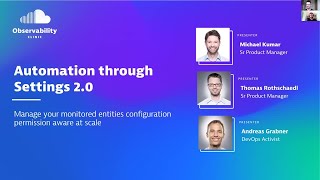
Automation through Settings 2.0: Scaling Dynatrace Configuration
Learn to scale Dynatrace configuration using Settings 2.0 framework. Explore delegation, centralized control, and automation for enterprise environments. Gain insights on permission models and GitOps-enabled workflows.