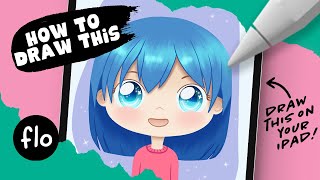
You Can Draw This Girl in Procreate
Step-by-step tutorial for drawing a girl in Procreate, featuring beginner-friendly techniques, free brushes, and a bonus brush. Learn digital painting skills while creating a unique character artwork.
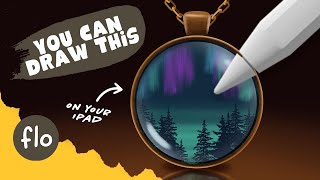
Drawing a Medallion in Procreate
Step-by-step tutorial for drawing a medaillon with landscape in Procreate. Learn digital painting techniques, use free brushes, and enhance your skills with guided instruction for beginners.
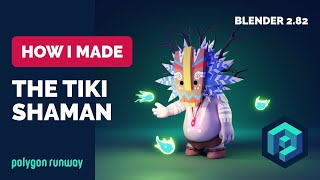
Tiki Shaman in Blender - 3D Modeling and Painting Process
Learn 3D modeling and painting techniques in Blender 2.8 by creating a Tiki Shaman character. Follow along with the process to enhance your skills in low poly illustration and rendering.
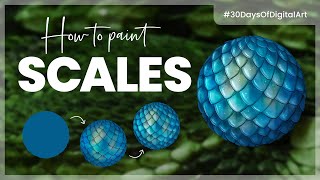
How to Paint Scales - The Easy Way
Learn simple techniques for painting realistic scales digitally using basic brushes and tools. Covers base painting, shading, and tips for achieving quick, effective results in various software.
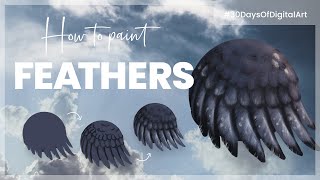
How to Paint Feathers - The Easy Way
Learn simple techniques to paint realistic feathers digitally using basic brushes and tools. Suitable for various software, focusing on base painting, shading, and practical tips for beginners.
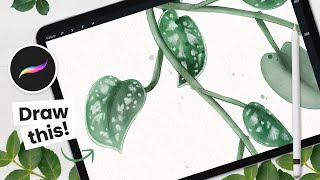
How to Draw Scindapsus Pictus (Satin Pothos) - Procreate Tutorial
Learn to create a stunning digital watercolor Scindapsus Pictus using Procreate on iPad. Master sketching, coloring, and detailing techniques for elegant plant illustrations suitable for various artistic projects.
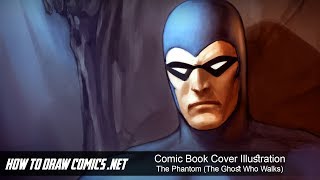
Comic Book Cover Illustration - The Phantom - The Ghost Who Walks
Digital painting tutorial for comic book cover illustration, focusing on The Phantom. Covers sketching, coloring, lighting, and detailing in Photoshop. Includes creative insights and tips for aspiring comic artists.

Comic Book Cover Illustration - Spider-Man: Homecoming
Learn digital painting techniques for creating a Spider-Man comic book cover illustration in Photoshop, from foundational sketching to color adjustments and special effects.
Creating the Perfect Mask with TK7 Go Panel - Tutorial
Mastering TK7 GO PANEL for perfect masks: Learn color masking, infinity color, overlay blending, painting techniques, and zone masking to enhance your photo editing skills.
Topaz Studio 2 and Photoshop Tutorial - Creating a Winter Cabin Digital Painting
Transform a winter cabin photo using Topaz Studio 2 and Photoshop. Learn color correction, filters, vignettes, and digital painting techniques to create a stunning winter scene.
Photoshop and Topaz Labs Tutorial - Blue Flower Full Edit Workflow
Comprehensive Photoshop and Topaz Labs workflow for enhancing a blue flower image, covering noise reduction, healing, camera raw adjustments, and advanced editing techniques.
Barn Photo to Digital Painting Tutorial - Photoshop and Topaz Studio
Transform a barn photo into a digital painting using Photoshop and Topaz Studio. Learn techniques for adding detail, adjusting colors, and creating artistic effects in this step-by-step tutorial.
Mastering Spray Brushes in Krita - How?
Learn to create stunning stippling and pointillism effects using Krita's Spray brush engine. Master particle-based techniques, customize brushes, and enhance your digital art skills.

An Illustration from A to Z with Krita
Comprehensive guide to digital illustration using Krita, covering interface customization, ideation, drawing techniques, color theory, and advanced tools. Perfect for beginners and experienced artists alike.
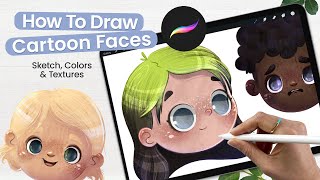
How to Draw Cartoon Faces - Adding Texture to Illustrations - Cute Art - Procreate Tutorial
Learn to create adorable cartoon faces in Procreate with step-by-step guidance on sketching, coloring, texturing, and adding details. Perfect for aspiring illustrators and digital artists looking to enhance their skills.
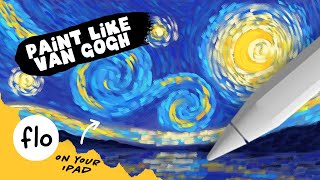
Paint Like Van Gogh on Your iPad in Procreate
Learn to paint a Starry Night-inspired artwork on iPad using Procreate. Master Van Gogh's style with special brushes, layering techniques, and step-by-step guidance for stunning digital art.
Chaos and Evolution - Digital Painting Open Tutorial
Comprehensive digital painting tutorial covering sketching, drawing, coloring, and finishing techniques. Ideal for beginners, with practical tips on composition and viewer engagement.
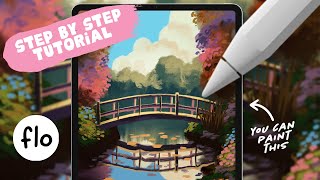
Paint Like an Impressionist on Your iPad - Step by Step Procreate Tutorial
Step-by-step guide to create an impressionistic landscape painting on iPad using Procreate. Learn techniques for bushes, water, clouds, reflections, and color adjustments to achieve a painterly effect.
Staying Creative on a Budget - Free Software Alternatives for Digital Artists
Discover budget-friendly alternatives to expensive software for digital artists, covering pre-production, production, and post-production tools to keep your creativity flowing without breaking the bank.
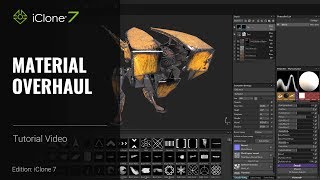
iClone 7 and Substance Painter Tutorial - Material Overhaul
Learn to modify textures and materials in iClone using Substance Painter. This beginner-friendly tutorial covers painting techniques, creating decals, emissive materials, and exporting textures for enhanced 3D visuals.
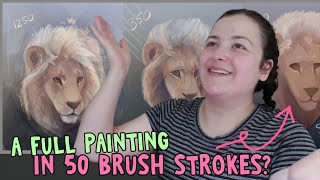
Painting With as Few Brush Strokes as Possible - Blender Grease Pencil
Explore minimalist digital painting techniques using Blender's grease pencil tool, focusing on creating impactful artwork with limited brush strokes and efficient use of gradients and fills.