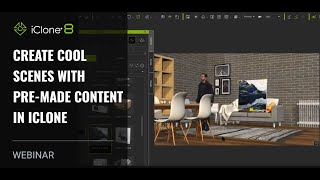
Creating Cool Scenes with Pre-made Content in iClone
Learn to create impressive 3D scenes quickly using pre-made content in iClone. Discover time-saving techniques for scene setup, animation, and production without prior modeling or rigging experience.
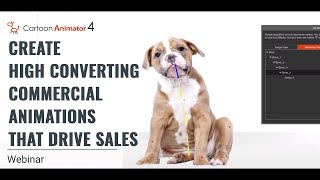
Create High Converting Commercial Animations that Drive Sales
Learn to create impactful animated commercial trailers using Cartoon Animator 4. Master planning, visualization, and animation techniques to produce attention-grabbing videos that boost sales and revenue.
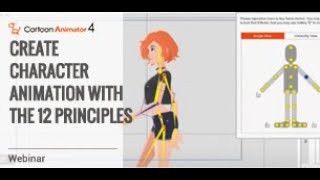
Create Awesome-Looking Character Animation with the 12 Principles
Learn to create captivating character animations using the 12 Principles of Animation in Cartoon Animator 4. Master techniques to bring your characters to life, avoiding robotic movements and achieving professional-quality results.
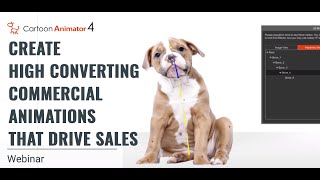
Create High Converting Commercial Animations that Drive Sales
Learn to create impactful animated commercial trailers using Cartoon Animator 4. Discover planning, visualization, and workflow techniques to produce attention-grabbing animations that boost sales and revenue.
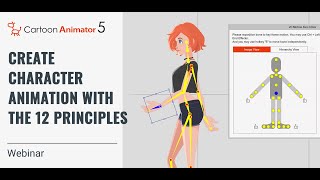
Create Awesome-Looking Character Animation with the 12 Principles of Animation
Master the 12 Principles of Animation using Cartoon Animator 5 to create lifelike, non-robotic character animations. Learn techniques from Disney's 1930s revolution applied with modern tools.
Make Animated Video with Cartoon Animator and VEGAS PRO
Learn to create and integrate 2D animations using Cartoon Animator and VEGAS Pro. Master character rigging, motion libraries, and video compositing techniques for seamless animated productions.
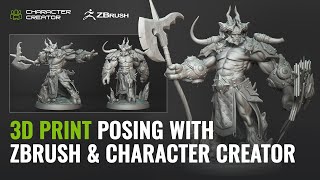
3D Printing and Character Posing with ZBrush and Character Creator - One Sculpture, Infinite Poses
Explore seamless character posing between ZBrush and Character Creator 4 with the new Pose Tools plugin. Learn to create, rig, and modify 3D characters for printing and digital art.
Create Awesome-Looking Character Animation with the 12 Principles
Learn to apply Disney's 12 animation principles using Cartoon Animator 4, transforming your character animations from robotic to lifelike. Master techniques for creating fluid, expressive movements in your 2D animations.
Animate Your Story in No Time - Youtuber Animation - Part 3
Learn to create custom YouTube characters using Cartoon Animator 4. Master character customization, prop animation, live voice lip-sync, and blog-style animation techniques for a unique YouTube personality.
Blender 2.9 Beginner Tutorial - Stone Creation and Scene Setup - Part 3
Learn advanced Blender 2.9 techniques for creating realistic stone scenes. Master camera setup, lighting, particle systems, and video editing in this comprehensive tutorial.
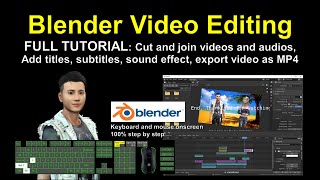
Blender Video Editing Tutorial - Step-by-Step Guide
Learn Blender's video editing tools: cut, splice, add titles, subtitles, and sound. Step-by-step guide with real-time demonstrations for creating professional-quality video content.
Stylized Planet Animation - Blender
Create a charming planetary orbit animation in Blender, perfect for GIFs. Learn step-by-step techniques to craft a cute, stylized celestial scene with orbiting elements.
Ecamm Live Masterclass- Collaborative Video Editing with Scenery Video
Discover Scenery, a web-based collaborative video editor designed to streamline team workflows. Learn about real-time collaboration, multicam editing, asset management, and cloud capabilities for efficient video production.

Midjourney and Stable Diffusion + GPT-3 - Live
Explore AI-powered image generation using Midjourney and Stable Diffusion 1.5. Learn to create prompts with GPT-3, compare results, and experiment with various styles and techniques for stunning digital art.
Essential Photoshop Skills for Editing AI Art - Beginner Tutorial
Learn essential Photoshop skills for editing AI art, including cutting objects, color blending, upscaling, adding real elements, and using layer blends. Master techniques to enhance and refine your digital creations.
Consistent Styles for Storytelling in Midjourney
Learn to create consistent visual styles for storytelling in Midjourney using High Variation Mode. Discover techniques for maintaining stylistic coherence across multiple scenes, characters, and storylines in AI-generated art.

Prepare for Print in InDesign, Illustrator & Photoshop
Learn essential print design skills for InDesign, Illustrator, and Photoshop. Master document setup, color spaces, quality checks, and PDF export for professional print-ready files.

Photoshop for Beginners - Mastering Selections
Learn essential Photoshop selection techniques, from basic tools to advanced methods. Master creating, modifying, and saving selections for precise image editing and compositing.
Color Space Transform - DaVinci Resolve 18 Tutorial
Master color management in DaVinci Resolve 18 with the Color Space Transform tool. Learn to set up projects, grade log footage, achieve film looks, and match multiple cameras for professional results.
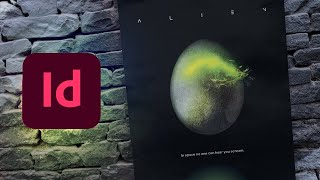
How to Create an Alien Movie Poster
Learn to recreate the iconic Alien movie poster using Adobe InDesign and Photoshop. Master sci-fi typography, alien egg creation, glow effects, and authentic texturing techniques for a professional-looking design.
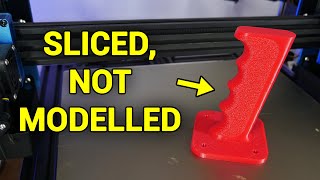
Great 3D Printer Slicer Features You Might Not Know About
Discover 8 powerful 3D printer slicer features to enhance your prints, from controlling speed with volumetric flow rate to adding text and splitting large parts with connectors.