Re-Discovering Analog Efex Pro 2 - NIK Collection Tutorial
Explore Analog Efex Pro 2's creative filters to transform digital images into unique, vintage-style photographs. Learn to build custom cameras and save presets for efficient editing workflows.
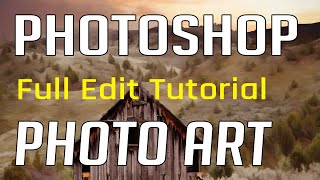
Photoshop Photo Art Tutorial - Using Topaz Plugins
Transform photos into stunning digital paintings using Topaz plugins in Photoshop. Learn sky replacement, masking, and artistic effects to create unique composite images from ordinary photographs.
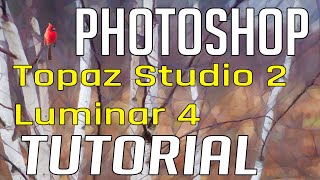
Photo Painting Tutorial - Photoshop, Topaz Studio 2, and Luminar 4
Transform photos into stunning paintings using Photoshop, Topaz Studio 2, and Luminar 4. Learn advanced techniques like AI enhancement, object selection, and blending multiple filters for unique artistic results.
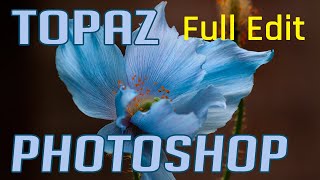
Photoshop and Topaz Labs Tutorial - Blue Flower Full Edit Workflow
Comprehensive Photoshop and Topaz Labs workflow for enhancing a blue flower image, covering noise reduction, healing, camera raw adjustments, and advanced editing techniques.
Photo Art Tutorial - Using Photoshop and Topaz Studio 2
Transform photos into art using Photoshop and Topaz Studio 2. Learn techniques like layer masking, texture application, and AI-powered effects to create stunning digital artwork from your photographs.
Flower Photography Workflow Tutorial - Lightroom, Photoshop, and Topaz Studio 2
Learn to enhance flower photos with a dreamy, ethereal look using Lightroom, Photoshop, and Topaz Studio 2. Master techniques for soft backgrounds, noise reduction, and sharpening in macro photography.

Topaz Remask AI Tutorial - Masking Techniques for Photo Editing
Learn to use Topaz Remask AI for efficient photo editing. Explore mask modes, background removal, edge recovery, and adjustments in this comprehensive tutorial.
Topaz Studio 2 - The Impression Filter Tutorial
Transform photos into digital art with the Impression Filter in Topaz Studio 2. Learn techniques inspired by Bob Ross to create expressive, painterly effects and unleash your creativity.
Topaz Studio 2 Tutorial - The Flare Filter
Explore Topaz Studio 2's Flare Filter to enhance light sources in your images with realistic lighting effects, stars, and flares. Learn adjustment sliders and practical application techniques.
Topaz Studio 2 Tutorial - Using the Edges Filter
Comprehensive tutorial on using the Edges Filter in Topaz Studio 2, covering its functionality and practical application through step-by-step demonstrations and real-world examples.

Topaz Studio 2 Tutorial - The Channel Mixer Filter
Explore the Channel Mixer filter in Topaz Studio 2 to enhance your photo editing skills. Learn techniques for adjusting color channels and creating monochrome images with real-world examples.
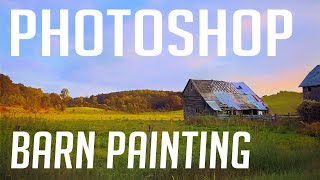
Barn Photo to Digital Painting Tutorial - Photoshop and Topaz Studio
Transform a barn photo into a digital painting using Photoshop and Topaz Studio. Learn techniques for adding detail, adjusting colors, and creating artistic effects in this step-by-step tutorial.
On1 Photo Raw 2018 - The Black & White Filter
Learn to create stunning black and white conversions using On1 Photo Raw's unique features as a Photoshop plug-in. Master color response, channel mixing, toning, and film grain effects.

How to Make a Faceless Minimal Vector Portrait with Adobe Illustrator
Learn to create minimal vector portraits in Adobe Illustrator. Master a marketable skill for freelancing on platforms like Etsy and Fiverr. Step-by-step guide for beginners, including finding free photos and portfolio tips.

Doodly Tutorial: Creating Explainer Videos for Beginners
Step-by-step guide to creating engaging explainer videos using Doodly software. Learn to add scenes, props, voiceovers, and music, perfect for beginners looking to develop marketable video creation skills.

VSDC Video Editor Tutorial for Beginners - How to Edit Videos
Step-by-step guide to creating beautiful videos using VSDC's free video editor. Learn to import media, add effects, transitions, and more in this beginner-friendly tutorial.

Video Editing for Beginners Tutorial Using Filmora X
Learn beginner-friendly video editing with Filmora X. Create professional-looking videos using stock footage, photos, and music. Master essential techniques like syncing, effects, transitions, and color matching.

Secret Tips for Generative Fill in Photoshop
Discover advanced techniques for Photoshop's Generative Fill tool, including layer blending, context enhancement, depth of field creation, intensity adjustment, and seamless pattern generation.

How to Animate in Photoshop CS6 & CC - Tutorial for Beginners
Learn to create animated GIFs and frame-by-frame animations in Photoshop CS6 & CC. Covers basics, advanced techniques, and practical tips for beginners to enhance their digital art skills.
Using a Teleprompter with Ecamm
Learn to enhance your streams and recordings using a teleprompter. Discover its uses, required equipment, software options, and practical tips for confident, professional-looking content creation.
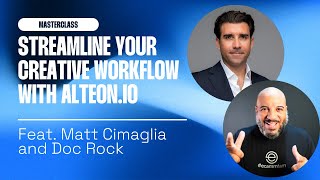
Ecamm Live Masterclass - Streamline Your Creative Workflows with Alteon.io
Streamline creative workflows and collaborate on video projects with Alteon.io. Learn about this all-in-one platform for uploading, sharing, storing, and collaborating on creative work, accessible to everyone.