
Opacity vs Fill in Photoshop - Lesson 3
Explore the nuanced differences between Opacity and Fill in Photoshop, learning practical applications for color grading, special effects, and advanced techniques like Blend If and Fill Layers.

How to Design Mobile App UI Using Adobe XD - Auto-Animate Tutorial
Learn to create engaging mobile app UI designs and enhance them with Auto-Animate in Adobe XD. Master essential elements like navigation, search, filters, and image handling in this practical tutorial.

How to Design and Animate a Website with Adobe XD and Protopie
Learn advanced website design and animation techniques using Adobe Xd and Protopie, focusing on creating dynamic effects, triggers, and interactive elements for engaging user experiences.

How to Design and Animate a Website with Adobe XD and Protopie - Part 1 of 2
Aprenda a criar um mini site usando Adobe Xd, com foco em design e animação. Dicas práticas e demonstração passo a passo do processo de criação, desde artboards até botões.

Adobe Firefly Text to Image AI Image Generator Tutorial
Explore Adobe Firefly's Text to Image AI generator, learn prompt writing techniques, and enhance AI-generated images in Photoshop. Includes hands-on projects and practical tips for better results.
Experimenting with Adobe Firefly
Explore Adobe Firefly's AI-powered features with Howard Pinsky, including text-to-image generation, text effects, and image manipulation tools for enhanced creative workflows.
AI Generation That Looks Like a Real Photo - But What Else Can It Do?
Explore Adobe Firefly's AI capabilities for creative workflows, including realistic photo generation and integration with Adobe products. Learn its potential impact on digital content creation.
How to Use Adobe Firefly
Learn to create AI-generated images and text effects using Adobe Firefly, then combine them in Photoshop for stunning composites. Master effective prompts and explore various features in this hands-on tutorial.
Using Blender's Color Correction Node in Compositing
Fine-tune render highlights, midtones, and shadows with Blender's Color Correction node. Master Gain, Gamma, Lift, and color grading algorithms for powerful image adjustments.
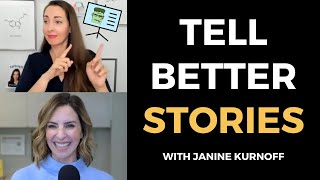
Pitch Your Ideas Better by Using the Magic of Visual Storytelling
Learn powerful visual storytelling techniques to enhance your presentations, emails, and communication. Discover how to create impactful visuals, use storytelling building blocks, and apply the 4-blocks framework for more engaging and memorable messages.
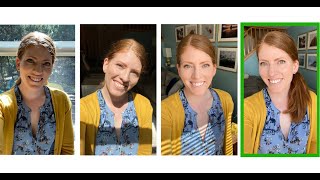
Take a New Profile Picture with an Easy Home Photo Shoot - And Just Your Phone
Learn to take professional-looking headshots at home using just your phone. Discover tips on lighting, location, posing, and editing to create high-quality profile pictures without hiring a photographer.
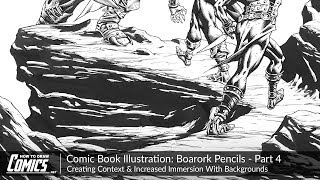
Comic Book Illustration - Creating Context & Immersion With Backgrounds
Learn to create immersive comic book backgrounds that enhance storytelling, set mood, and complement characters. Explore techniques for rendering natural environments, textures, and materials in a comic art style.
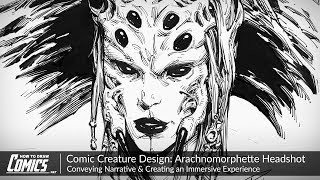
Comic Book Creature Design - Arachnomorphette Headshot - Conveying Narrative
Learn to design a detailed creature headshot, focusing on facial expression, balancing human and insect features, and conveying narrative through visual elements. Enhance your comic art skills.
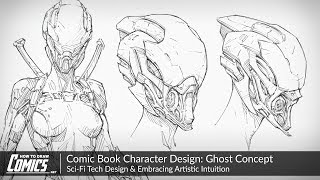
Comic Book Character Design - Ghost Concept - Sci-Fi Tech Design & Embracing Artistic Intuition
Explore sci-fi character design process, focusing on a high-tech assassin. Learn helmet design, body integration, and refinement techniques to create compelling comic book characters.

Color Wheel Magic - Transforming Images with Photoshop and Color Theory
Learn to transform images using color theory and Photoshop. Master color wheel concepts, harmonies, and adjustment tools to enhance visual appeal and create stunning designs.

How to Creatively Use the Difference Blending Mode in Photoshop
Explore creative uses of Photoshop's Difference blending mode to recreate the Scream VI poster, incorporating tri-tone color schemes, gradient maps, and efficient group management for striking graphic effects.

Add Graphics or Patterns to Clothes Photoshop Tutorial
Learn to add graphics and patterns to clothing using Photoshop's puppet warp, transform warp, and liquify tools. Master techniques for preparing images, creating templates, and molding designs onto garments.

How to Use Depth Maps in Photoshop Tutorial
Learn to enhance image depth using Photoshop's Blur Depth neural filter, Lens blur filter, and depth maps. Apply techniques to real projects, adding atmospheric depth and making subjects stand out.

How to Improve Your Composites in Photoshop Tutorial
Learn advanced Photoshop techniques to enhance composites, including color grading, depth creation, and subject focus. Improve your digital art skills with practical tips for realistic image manipulation.

Glow Lines Portrait Photoshop Compositing Tutorial
Master Photoshop techniques to create stunning glow lines portraits. Learn camera RAW, selections, overlays, layer effects, and advanced retouching for eye-catching digital art compositions.

How to Use Blend If Creatively in Photoshop Tutorial
Learn creative Blend If techniques in Photoshop to combine images into a stunning composite. Master selections, masking, dodging, burning, and color grading for professional-looking results.