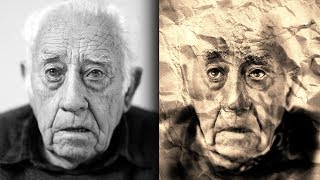
Sketch and Ink Effect Using Difference Blend Mode in Photoshop
Learn to create stunning sketch and ink effects in Photoshop using the Difference blend mode. Master techniques for adding shading, dimension, and realistic paper textures to elevate your digital artwork.

Convert Raster to Vector in Illustrator
Learn to convert raster graphics to vector in Adobe Illustrator using Image Trace. Explore techniques for filled color images and sketches, understand vector advantages, and master file format considerations.
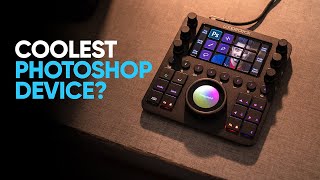
Edit in Photoshop Faster - Is Loupedeck CT Any Good?
Explore Loupedeck CT's features for faster Photoshop editing, including easy tool access, customization options, workspaces, navigation wheel, and custom actions to enhance productivity and workflow efficiency.
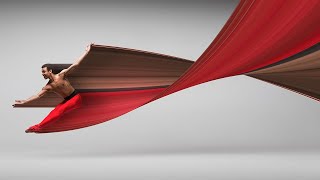
Pixel Stretch Effect With 3 Simple Steps in Photoshop
Learn to create the popular pixel stretch effect in Photoshop with three fundamental steps and bonus tips for enhancing realism. Includes downloadable actions for faster workflow.

The Smartest Mask Generator for Photoshop
Explore Lumenzia, an advanced Photoshop tool for luminosity masking. Learn essential features, techniques for landscapes, portraits, and custom effects to enhance your photo editing skills.

Cut Out Dark Hair from Dark Background in Photoshop
Learn advanced techniques for selecting and masking dark hair on dark backgrounds in Photoshop, including manual hair painting and brush techniques for realistic, natural-looking results.

A.I. Auto-Replaces Sky with Reflection vs Photoshop
Comparison of Luminar's Sky AI 2.0 and Photoshop's Sky Replacement feature, exploring their capabilities in sky reflections, relighting, masking, and various effects for realistic sky replacements in photos.
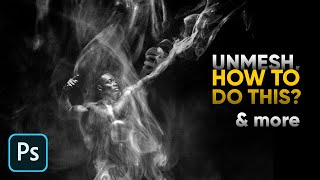
Smoke Effect - Skin Tones - 11 Photoshop Questions Answered
Expert answers to 11 Photoshop questions, covering topics like skin retouching, smoke effects, and advanced editing techniques for various creative projects.
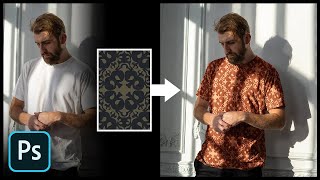
Add Any Pattern to Clothes in Photoshop
Learn to seamlessly add and blend patterns onto clothing in Photoshop using layer styles, blend modes, and warping techniques. Master creating realistic textures and enhancing contrast for professional-looking results.
Control Photoshop with Your Hand
Explore controlling Photoshop with Tap Strap 2, a wearable device that allows finger taps to trigger complex functions and key combinations, enhancing efficiency for designers and artists.
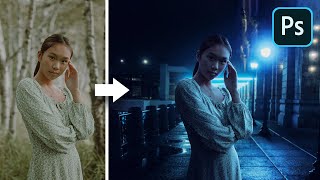
The Inverse Curve Technique for Painting Light - Photoshop Tutorial
Learn advanced Photoshop techniques for realistic lighting, including the Inverse Curve method, color grading, and expert photo manipulation to seamlessly blend subjects with backgrounds.

Smoke Simulation Tutorial - Blender Cycles
Learn to create realistic smoke simulations in Blender Cycles. Covers quick smoke setup, emitter animation, lighting, rendering, and post-production techniques for stunning visual effects.
How to Make Smoke and Clouds in Photoshop
Learn to create realistic smoke and clouds in Photoshop using custom brushes. Master techniques for painting with depth, adding atmospheric effects to photos, and crafting your own brushes for unique designs.
Tips to Make Your Photos Better in Photoshop
Learn five essential techniques to enhance your photos, including composition, shadow/highlight adjustment, seasoning, vignetting, and sharpening for professional-looking results.
How to Make Things Move in Photoshop - Motion Graphics Basics
Learn to create animations and motion graphics in Photoshop, from setting keyframes to adding motion blur. Master techniques for animating icons and exporting as GIFs or videos.
Most Important File Types in Photoshop Explained
Comprehensive guide to essential Photoshop file formats, explaining when and how to use PSD, PSB, TIFF, JPG, PNG, and GIF for optimal results in various design scenarios.
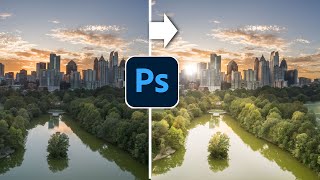
Paint with Light in Photoshop - Magically Transform a Photo
Transform flat photos into vibrant images by painting with light in Photoshop. Learn to add dynamic sunlight, highlights, and shadows for stunning visual effects.

How to Use Photoshop Layers for Beginners
Learn Photoshop layers basics: adding, stacking, hiding, adjusting opacity, and merging. Master essential techniques for effective image editing and manipulation in this beginner-friendly tutorial.
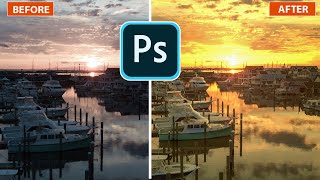
Lighting Golden Sunsets in Photoshop
Transform photos with golden hour lighting effects in Photoshop. Learn to create stunning sunset/sunrise atmospheres using lighting effects, enhancing your images with a warm, captivating glow.
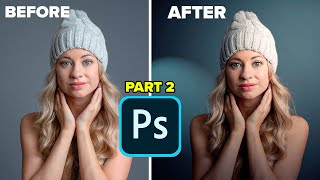
Lighting Portrait Photos in Photoshop - It's Amazing
Transform flat portraits into dramatic images using Photoshop's Lighting Effects. Learn to create studio-quality lighting, manipulate shadows, and enhance depth for stunning results.
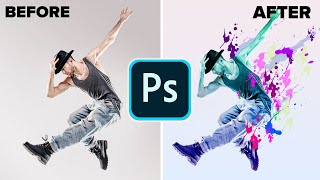
Make a Paint Splatter Effect With Custom Brushes in Photoshop
Learn to create dynamic photo art using custom splatter brushes in Photoshop. Discover techniques for making brushes, applying them, and adding gradients and color for stunning visual effects.