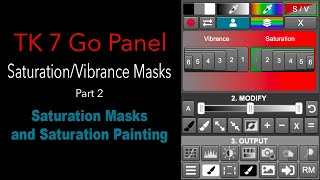
Saturation and Vibrance Masks for Color Balance - TK7 Go Panel Tutorial Part 2
Explore Saturation and Vibrance masks to enhance color balance in your images using the TK7 Go Panel. Learn quick and easy techniques for improved photo editing.
Converting JPEG Images to Lossless Formats Using Topaz AI Software
Learn to convert JPEG images to lossless TIFF or DNG formats using Topaz AI software. Discover techniques for enhancing image quality and preserving details when upscaling or converting file types.
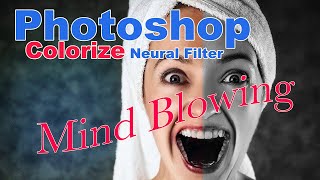
Colorize Black and White Images with Photoshop's Neural Filter
Explore Photoshop's Colorize Neural Filter to transform black and white images and discover creative applications for this powerful tool. Learn techniques to enhance your photo editing skills.
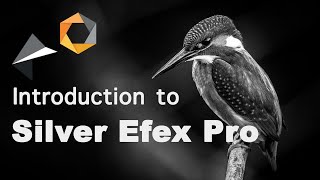
Introduction to Silver Efex Pro by DXO - Black and White Conversion Software
Explore Silver Efex Pro's powerful black and white conversion tools, from basic adjustments to advanced control points, enhancing your photography skills with hands-on demonstrations.
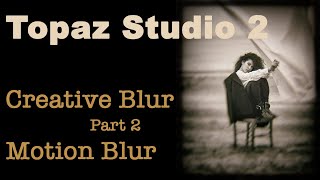
Topaz Studio 2: Creative Motion Blur Techniques - Part 2
Explore 6 types of Motion Blur in TOPAZ STUDIO 2 to enhance your creative photography process. Learn effective techniques for applying and manipulating motion blur effects.
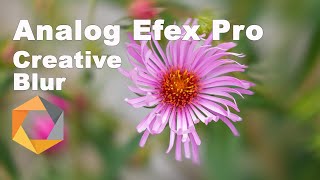
Analog Efex Pro Creative Blur Techniques
Explore three powerful blurring tools in Analog Efex Pro to enhance your photo editing skills and unleash your creativity with unique effects and artistic transformations.
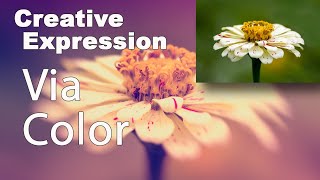
Creative Expression via Color Using NIK Collection Color Efex Pro 4
Explore creative artistic expression through color using the NIK Collection's Color Efex Pro 4. Learn techniques to enhance and transform your digital photography with powerful color editing tools.
Integrating Expression Search in Your App - GIFs and More
Learn to integrate Tenor's Expression Search API for powerful visual expression features in your app, optimizing speed, relevance, and user engagement with expert insights and best practices.

Getting Started in Photoshop 2023: The Toolbar - Lesson 2
Explore Photoshop's toolbar, learning tool functions and shortcuts. Master essential features like Move, Select, Brush, and Shape tools for efficient digital design and photo editing.

Getting Started in Photoshop 2023 - The User Interface
Explore Photoshop 2023's interface in this quick orientation, covering workspaces, tools, panels, and essential features to kickstart your design projects.

Creating a Sci-Fi Composite with Generative Fill in Photoshop
Learn to create a sci-fi composite using Photoshop's Generative Fill, silhouette brushes, and advanced techniques for glows and Saturn rings. Master digital art skills for stunning alien landscapes.

Controlling Generative Fill in Photoshop - Watercolor Tutorial
Learn to create watercolor paintings from photos using Photoshop's Generative Fill, exploring intensity control and the quickmask tool for stunning digital art transformations.

How to Create a 3D Letter Effect in Photoshop
Learn to recreate the 3D lettering effect from the Sharper movie poster using Photoshop tools like transform, distort, blur gallery, masking, and gradient map for coloring.

Barbie Movie Poster Photoshop Tutorial
Learn to recreate Barbie movie character posters using Photoshop. Master selections, gradients, fibers, and noise techniques while creating eye-catching designs quickly and efficiently.

Family Marvel Poster Compositing Tutorial
Learn to create a personalized Marvel-inspired family poster using Photoshop, from theme selection and photoshoot to compositing techniques and adding Easter eggs.

How to Create Depth in Photoshop - Tutorial
Learn techniques for creating depth in Photoshop using focal depth, atmosphere, and color. Includes three hands-on projects to practice applying these concepts for more visually engaging and realistic images.

How to Use the Hard Mix Blending Mode in Photoshop
Explore the powerful Hard Mix blending mode in Photoshop to create custom starburst halftone effects. Learn advanced blending techniques and texture manipulation for unique designs.

How to Make Eyes Dramatic in Photoshop
Learn three powerful techniques to enhance eyes in portraits using Adobe Photoshop and Camera RAW. Master layer manipulation, masking, and retouching skills to create striking, dramatic eye effects.

Opacity vs Fill in Photoshop - Demystifying Differences and Effects
Explore the nuanced differences between Opacity and Fill in Photoshop, focusing on their unique effects with specific blending modes. Learn to create impossible visual effects by leveraging these distinctions.

How to Create an Animal-Human Hybrid Portrait in Photoshop
Learn to seamlessly blend animal and human features in Photoshop, mastering selection, masks, paths, channels, blending, color matching, and sharpening for stunning hybrid portraits.

Putting Your Face in a Classical Painting Using Photoshop
Learn to seamlessly integrate your portrait into classical paintings using Photoshop techniques. Master the art of digital time travel by blending modern photos with historical artworks for stunning, realistic results.