Photoshop Shortcuts - The 30 Most Useful Ones to Get You Started
Learn 30 essential Photoshop shortcuts for efficient workflow, including tool selection, layer manipulation, color filling, and canvas navigation. Master these time-saving techniques to enhance your design skills.
Understanding Color: Saturation vs. Brightness
Explore the intricate relationship between saturation and brightness in color theory, with practical applications for digital art and design, including insights on skin tones and color perception.
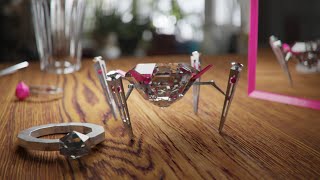
Art Prompt Challenge - Creating a Luxurious Robot
Learn to model, texture, light, and render a luxurious diamond-shaped robot in Blender. Follow along as the artist designs, animates, and creates a detailed scene, exploring creative constraints and advanced rendering techniques.
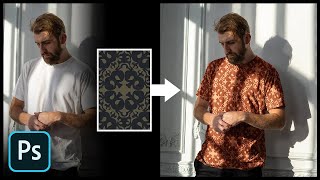
Add Any Pattern to Clothes in Photoshop
Learn to seamlessly add and blend patterns onto clothing in Photoshop using layer styles, blend modes, and warping techniques. Master creating realistic textures and enhancing contrast for professional-looking results.
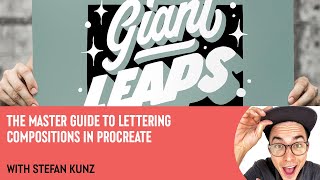
The Master Guide to Lettering Compositions in Procreate with Stefan Kunz
Learn three easy techniques for creating stunning lettering compositions in Procreate with expert Stefan Kunz, including using the Letter Builder tool and combining different styles.
Inkscape Filter Editor Tutorial - Part 6
Explore Inkscape's Filter Editor, covering primitives like Gaussian Blur, Blend, Turbulence, and Lighting effects to enhance your vector graphics skills.
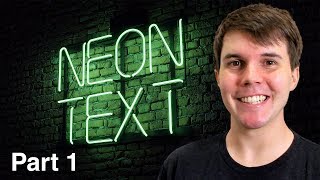
How to Make a Neon Sign in Blender 2.8 - Part 1
Learn to create a striking neon sign using Blender 2.8 in this comprehensive tutorial. Master techniques for designing and modeling illuminated text effects.

How to Retouch Skin in Photoshop - Eternals Movie Poster Creation
Learn advanced skin retouching techniques in Photoshop, including frequency separation, masking, and color grading, while recreating the Eternals movie poster. Master professional tools for stunning portrait enhancements.

Adobe Generative Fill AI Tool in Photoshop Beta - A Game-Changer
Explore Adobe's new Generative Fill AI tool in Photoshop Beta. Learn to remove objects, generate new elements, create backgrounds, and extend images using AI-powered features.
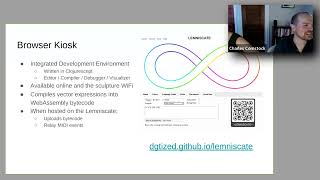
The Lemniscate by Ann Johnson, Charles Comstock
Explore the Lemniscate editor: programming animations, MIDI integration, and live demos for an interactive sculpture. Learn about system architecture, language basics, and design constraints.
Graphic Design Basics - Fundamentals for Beginners
Learn graphic design fundamentals, from history and principles to typography and brand design. Master print and digital design, explore professional workflows, and discover how to use design assets effectively.

Opacity vs Fill in Photoshop - Demystifying Differences and Effects
Explore the nuanced differences between Opacity and Fill in Photoshop, focusing on their unique effects with specific blending modes. Learn to create impossible visual effects by leveraging these distinctions.

Clock Strikes Twelve- Case Study with Max Niblock
Explore the creation of an award-winning portfolio site with Max Niblock. Learn about design inspiration, overcoming challenges, and effective collaboration in digital design.

How to Use Figma: UI Design Tutorial for Beginners
Hands-on tutorial for UI design in Figma, covering essential features and techniques to create stunning app interfaces. Perfect for beginners and experienced designers looking to explore this powerful tool.
Mastering Infinite Sequences in Photoshop - Creating Dynamic Transformation Series
Learn to create dynamic infinite transformation sequences in Photoshop, power-duplicate layers, and make automatic updates. Master techniques for scaling, positioning, masking, and using Generative Fill for stunning visual effects.
Figma Tutorial - Beginners' Quick Start Guide
Comprehensive guide covering Figma basics to advanced features. Learn interface, design elements, auto layout, components, and prototyping in under an hour. Perfect for beginners seeking quick proficiency.
Create a Leather-Textured, Realistic Briefcase Icon
Learn to create a photorealistic leather briefcase icon using Photoshop's layer styles and brush engine. Master techniques for texturing, stitching, and adding metallic details.
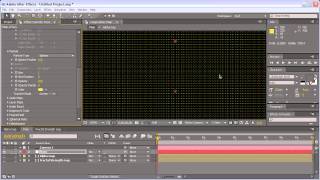
Energy Ball Tutorial in 3D Animation
Create a glowing energy ball effect using Photoshop's 3D tools and layer styles. Learn techniques for realistic lighting and depth in digital art.
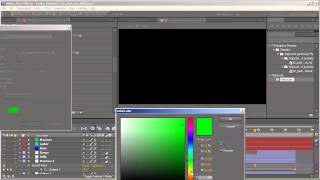
Funky Particles Tutorial - Part 3
Create funky particle effects in After Effects using advanced techniques and custom expressions for unique visual designs.
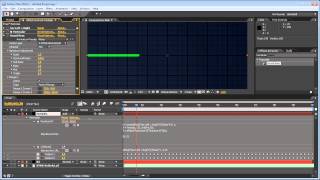
HeartBeat Animation Tutorial
Learn to create dynamic, pulsating animations using HeartBeat in After Effects. Master techniques for adding rhythm and life to your motion graphics projects.
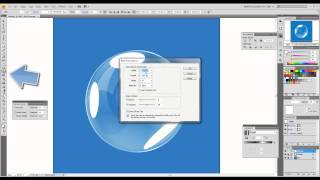
How to Create Realistic Vector Bubbles
Learn to craft lifelike vector bubbles using Adobe Illustrator techniques. Master transparency, gradients, and reflections for stunning graphic designs.