
Putting Your Face in a Classical Painting Using Photoshop
Learn to seamlessly integrate your portrait into classical paintings using Photoshop techniques. Master the art of digital time travel by blending modern photos with historical artworks for stunning, realistic results.

How to Use "Blend If" in Photoshop - Recreating the "OLD" Movie Poster
Learn to recreate the "OLD" movie poster using Photoshop's "Blend If" feature, along with techniques for curves, color, gradients, and masks to achieve professional-level design results.

Photoshop Texture Tutorial - Recreating the Cherry Movie Poster
Learn to recreate the Cherry movie poster using Photoshop techniques like cropping, transform, curves, guides, masks, and gradient maps. Enhance your design skills with professional texture application.

Adding Lightning Effects with Photoshop and Optics
Learn to enhance scenes with realistic lightning effects using Optics filters and integrate them seamlessly into Photoshop composites. Master advanced techniques for creating dramatic, cinematic imagery.

Maleficent-Inspired Composite Tutorial - Photoshop and Optics by Boris FX
Learn to create a Maleficent-inspired composite using Photoshop and Optics plugin. Master compositing techniques, atmosphere addition, depth enhancement, and color grading in this comprehensive tutorial.

Harry Potter Patronus Effect in Photoshop - Tutorial
Learn to create a magical Harry Potter-inspired Patronus effect in Photoshop using advanced techniques for compositing, color grading, lighting, and lettering. Master atmospheric effects to enhance your digital art skills.

Dispersion Effect Tutorial in Photoshop
Learn to create a stunning dispersion effect in Photoshop, transforming images into particle clouds. Master techniques for background removal, liquify filters, custom brushes, and color grading to enhance your digital art skills.

Gone Girl Movie Poster Recreation - Photoshop Tutorial
Learn to recreate the Gone Girl movie poster using Photoshop techniques like file setup, guide layouts, gradient backgrounds, layer blending, masking, and custom brushes in this comprehensive design tutorial.
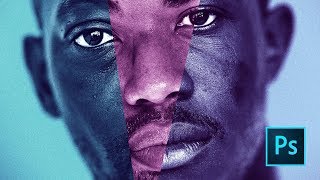
Moonlight Movie Poster Photoshop Tutorial
Learn to recreate the Moonlight movie poster using advanced Photoshop techniques like gradient maps, liquify tool, and blur gallery. Master compositing skills applicable to various design projects.
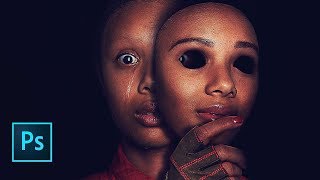
Us Movie Poster Photoshop Tutorial
Learn to recreate the "Us" movie poster using advanced Photoshop techniques. Master compositing, recoloring, masking, and various tools to achieve professional-level results in this comprehensive tutorial.
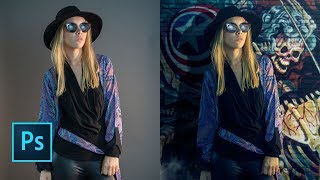
How to Replace a Background in Photoshop 2019
Learn to quickly replace backgrounds in Photoshop using the "Select Subject" tool, and integrate subjects seamlessly with new backgrounds through effective layering techniques.
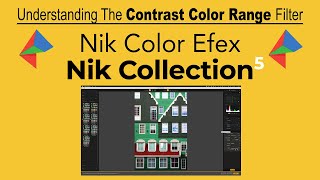
NIK COLOR EFEX: Understanding the Contrast Color Range Filter - Part 4 of Nik Contrast Filters
Explore the CONTRAST COLOR RANGE filter in Nik COLOR EFEX, adjusting contrast by selecting primary colors and their opposites for stunning visual effects.
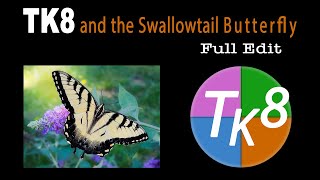
TK8 and Swallowtail Butterfly Photo Editing Tutorial
Learn advanced photo editing techniques for a Swallowtail Butterfly image using the TK8 plugin for Photoshop. Enhance your skills with step-by-step guidance and downloadable resources.
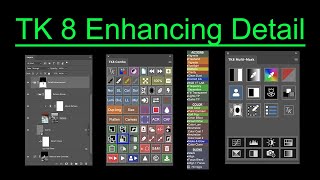
TK8 Enhancing Detail - New Technique for Photoshop
Aprenda uma nova técnica para realçar detalhes em fotografias usando o plugin TK8 para Photoshop. Inclui exemplos práticos e dicas para melhorar a clareza e o impacto visual das suas imagens.
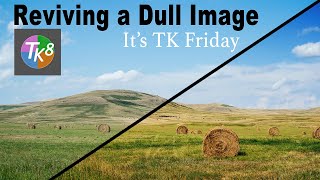
Reviving a Dull Image Using TK8 Plugin for Photoshop - With Practice Image and Notes
Aprenda a revitalizar imagens sem vida usando o plugin TK8 para Photoshop. Técnicas práticas e dicas profissionais para melhorar suas fotos de forma eficaz.
NIK Collection 5 - Color Efex Pro 5 and TK8 Plugin for Photoshop Workflow Tutorial
Discover advanced photo editing techniques combining NIK Collection 5's Color Efex Pro and TK8 Plugin for Photoshop. Learn a powerful workflow to enhance your images with professional-grade tools and filters.

Discovering Good Light with TK8 Plugin - TK Friday Tutorial
Discover and enhance good light in images using the TK8 Plugin for Photoshop. Hands-on tutorial with downloadable practice image for step-by-step guidance.
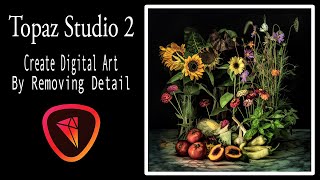
Creating Digital Floral Art with Topaz Studio 2 - Removing Detail Tutorial
Learn to create digital floral art by removing detail using Topaz Studio 2 filters. This tutorial demonstrates a simple process for transforming stock images into unique artistic pieces.

Acquiring and Managing Free Adobe Stock Images
Learn to acquire, organize, and utilize free Adobe Stock images effectively, enhancing your creative projects with high-quality visuals.
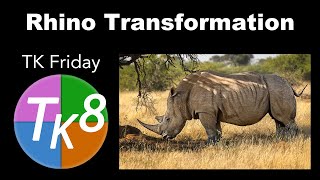
TK Friday - Rhino Transformation Image Editing Tutorial
Learn advanced photo editing techniques using TK8 plugin for Photoshop to transform a rhino image. Gain insights on enhancing wildlife photography through practical demonstration and step-by-step guidance.
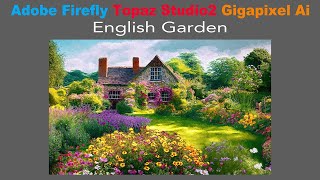
Creating a Painterly Image with Adobe Firefly, Topaz Studio 2, and Topaz Gigapixel AI
Transform AI-generated English Garden photo into a painterly masterpiece using Topaz Studio 2, then upscale with Gigapixel AI for a unique artistic result that transcends typical digital art.