Photoshop, Lightroom, Topaz Studio 2, and Luminar 4 - Full Image Editing Tutorial
Comprehensive photo editing workflow using Lightroom, Photoshop, Topaz Studio 2, and Luminar 4. Learn advanced techniques to enhance images from raw format to polished final product.

Topaz Mask AI Tutorial - Creating Perfect Masks for Image Editing
Learn to create perfect masks for background replacement and specific image adjustments using Topaz Mask AI, enhancing your photo editing skills in Photoshop or Affinity Photo.

Topaz Studio 2 Tutorial - The Digital Frame Filter
Learn to create unique digital frames for your images using Topaz Studio 2's Digital Frame Filter. Enhance your photos for websites and social media with this detailed tutorial.
Photoshop Tutorial - Adding Creative Blur to Flower Images
Learn to enhance flower photos with ethereal blurs using Photoshop's Blur Gallery and NIK Vignette Filter, creating a dreamy and artistic effect in your images.
Luminar AI - Working with Lightroom
Seamlessly integrate Luminar AI with Lightroom for enhanced RAW image editing, combining powerful asset management with advanced AI-driven tools to elevate your photo editing workflow.
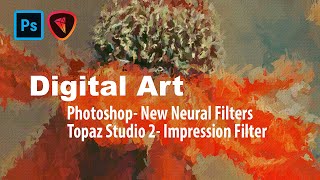
Digital Art: Photoshop Neural Filters and Topaz Studio 2 Impression Filter Tutorial
Learn to create digital art using Photoshop's new Neural Filters and Topaz Studio 2's Impression Filter. Transform photos into stunning digital paintings with step-by-step guidance on advanced editing techniques.
Image Compositing with Topaz Mask AI - Working with Different Aspect Ratios
Learn advanced image compositing techniques using Topaz Mask AI, focusing on blending images with different aspect ratios for realistic and visually striking results.
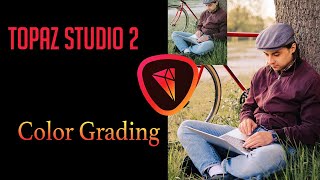
Color Grading Tutorial in Topaz Studio 2
Learn various color grading techniques to give your images a cinematic look using Topaz Studio 2's Dual Tone and Quad Tone filters, along with Photoshop and Luminar 4.

TOPAZ MASK AI: Sky Replacement Tutorial - Simplifying Complex Masking
Learn to replace skies in photos using Topaz Mask AI's new features, including Translucent Mode for fabric and semi-transparent materials. Improve your photo editing skills with this powerful and user-friendly tool.

Topaz Adjust AI - One-Click Image Makeovers Tutorial
Explore the power of one-click image enhancements with Topaz ADJUST AI through 11 diverse examples, showcasing its ability to transform photos effortlessly and effectively.
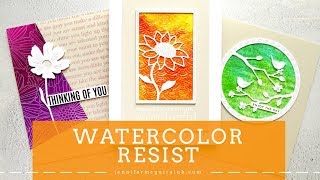
Watercolor Wash Resist Technique for Card Making
Learn subtle watercolor resist techniques to create beautiful, layered card designs with easy-to-follow steps and professional results.
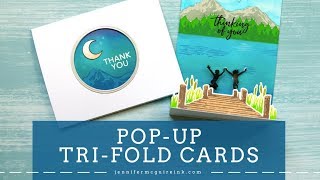
Pop Up Trifold Card Tutorial
Learn to create unique tri-fold cards with pop-up elements, enhancing your paper crafting skills. Discover techniques for designing interactive and visually appealing greeting cards that surprise and delight recipients.
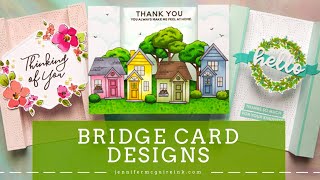
Bridge Card Designs - Variations and Techniques
Learn creative techniques for crafting unique bridge card designs using stamps and dies, with step-by-step demonstrations of various styles and layouts to enhance your cardmaking skills.
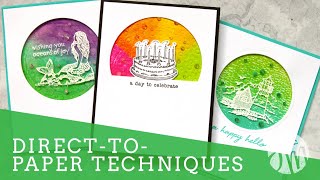
Direct-to-Paper Inking Techniques for Card Backgrounds
Explore simple direct-to-paper inking techniques for creating stunning backgrounds. Learn to use various tools and supplies to achieve beautiful effects in your paper crafting projects.
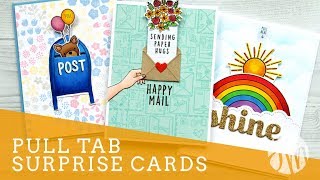
Pull Tab Surprise Card Designs and Techniques
Learn to create interactive pull-tab surprise cards with various designs and techniques. Discover how to use stamps, dies, and embellishments to craft unique and engaging greeting cards that reveal hidden messages.
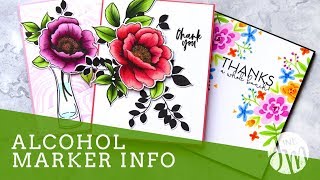
Alcohol-Based Marker Techniques with Altenew Artist Markers
Explore alcohol-based marker techniques using Altenew Artist Markers. Learn blending, shading, and coloring methods to create stunning card designs with various stamp sets and complementary inks.
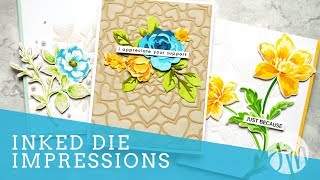
Inked Die Impressions Techniques for Paper Crafting
Explore creative die-cutting techniques to add texture and depth to paper crafts. Learn to combine dies with ink for unique, eye-catching designs perfect for cards and scrapbooking projects.

Creating a Hinged Die Cut Greeting Card with Hidden Message
Learn to create hidden message cards using die cuts, stamps, and embellishments. Techniques include shaker elements, embossing, and layering for unique and interactive greeting cards.
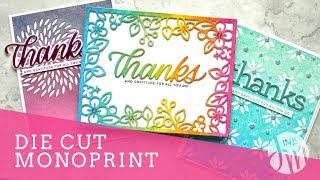
Die Cut Monoprint Technique - Creating Two Pieces from One Die Cut
Learn a faux monoprint technique to create two unique die-cut pieces from one design, exploring various dies and embellishments for stunning card-making results.

Distress Ink Monoprint Technique for Card Making
Learn a faux monoprint technique using Distress Ink to create stunning, unique cards. Master blending, stamping, and die-cutting to produce over 25 beautiful designs with a professional finish.
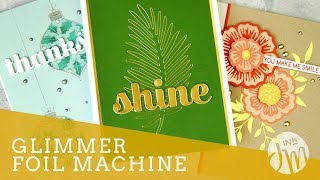
Glimmer Hot Foil Machine Techniques for Card Making
Explore innovative hot foil techniques using the Spellbinders Glimmer system. Learn to create stunning metallic designs on various materials, combining foiling with die-cutting for unique card-making and crafting projects.