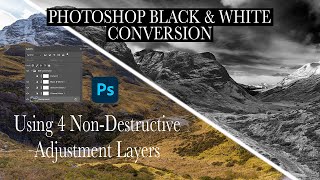
Dramatic Black and White Conversion in Photoshop Using Non-Destructive Adjustment Layers
Learn to create dramatic black and white images using non-destructive Photoshop adjustment layers. Master techniques for selective color adjustments, channel mixing, and curves to enhance tonal contrast and depth.
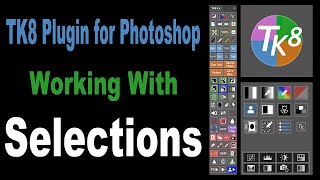
TK8 Plugin for Photoshop: Working with Selections
Learn to create and refine selections in Photoshop using the TK8 plugin. Master techniques for enhancing specific areas of your images with precision and efficiency.
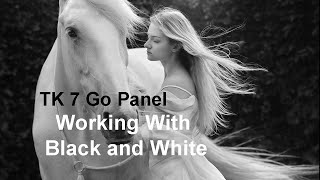
Working with Black and White Using TK7 GO Panel
Explore black and white image editing using TK7 GO and COMBO/CX panels. Learn techniques for enhancing contrast, adjusting highlights, and creating a captivating monochrome result.
TK7 Combo/CX Panels - Painting with Contrast
Mastering contrast techniques using TK7 COMBO/CX panels for enhanced photo editing. Learn to paint contrast, clouds, and gradients for striking images.
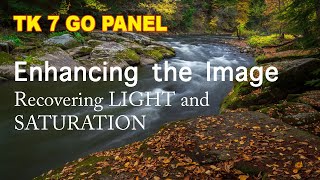
Enhancing Images with TK7 GO Panel - Recovering Light and Saturation
Enhance images using TK7 Go Panel to recover light and saturation with luminosity and zone masks. Learn techniques for improving photo quality and visual appeal.
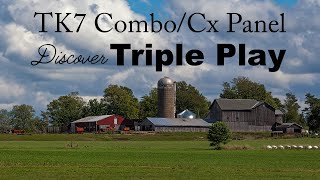
TK7 Combo/CX Panel - Discovering Triple Play Actions
Explore the Triple Play Actions in TK7 Combo/CX Panel for enhancing brightness, contrast, and detail in your photos. Learn powerful techniques to elevate your image editing skills.
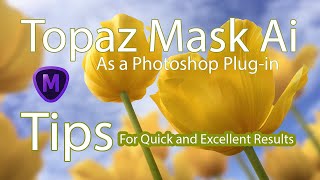
Topaz Mask AI Tips for Quick and Excellent Results
Discover tips for achieving quick and excellent results with Topaz Mask AI Photoshop plug-in. Learn techniques for refining selections, fixing edges, and optimizing your workflow.
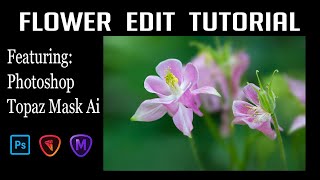
Flower Photography Editing: Enhancing Depth of Field with Topaz Mask AI and Photoshop
Learn to enhance flower photography with advanced editing techniques, isolating subjects and creating stunning shallow depth of field effects beyond camera capabilities.

Grand Canyon Photo Editing Tutorial - Topaz, Luminar 4, and Photoshop
Learn advanced photo editing techniques for stunning Grand Canyon images using Topaz, Luminar 4, and Photoshop. Enhance colors, remove distractions, and create breathtaking landscapes with expert guidance.
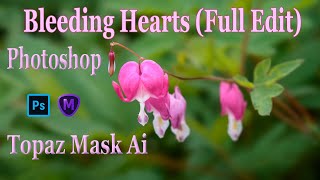
TOPAZ MASK AI and Photoshop: Bleeding Hearts Full Edit Tutorial
Enhance bleeding heart photos using Topaz Mask AI and Photoshop techniques. Learn sharpening, masking, compositing, and painting for stunning floral edits.
Photoshop Plug-ins Workflow Tutorial - Luminar 4 and Topaz Studio 2
Enhance your photo editing skills with Luminar 4 and Topaz Studio 2 plug-ins for Photoshop. Learn advanced techniques for light removal, texturing, and AI-powered enhancements in this comprehensive tutorial.
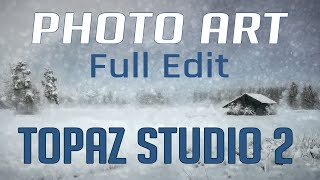
Topaz Studio 2 and Photoshop Tutorial - Creating a Winter Cabin Digital Painting
Transform a winter cabin photo using Topaz Studio 2 and Photoshop. Learn color correction, filters, vignettes, and digital painting techniques to create a stunning winter scene.
Flower Photography Workflow Tutorial - Lightroom, Photoshop, and Topaz Studio 2
Learn to enhance flower photos with a dreamy, ethereal look using Lightroom, Photoshop, and Topaz Studio 2. Master techniques for soft backgrounds, noise reduction, and sharpening in macro photography.

Dodging and Burning Techniques in Topaz Studio 2 and Photoshop
Learn effective dodging and burning techniques in Photoshop and Topaz Studio 2 to enhance landscape images and make them stand out. Discover similar methods in both applications for improved photo editing skills.

Topaz Studio 2 Tutorial - The Channel Mixer Filter
Explore the Channel Mixer filter in Topaz Studio 2 to enhance your photo editing skills. Learn techniques for adjusting color channels and creating monochrome images with real-world examples.
FilmPack 5 by DXO - Black and White Film Conversion
Learn to convert color images to stunning black and white using FilmPack 5 by DXO. Explore key features, presets, grain, toning, and effects for professional-quality film emulation in Photoshop.

How to Make a Faceless Minimal Vector Portrait with Adobe Illustrator
Learn to create minimal vector portraits in Adobe Illustrator. Master a marketable skill for freelancing on platforms like Etsy and Fiverr. Step-by-step guide for beginners, including finding free photos and portfolio tips.

Motion Poster Design in Figma - Modern Animated Poster Design - Prototyping
Learn to create dynamic motion posters in Figma using basic animation techniques, cubic-Bezier curves, and useful plugins. Transform static designs into eye-catching animated graphics.

UI/UX Design with Figma - Design Essentials
Master prototyping and wireframing in Figma. Learn professional presentation techniques for your UI/UX designs, enhancing your skills in creating effective user interfaces and experiences.

UI/UX Design with Figma - Design Essentials
Learn essential Figma techniques: masks, gradients, shadows, and design principles for creating clean, professional UI/UX designs in this concise tutorial.

UI/UX Design with Figma - Design Essentials
Learn Figma's tools and interface to create a basic login screen design in this essential UI/UX tutorial.