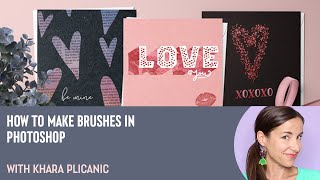
How to Make Brushes in Photoshop with Khara Plicanic
Learn to create custom Photoshop brushes using various techniques, from basic shapes to text and photographs. Master effects, color dynamics, and textures to enhance your digital artwork and design projects.
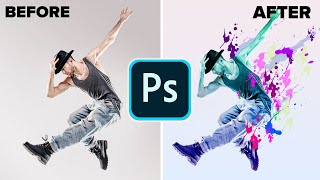
Make a Paint Splatter Effect With Custom Brushes in Photoshop
Learn to create dynamic photo art using custom splatter brushes in Photoshop. Discover techniques for making brushes, applying them, and adding gradients and color for stunning visual effects.
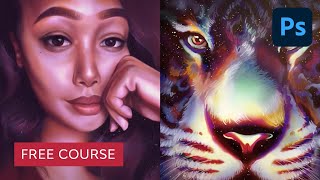
10 Tips to Master Adobe Photoshop Brushes
Comprehensive guide to mastering Photoshop brushes, covering basics, application techniques, custom brush creation, and efficient use of brush presets for designers and illustrators.
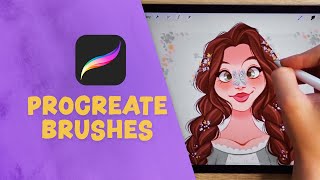
Procreate Brushes for Beginners
Learn to create and customize Procreate brushes, from traditional styles like chalk and watercolor to unique stamp brushes. Master brush installation, creation techniques, and customization for digital art.
Essential Design Tips for Photoshop
Learn 10 essential Photoshop tips to enhance your workflow, including non-destructive editing, smart objects, custom brushes, and layer optimization. Improve your design skills and efficiency.
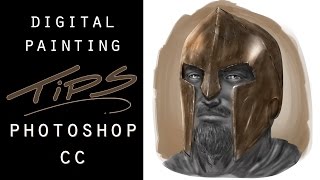
Digital Painting Tips - Adobe Photoshop CC
Learn texture effects, custom brush techniques, and selection tools in Adobe Photoshop CC for digital painting. Enhance your artwork with professional tips from an experienced artist.
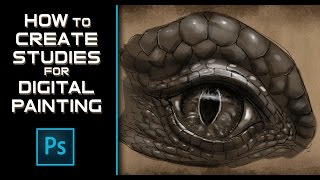
How to Create Studies for Digital Painting Fantasy Art
Learn techniques for creating digital art studies to enhance fantasy creature paintings, focusing on a lizard's eye for dragon art using Photoshop CC with custom brushes and templates.
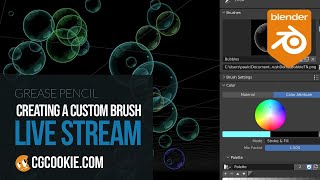
Create Custom Brushes for Grease Pencil in Blender
Learn to create and implement custom brushes in Blender's Grease Pencil, expanding your artistic possibilities. Paul demonstrates simple techniques to enhance your 2D animation and illustration workflow.

How to Use Custom Brushes in Photoshop
Learn to create stunning composites using custom silhouette brushes in Photoshop. Master blending, color grading, and atmospheric effects to transform photos into grand-scale artistic scenes.
Aladdin Movie Poster Tutorial
Learn to recreate the iconic Aladdin teaser poster using Photoshop techniques like guide layouts, painting, masking, warping, blending modes, and customizing brushes. Master essential skills for stunning movie poster design.

Harry Potter Patronus Effect in Photoshop - Tutorial
Learn to create a magical Harry Potter-inspired Patronus effect in Photoshop using advanced techniques for compositing, color grading, lighting, and lettering. Master atmospheric effects to enhance your digital art skills.

Dispersion Effect Tutorial in Photoshop
Learn to create a stunning dispersion effect in Photoshop, transforming images into particle clouds. Master techniques for background removal, liquify filters, custom brushes, and color grading to enhance your digital art skills.

Gone Girl Movie Poster Recreation - Photoshop Tutorial
Learn to recreate the Gone Girl movie poster using Photoshop techniques like file setup, guide layouts, gradient backgrounds, layer blending, masking, and custom brushes in this comprehensive design tutorial.
Digital Inking and Cross-Hatching in Procreate - 90s Comic Style Rendering Tutorial
Learn 90's comic-style rendering and cross-hatching techniques using Procreate on iPad Pro. Master digital line art and enhance your comic illustration skills with professional tips and tricks.
How to Draw in Illustrator
Step-by-step guide to drawing in Illustrator: from sketch preparation to line art, inking, coloring, and shading. Perfect for beginners looking to master essential digital illustration techniques.
How to Digitally Illustrate a Camera with Light Streaks in Photoshop
Learn to create a striking digital camera illustration with light streaks using Photoshop tools. Master gradient maps, custom brushes, and layer effects for a vibrant, eye-catching result.
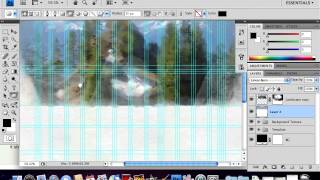
Create a Watercolor-Themed Website Design with Photoshop
Learn to design trendy watercolor-themed websites using Photoshop's Art History Brush and custom brushes. Create stunning background headers through creative experimentation and techniques.
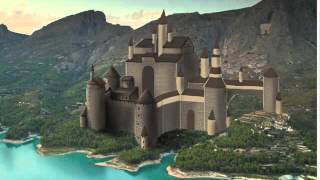
Paint a Castle in Photoshop - Part 2
Continue refining castle details in Photoshop, focusing on textures, lighting, and atmospheric effects to bring your digital painting to life in this advanced digital art tutorial.
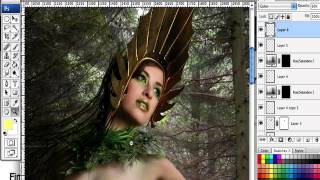
How to Create a Fantasy "Mother Nature" Scene in Photoshop
Create a captivating fantasy scene using Photoshop techniques, combining images and brushes to bring "Mother Nature" to life in a visually stunning composition.
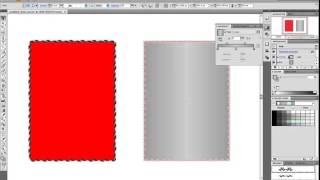
Create Your Own Gothic Card Deck Design
Design a unique Gothic-inspired card deck using custom brushes and elements in this hands-on tutorial for creating visually striking playing cards.
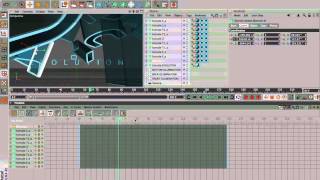
Tron Game Development Tutorial - Part 1
Learn to create stunning visual effects inspired by the iconic Tron franchise using Adobe After Effects. Master techniques for glowing lines, energy pulses, and futuristic interfaces.