Luminar 4 Tutorial - Creative Edits and Topaz Mask AI - Episode 6
Learn advanced creative editing techniques in Luminar 4, including a bonus tutorial on Topaz Mask AI. Enhance your photo editing skills with professional tools and achieve stunning results.
Topaz Studio 2 - Layer Masking 101: Color Range Masks - Episode 2
Learn to create precise color range masks in Topaz Studio 2 for enhanced photo editing, with visual aids and practical examples to reinforce your understanding.
Topaz Studio 2 Tutorial - Getting Creative with Filters and Masking
Explore creative photo editing techniques using Topaz Studio 2, including diffusion, precision filtering, masking, and color adjustments for stunning visual transformations.
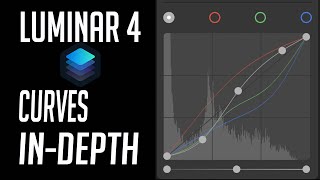
Luminar 4 Tutorial - Mastering the Curves Tool
Master the Curves Tool in Luminar 4 for precise control over image contrast, color, and tone. Learn advanced techniques to enhance your photo editing skills.
Luminar 4 Tutorial - Creative Color Effects for Images
Explore creative color effects in Luminar 4 to enhance your images. Learn techniques for adding vibrant and unique color adjustments to transform your photography.
Luminar 4 Tutorial - Single Image Edit from RAW File
Learn to enhance RAW photos using Luminar 4's powerful tools. Master single-image editing techniques to transform your photographs with professional-quality results.
Topaz Studio 2 Tutorial - Working with Textures
Discover the power of textures in Topaz Studio 2. Learn to enhance images using texture overlays, blend modes, and layer masking for artistic expression and creative photo editing.
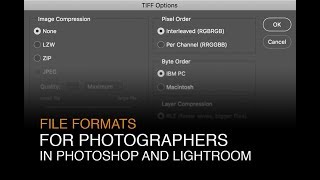
File Formats for Photographers in Lightroom and Photoshop
Learn optimal file formats, bit-depths, and color spaces for Lightroom and Photoshop. Discover essential settings to enhance your digital photography workflow and image quality.
How to Get Proper Exposure - Part 3: Reviewing RAW Images on Your Computer
Learn to evaluate RAW images in Lightroom and Photoshop to improve field exposure settings and determine when multiple exposures are needed for capturing full dynamic range.

Creating Epic Seascapes in Photoshop - Blending Waves Tutorial
Learn to blend multiple wave exposures in Photoshop to create stunning seascape images. Master techniques for aligning, manually adjusting, and combining exposures for epic ocean photography.
Using Path Blur Filter in Photoshop to Create Dynamic Photos
Learn to create dynamic motion effects in photos using Photoshop's Path Blur filter. Master techniques for realistic movement, exposure blending, and artifact removal to enhance your visual storytelling.

Restoring Sunset Colors with Luminosity Masks in Photoshop
Enhance dull sunset photos using luminosity masks in Photoshop. Learn techniques to add vibrant colors, control intensity, and create natural-looking results for stunning sky transformations.
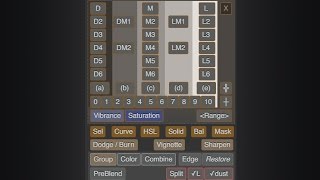
Lumenzia - Luminosity Masking Panel for Photoshop
Simplify luminosity masking in Photoshop with Lumenzia panel. Create custom masks, select zones visually, and achieve professional results effortlessly. Includes tools for vignettes and sharpening.
The Art, the Advocacy and FLOSS - Ubuntu Summit 2022
Explore the intersection of art, advocacy, and free software through an artist's perspective, examining how FLOSS principles influence creative practices and cultural dialogues.
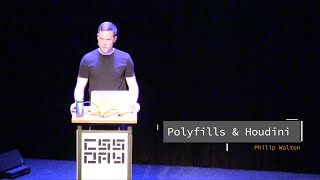
Polyfills and Houdini - Enhancing CSS Browser Support
Explore Houdini's potential to revolutionize CSS development, addressing browser compatibility issues and enabling custom CSS features for more consistent and powerful web styling.
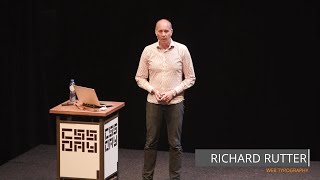
Web Typography - Golden Rules for Effective Design
Explore web typography principles, from paragraph styling to variable fonts, to create beautiful, effective responsive designs that enhance reader experience.
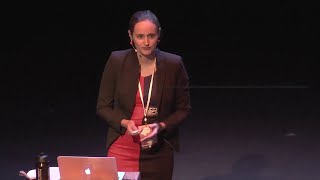
From Responsive to Anticipatory Design
Explore the shift from responsive to anticipatory interfaces, examining how data can predict user needs and create proactive experiences while balancing relevance and user comfort.
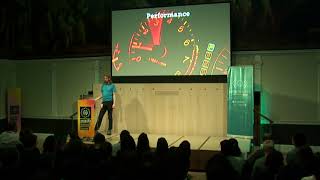
The State of WebFonts - Current and Future Technologies
Explore the latest advancements and future trends in web typography with insights from a leading expert in the field.

After Effects Plugins for UI Designers
Discover essential After Effects plugins for UI designers to streamline workflows, enhance animations, and facilitate developer collaboration in creating meaningful digital experiences.
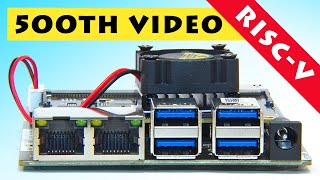
RISC-V Video Editing on Lichee Pi 4A - 500th Episode Celebration
Exploring RISC-V video editing on Lichee Pi 4A and celebrating 500 episodes of ExplainingComputers. Journey through key moments and technological advancements in computing.

How to Use Adobe Camera RAW 2024 - Photoshop Tutorial
Learn to navigate and utilize Adobe Camera RAW 2024's interface, basic tools, and advanced masking features for photo correction and color enhancement in this comprehensive tutorial.