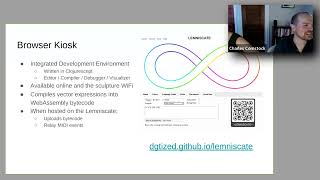
The Lemniscate by Ann Johnson, Charles Comstock
Explore the Lemniscate editor: programming animations, MIDI integration, and live demos for an interactive sculpture. Learn about system architecture, language basics, and design constraints.
Blender 3.6 Beginner Tutorial - Fantasy Sword Modeling - Part 2
Learn to create a fantasy sword in Blender 3.6, covering modeling techniques, modifiers, materials, and shading. Master essential tools while building a detailed 3D weapon from scratch.
Blender 2.9 Beginner Tutorial - Stone Creation and Scene Setup - Part 3
Learn advanced Blender 2.9 techniques for creating realistic stone scenes. Master camera setup, lighting, particle systems, and video editing in this comprehensive tutorial.

Blender 2.9 Beginner Tutorial - Part 1
Comprehensive introduction to Blender 2.9 for beginners, covering essential tools and techniques for 3D modeling, lighting, texturing, and basic animation.

Online Experimentation and AB Testing
Comprehensive introduction to online A/B testing, covering statistical fundamentals, implementation strategies, and common pitfalls in digital experimentation for businesses.
Add Clothing to Rigged Characters - Blender 2.83
Learn to add cloth simulation to rigged, animated characters in Blender 2.83. Master techniques for realistic clothing dynamics on 3D models, enhancing character design and animation skills.
Cube Wave Animation Loop - Blender 2.81 HD
Create a loop-able cube wave animation in Blender using instancing and wave modifier, with tips on lighting, shading, and camera settings for a polished result.
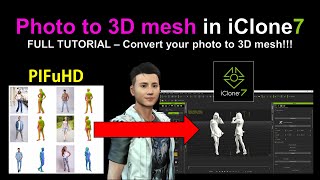
PIFuHD - Converting Photos to 3D Meshes in iClone
Learn to convert photos into 3D meshes using PIFuHD and iClone. This step-by-step tutorial covers UV texturing, rigging, and exporting for animation in Blender or iClone, enhancing your 3D modeling skills.
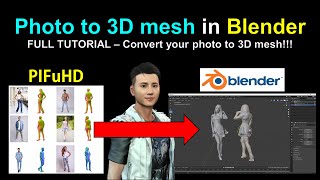
PIFuHD - Converting Photos to 3D Meshes in Blender
Learn to convert photos into 3D meshes using PIFuHD in Blender. Step-by-step guide covers mesh creation, UV texturing, rigging, and animation, with real-time demonstrations and helpful resources.

iClone 7 and Character Creator 3 Beginner's Tutorial
Comprehensive step-by-step guide for beginners to create simple animation videos using iClone 7 and Character Creator 3, covering avatars, objects, props, and scenes.
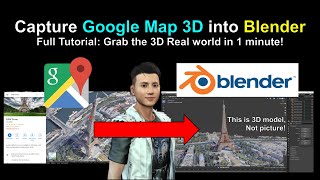
Google Map 3D Models to Blender Tutorial
Learn to capture and import Google Maps 3D models into Blender using RenderDoc. Step-by-step guide covers setup, model extraction, and integration for 3D projects.
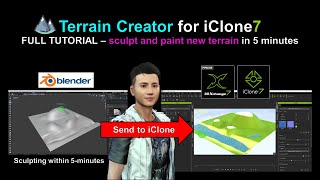
Sculpting New Terrain for iClone Using Blender
Learn to sculpt and paint custom terrain for iClone using Blender in this step-by-step tutorial. Master real-time 3D landscape creation techniques to enhance your animation projects.
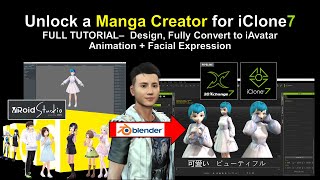
Vroid Studio to Blender and iClone - Manga Character Creation and Animation
Learn to create manga characters in Vroid Studio and import them into iClone for 3D animation, including step-by-step guidance on design, conversion, and adding facial expressions.
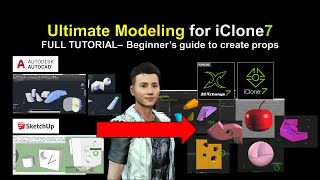
SketchUp and AutoCAD Modeling for iClone - Ultimate 3D Prop Creation Tutorial
Learn to export 3D models from SketchUp and AutoCAD into iClone for animation. Master creating custom props, shapes, and geometries to enhance your 3D designs and boost creativity.
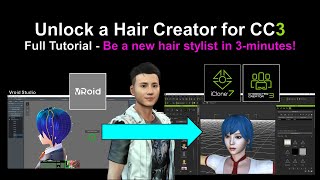
Creating New Hair for Character Creator 3 Using VRoid - Tutorial
Learn to create custom hairstyles using Vroid Studio and import them into Character Creator 3, expanding your character design capabilities with step-by-step guidance and practical tips.
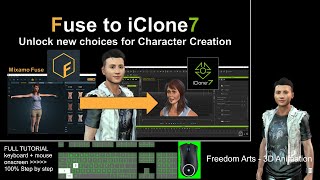
Exporting Mixamo Fuse Characters to iClone - Rigging and Animation Tutorial
Step-by-step guide for exporting Mixamo Fuse character creations to iClone with full rigging, facial animation, expressions, and morphs. Learn to utilize multiple 3D software tools for seamless character integration.
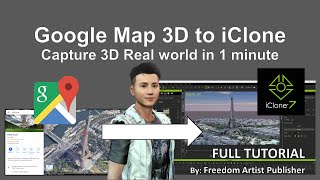
Google Map 3D to iClone - Importing 3D Models from Google Maps
Unlock Google Map 3D models and import them into iClone and Blender. Learn to extract buildings, terrain, and other 3D elements for use in animation projects.
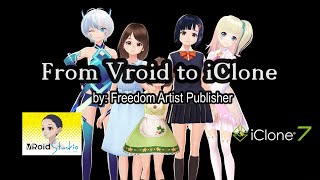
Importing Vroid Characters into iClone - Episode 1
Step-by-step guide for importing Vroid characters into iClone, covering essential software and techniques for creating and animating manga-style characters in 3D animation projects.

Make a Neuron in Blender - Tutorial
Create a detailed 3D neuron model using Blender's sculpting tools, tree structures, and lighting techniques in this step-by-step tutorial.

Ice Cube Splash Animation - Blender Tutorial
Create realistic ice cube splash simulations in Blender with step-by-step guidance. Master fluid dynamics and particle systems to enhance your 3D animation skills.
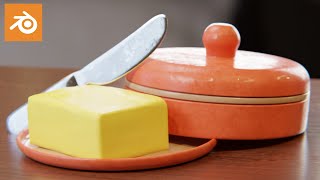
How to Make a Butter Tray Scene in Blender
Create a realistic butter tray scene in Blender with step-by-step guidance. Master 3D modeling techniques to craft lifelike food objects and enhance your CGI skills in just 17 minutes.