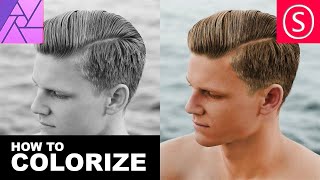
Affinity Photo - BW Colorization Intro
Learn to colorize black and white photos using Affinity Photo. Master techniques for realistic skin tones, hair, and features through hands-on exercises with a color-to-BW-to-color approach.
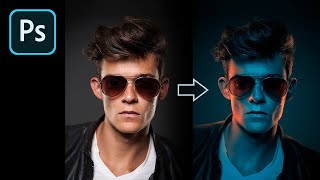
How to Fake Color-Gel Lighting in Photoshop
Learn to simulate multi-colored lighting in Photoshop using Gradient Maps. Master controlling brightness and color of light sources, creating dramatic highlights, and adding shine for stunning photo effects.
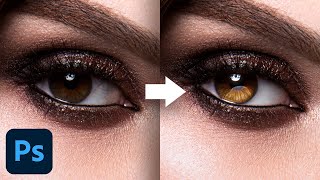
Advanced Techniques to Make Eyes Sparkle - Photoshop Tutorial
Learn advanced Photoshop techniques to enhance eye aesthetics, including light shaping, detail creation, reflection addition, and eye white cleanup. Master blending modes, curves, and masking for stunning results.

My Favorite Plug-In to Add Overlays in Photoshop
Discover the Infinite Texture Panel for Photoshop, featuring AI-powered texture selection and thousands of pre-masked overlays to enhance your images with high-quality effects and creative compositing.
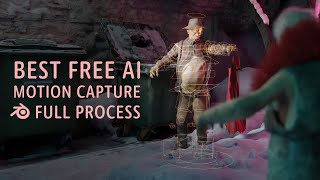
Animating in Blender With AI
Experience a week-long journey of AI-assisted animation in Blender, from 3D scanning to VR performance capture, culminating in a unique and entertaining final animation.
Image Processing Magic - Improving Photos in 3 Clicks + Textured Overlays
Discover quick photo enhancement techniques, learn to combine Lightroom and Photoshop for lighting control, and explore creative texture overlays to add personality to your images.
Photoshop 2020 - How to Move Your Presets to a New Version of Photoshop
Learn to manage, migrate, and sync presets in Photoshop 2020. Discover how to export, import, and manually transfer presets, as well as work with plugins and shared folders for efficient workflow.
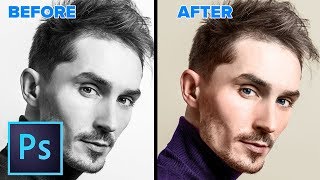
How to Change a Black and White Photo to Color in Photoshop
Learn to realistically colorize black and white photos in Photoshop with step-by-step techniques for skin, eyes, and clothing. Master this transformative skill in just 28 minutes.

How to Use 3D in Photoshop - Ultimate in Depth Tutorial
Comprehensive guide to Photoshop's 3D features, covering models, textures, lighting, rendering, and animation. Learn to create and manipulate 3D elements for stunning visual effects.
Next Level in AI Art - How to Use Photos and Images in Your AI Art
Enhance AI art creation by incorporating photos and images as references, improving prompt accuracy and achieving desired results across various AI generators.
How to Create Art with AI in Just 5 Minutes
Explore AI art generation: learn techniques, tools, and applications. Discover new creative possibilities and potential markets for AI-generated artwork.
Misconceptions About AI Generated Art
Debunking common misconceptions about AI-generated art, exploring its creative potential, technical aspects, and ethical considerations for artists and enthusiasts.
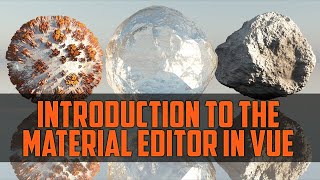
Introduction to Material Editor in Vue - Image-Based PBR Materials
Explore image-based PBR materials in Vue's material editor, covering basic properties, filters, textures, and advanced techniques for realistic 3D rendering.
Falling Leaves with Vue 11 - Discovering Vue 11, Particles
Create falling leaves and particle effects in Vue 11. Learn to use particle emitters, effectors, and control settings for realistic autumn scenes.
Bodypaint 3D - Introduction, Part One
Learn Bodypaint 3D basics: UI, layout, functionality, UV mapping, materials, layers, and textures. Master essential tools for 3D painting and texturing in this comprehensive introduction.
A Simple Way to Use Color Palettes
Learn a simplified approach to using color palettes effectively in digital art. Discover techniques for setting base colors, rendering light, and making adjustments to create visually appealing artwork.
Add 3D Text to Your Footage with Blender - VFX Tutorial
Step-by-step tutorial on integrating 3D text into video footage using Blender, covering motion tracking, scene setup, text creation, lighting, and compositing for realistic VFX results.
Anamorphic Illusion - Blender VFX Tutorial
Learn to create stunning anamorphic illusions in Blender with step-by-step guidance on camera tracking, projection mapping, and compositing techniques for impressive visual effects.
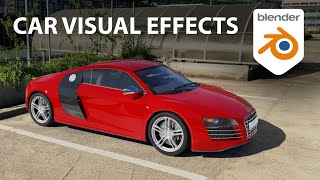
Add Cars to Your Videos With Blender - VFX on a Cloud Computer
Learn to seamlessly integrate 3D car models into videos using Blender. Master camera tracking, lighting, rendering, and compositing techniques for realistic visual effects.

Computer Screen Tutorial with Texture in Blender - Polygon Runway
Learn to create a PC screen with mapped texture in Blender using mesh tools and modifiers. Master UV mapping, materials, and camera techniques for quick 3D prototyping.
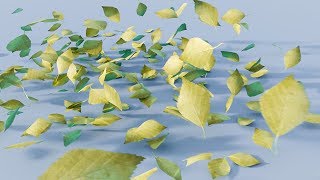
CGC Classic - Animating Leaves Blowing in the Wind
Learn to create a scene of blowing leaves in Blender 2.6 using alpha maps, particles, and modifiers. Master techniques for realistic wind animation and enhance your 3D modeling skills.