
How to Create 3D Objects in PowerPoint Presentations - A Complete Tutorial
Master the art of creating dynamic PowerPoint presentations by incorporating 3D objects through built-in models, external resources, and AI-generated content, complete with animations and customization options.

VirtualBox Tutorial - How to Install and Use Virtual Machines for Beginners
Master the basics of Oracle VirtualBox through hands-on guidance - from installation and setup to creating and managing virtual machines. Learn to test different operating systems and applications in isolated environments.

How to Remove and Replace Photo Backgrounds in Canva - Step-by-Step Tutorial
Master the art of removing image backgrounds in Canva with step-by-step guidance on uploading, editing, adding new backgrounds, adjusting dimensions, applying filters, and exporting your finished designs.

How to Insert and Use Checkboxes in Microsoft Excel
Master the art of adding interactive checkboxes in Excel, from basic insertion to advanced functionality with formulas, conditional formatting, and filters for dynamic task tracking and data management.
Best Canva Photo Editing Tips and Tricks - 10 Essential Techniques
Master essential photo editing techniques in Canva, from background removal and color isolation to creating mockups and animated effects. Learn 10 powerful tricks to enhance your images and design skills.
Creating and Customizing Pivot Charts in Excel - From Data Preparation to Advanced Filtering
Master the creation and customization of pivot charts in Excel to transform complex data into dynamic visualizations. Learn data formatting, chart manipulation, and filtering techniques for effective data analysis.

How to Create a Professional Resume in Microsoft Word - Step-by-Step Tutorial
Master the art of creating professional resumes in Microsoft Word through step-by-step guidance on template selection, customization, AI-powered content enhancement, and formatting for maximum impact.

How to Create AI Videos Using ChatGPT and Invideo
Master the art of AI video creation using ChatGPT and invideo to generate professional content through text prompts, automated scripting, and AI-powered editing - all without traditional filming or manual editing.
Microsoft Excel Copilot - Features, Capabilities, and Analysis
Explore how Copilot enhances Excel workflows through AI-powered data analysis, formula generation, and visualization tools, evaluating its practical benefits and limitations.

Invideo AI Video Generator Tutorial - Create Professional AI Videos
Master the art of AI video creation with Invideo AI - from crafting prompts and cloning voices to editing and exporting professional content in multiple languages, all through an intuitive interface.

5 Essential AI Productivity Tips for Work and School
Discover 5 powerful AI applications to boost workplace efficiency, from automated email responses to instant document analysis, text extraction, and personalized feedback generation.

Create Dependent Drop-down Lists in Excel - Easy Method
Master the creation of dependent dropdown lists in Excel for dynamic forms, using named ranges and INDIRECT functions to build interconnected selection menus for efficient data organization.

Microsoft Copilot: A Comprehensive Guide to AI-Powered Productivity in Windows and Microsoft 365
Master Microsoft's AI assistant across Windows and Microsoft 365 apps, from generating text and images to managing emails, creating presentations, and analyzing data - all through hands-on demonstrations and practical examples.

Creating Professional Organizational Charts with AI in Bricks - A Step-by-Step Guide
Master the creation of professional organizational charts using Bricks AI tool - transform raw data into customizable, visually appealing charts with real-time updates, styling options, and easy export capabilities.

Murf AI Text-to-Speech Tutorial - Creating Professional AI Voice Overs
Master text-to-speech generation with Murf AI's advanced features, including 120+ realistic voices, customizable speaking styles, and precise control over pitch, speed, and emphasis for professional voiceovers.
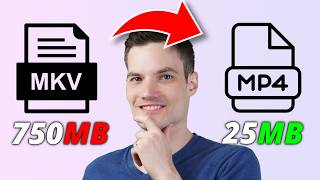
How to Convert and Compress Video Using Wondershare Uniconverter
Master video file conversion and compression techniques using Uniconverter, featuring AI enhancements, batch processing, and support for 1000+ formats while maintaining high quality output.

5 Essential AI Features in Filmora Video Editor - Tips and Tricks
Master five game-changing AI features in Filmora video editor, from text-to-video generation to voice cloning, helping you create professional content faster and more efficiently.

10 Essential Microsoft Copilot Tips for Productivity and Workflow Optimization
Master 10 powerful Microsoft Copilot techniques to enhance productivity across apps - from generating video summaries and creating branded presentations to automating email rules and analyzing data efficiently.

Using Microsoft Copilot in Outlook and Teams for Enhanced Communication and Productivity
Master Microsoft Copilot's capabilities in Teams and Outlook to enhance communication efficiency, generate meeting transcripts, summarize discussions, draft professional responses, and streamline workflow management.

Task Management with Microsoft Copilot - A Comprehensive Tutorial
Master task management efficiency using Microsoft 365 Copilot to extract, organize, and track action items across Outlook, Teams, and Loop. Learn automated workflows for emails, meetings, and project planning.

How to Use Midjourney - Complete Guide to Creating AI Art
Master Midjourney AI's essential features to create stunning artwork through prompt crafting, style adjustments, and advanced techniques for generating unique, personalized images.