How to Create a Hastebin Clone
Learn to build a Hastebin clone in this beginner-friendly full-stack project. Covers frontend development, styling, and database integration for a code-sharing application.
Access 2019 Expert Tutorial
Comprehensive tutorial on advanced Microsoft Access 2019 features, covering complex forms, macros, VBA, database security, and automation techniques for improved data management and efficiency.
Access 2019 Beginner Tutorial
Comprehensive tutorial on Microsoft Access 2019 covering database creation, table design, data import, relationships, queries, forms, and reports. Suitable for beginners and experienced users seeking to enhance efficiency.

OneDrive Tutorial
Comprehensive guide to OneDrive: setup, file management, sharing, and collaboration. Learn to leverage cloud storage for seamless access and teamwork across devices.
Power BI Professional Tutorial
Comprehensive tutorial on Power BI covering data management, sharing, and visualization. Learn to create dashboards, manage workspaces, and optimize datasets for effective business analytics.

Power BI Expert Tutorial
Comprehensive tutorial on data visualization, from creating reports and dashboards to implementing accessibility features and real-time data streaming in Microsoft's business analytics platform.
Word 2019 Expert Tutorial
Master advanced Word 2019 features: image manipulation, text boxes, SmartArt, collaboration tools, document security, forms, and macros. Enhance your documents with professional-level techniques and efficiency.
Word 2019 Advanced Tutorial
Explore advanced Word 2019 features: tables, charts, styles, themes, quick parts, templates, document flow, large document management, and mail merge for enhanced productivity.
Word 2019 Beginner Tutorial
Learn essential Microsoft Word skills for beginners, from document creation to formatting, tables, graphics, and efficient workflow techniques. Master the basics of this powerful word processor.
Photoshop Advanced Tutorial
Master advanced Photoshop techniques including layer management, blending modes, 3D text, complex selections, and filters. Enhance your creative skills for professional-level photo editing and graphic design.

Photoshop Beginner Tutorial
Comprehensive tutorial covering Photoshop basics to advanced techniques. Learn interface, image manipulation, layers, typography, color correction, masks, filters, and more for enhancing photos and creating designs.
Google Slides Beginner Tutorial
Master Google Slides essentials: create engaging presentations with text, images, videos, animations, and more. Learn to format, customize, and share your work effectively for impactful communication.
Smartsheet Beginner Tutorial
Learn to create collaborative project plans, checklists, and dashboards using Smartsheet. Master essential features for effective project management, team collaboration, and streamlined workflows.
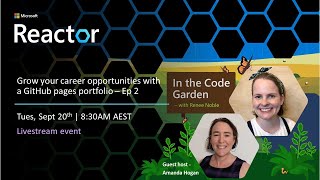
Creating a Standout GitHub Pages Portfolio - HTML, CSS, and JavaScript Techniques
Learn to enhance your GitHub Pages portfolio with responsive design, embedded videos, and interactive elements using HTML, CSS, and JavaScript. Gain practical tips for standout content and visual appeal.
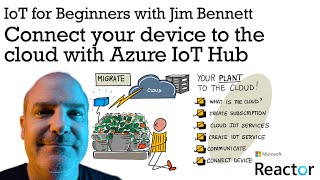
Connecting IoT Devices to Azure IoT Hub - Digital Agriculture Project
Learn to migrate IoT solutions to Azure IoT Hub, enhancing security, reliability, and scalability. Explore device-to-cloud communication, telemetry sending, and direct method responses using Python on a Raspberry Pi.
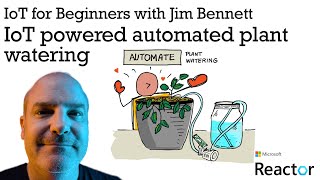
IoT-Powered Automated Plant Watering System - Digital Agriculture Project
Explore automated plant watering using IoT: control water pumps with soil moisture sensors, relays, and MQTT for remote management. Hands-on demo included.
Introduction to Power Apps
Learn to create apps with Power Apps, including demos on Dataverse integration, Excel data usage, and AI features like text recognition and object detection.
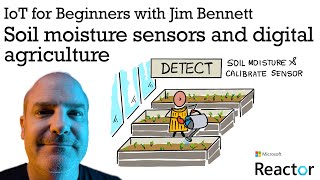
Soil Moisture Sensors and Digital Agriculture for IoT - Episode 1
Explore digital agriculture IoT solutions using soil moisture sensors and Raspberry Pi. Learn about sensor communication, calibration, and various protocols for building IoT projects.
Grow Your Career Opportunities with a GitHub Pages Portfolio - Episode 1
Learn to create a professional GitHub Pages portfolio site, from setup to deployment, enhancing your career prospects with a showcase of your skills and projects.
Creating a GitHub Pages Portfolio - Episode 1: Setup and Basics
Learn to create a professional portfolio using GitHub Pages, from setup to deployment. Gain practical skills in web development and personal branding to showcase your projects effectively.
Creating a Digital Twin Solution for Azure IoT Elevator
Learn to create an Azure IoT Digital Twin solution for elevators using Raspberry Pi and reTerminal. Explore custom IoT Edge modules, 3D visualization, and practical implementation steps.