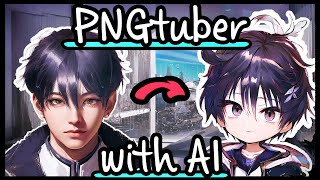
Stable Diffusion - Create a PNGtuber with Character LoRA
Learn to create a custom PNGtuber using Stable Diffusion, Character LoRA, and various AI tools. Master techniques for character design, image manipulation, and integration with streaming software.
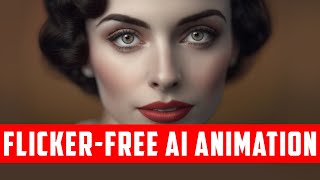
Flicker-Free Animations - Stable Diffusion, EBSynth & ControlNet
Learn techniques for creating smooth, flicker-free animations using Stable Diffusion, EBSynth, and ControlNet. Master frame extraction, keyframe selection, image processing, and advanced compositing for professional-quality results.
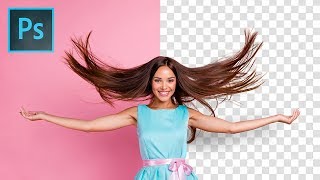
Precisely Cut Out Hair Using Color Range in Photoshop
Learn precise hair selection techniques in Photoshop using Color Range. Master background removal, mask refinement, edge fringe elimination, and clean compositing for professional-looking results.

A.I. to Auto-Match Subject with Background - Photoshop Tutorial
Learn to seamlessly blend subjects with backgrounds using Photoshop's new Harmonization Filter. Master composite creation, perspective, placement, color correction, and background blur techniques.
Efficient CSS Animations
Explore browser optimizations for CSS animations, learn techniques to enhance performance, and understand how to effectively implement and analyze efficient animations.
Web Components
Explore the synergy between CSS features and Web Components to create superior user experiences, including Variables, Shaders, Compositing, Regions & Exclusions.
Young to Old Visual Effects Tutorial - Aging Techniques in After Effects
Learn Hollywood-style aging effects using camera techniques, tracking, and visual effects in After Effects to transform actors from young to old.
Animated Jumping Freeze Frame in Photoshop and After Effects
Create a dynamic freeze frame effect with Photoshop and After Effects. Learn composition techniques and optimize RAM preview for smooth animation workflow.
Make an Impossible 3-Worlds-In-1 Pyramid in Blender - Eevee & Cycles
Learn to create a mind-bending 3-worlds-in-1 pyramid using Blender's view layers and compositing techniques. Master non-Euclidean geometry in both Eevee and Cycles rendering engines.
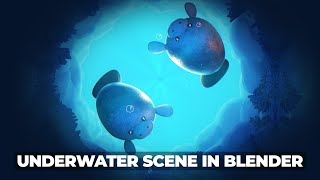
Blender 3D - Underwater Effect and Simple Character Animation
Create an underwater scene with animated manatees in Blender. Learn character modeling, animation techniques, and environment design to bring your aquatic world to life.
Create Whispy Spirit-like Text Tutorial - After Effects Animation Techniques
Learn to craft ethereal, spirit-like text effects using After Effects. Master techniques like smear, meshwarp, and motion blur to create captivating, ghostly animations for your projects.
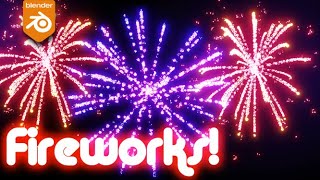
Easy Fireworks in Blender Tutorial
Create dazzling fireworks displays in Blender 2.9 with this beginner-friendly tutorial. Learn particle systems, color adjustments, and rendering techniques for stunning visual effects.
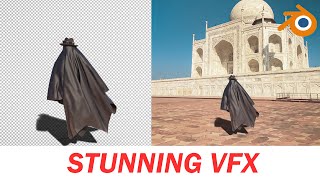
Make Your First VFX Stunning with Blender - Blender Tutorial for Beginners - Taj Mahal VFX
Learn to create stunning visual effects using Blender, from tracking footage to cloth simulation and compositing. Perfect for beginners looking to dive into VFX creation.
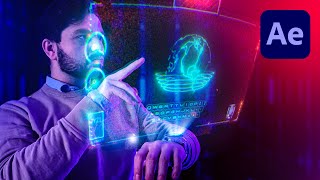
Sci-Fi Watch Hologram in After Effects
Learn to create an advanced hologram effect for a watch using Adobe After Effects. Master tracking, compositing, and animating HUD elements to achieve a stunning sci-fi visual effect.

Blend Subject and Reflections Using Blend Modes in Photoshop
Master Photoshop blend modes to seamlessly integrate subjects and reflections with backgrounds. Learn selection techniques, color matching, and light adjustment for realistic composites.

Unlock Amazing Stock Photos Inside Photoshop
Explore free Photoshop plugins for accessing millions of stock photos directly in-app. Learn installation, pros/cons, and real-world applications in compositing, graphic design, and color grading.
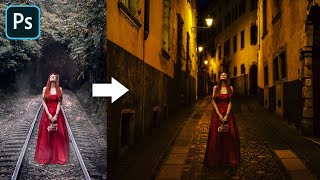
Advanced Color Matching Process in Photoshop
Master advanced color matching for seamless photo compositing in Photoshop. Learn masking, adjustment layers, realistic shadows, and depth of field techniques to create professional-quality manipulations.
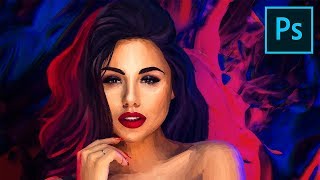
Digital Painting - Photoshop Tutorial
Learn advanced Photoshop brushes and techniques for digital portrait painting with pastels. Create a stunning artwork using reference images, filters, and compositing for a professional finish.
Photoshop on the Web - Features & Limitations
Explore Photoshop's web version: features, limitations, and comparison with Photopea. Learn about UI, tools, adjustments, and potential future updates for this browser-based image editing solution.
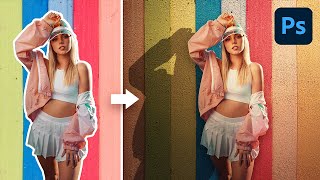
Steps to Make a Flat Background Look Realistic - Photoshop Tutorial
Learn 5 steps to create realistic flat backgrounds in Photoshop, including shadow creation, texture addition, and lighting matching techniques for seamless subject integration.
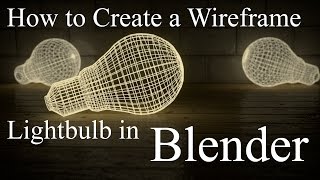
How to Create a Wireframe Lightbulb in Blender
Learn to create a wireframe lightbulb in Blender, from modeling to materials and compositing, in this concise tutorial covering all steps to achieve a realistic render.