Going PRO with 3D Animation - Secrets to Professional Visuals in iClone
Discover professional 3D animation secrets with iClone. Learn material pickup, fire distortion, multi-camera techniques, lighting, and color grading for stunning visuals in record time.
Blender 2.9 Beginner Tutorial - Stone Creation and Scene Setup - Part 3
Learn advanced Blender 2.9 techniques for creating realistic stone scenes. Master camera setup, lighting, particle systems, and video editing in this comprehensive tutorial.
Color Space Transform - DaVinci Resolve 18 Tutorial
Master color management in DaVinci Resolve 18 with the Color Space Transform tool. Learn to set up projects, grade log footage, achieve film looks, and match multiple cameras for professional results.
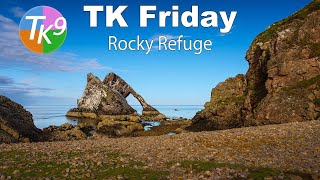
TK Friday: Full Edit of Rocky Refuge Image
Comprehensive tutorial on editing a landscape photo using TK9 plugin for Photoshop. Demonstrates advanced techniques for enhancing image quality, color, and composition.

DaVinci Resolve 18 - Complete Tutorial for Beginners
Comprehensive guide to video editing with DaVinci Resolve 18. Learn interface navigation, importing, trimming, effects, audio editing, color grading, and exporting for professional-quality results.
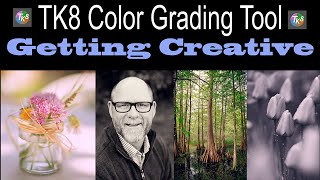
TK8 Color Grading Tool - Getting Creative with Photoshop Plugin
Unleash creativity with TK8 Color Grading Tool for Photoshop. Learn techniques for enhancing color and black-and-white images, exploring innovative approaches to image manipulation and color adjustment.
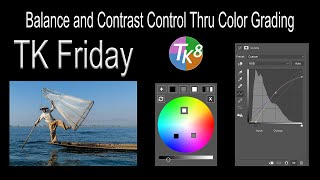
TK8 Plugin for Photoshop - Balance and Contrast Control Through Color Grading
Enhance image balance and contrast using TK8 Plugin's Color Grading tool in Photoshop. Learn a streamlined one-step process to improve workflow efficiency with provided practice images.
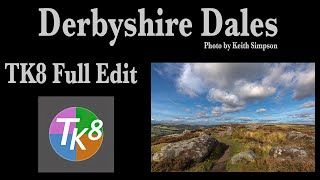
TK8 Plugin for Photoshop - Full Edit Tutorial: Derbyshire Dales
Full edit tutorial using TK8 plugin for Photoshop, demonstrating techniques on a Derbyshire Dales image. Includes Lightroom adjustments and downloadable practice file for hands-on learning.
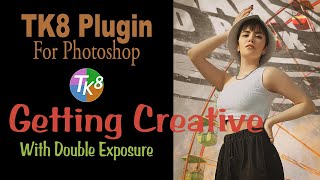
TK8 Plugin for Photoshop - Creative Double Exposure Tutorial
Explore creative double exposure techniques using TK8 Plugin for Photoshop. Learn mask calculations, luminosity masks, and color grading to craft unique composite images.
Transfer Color Grading Between Images Using Photoshop Curves Adjustment Layer
Learn to transfer color grading between images using Photoshop's Curves Adjustment Layer. Master this quick and easy technique to enhance your photo editing skills and achieve consistent color styles.
TK8 Plugin for Photoshop - First Look and Favorite New Features
Explore the latest features of TK8 Plugin for Photoshop, including color grading, luminosity masks, and color sketching techniques for enhanced photo editing.

Color Grading with Topaz Studio 2's Color Theme Filter
Discover easy color grading techniques using Topaz Studio 2's Color Theme Filter as a Photoshop plug-in. Learn to enhance your images with professional-looking color adjustments.
Photoshop Color Grading: Getting Creative with Gradient Maps
Explore creative color grading techniques using gradient maps in Photoshop. Learn to enhance and transform your images with unique color effects and mood-setting adjustments.

Topaz ReStyle Tutorial - Color Grading and Mood Alteration for Images
Learn to enhance image mood and color grading with Topaz ReStyle. Discover techniques to add flavor and alter the atmosphere of your photos in this practical editing tutorial.
DXO Film Pack 5 in PhotoLab 4 - Creative Film Rendering Tutorial
Explore creative film rendering techniques using DXO FILM PACK 5 within DXO PHOTOLAB 4. Learn to apply vintage and modern film effects to enhance your digital photography.
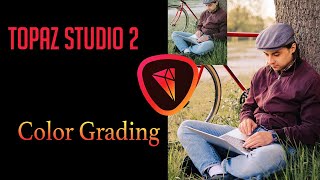
Color Grading Tutorial in Topaz Studio 2
Learn various color grading techniques to give your images a cinematic look using Topaz Studio 2's Dual Tone and Quad Tone filters, along with Photoshop and Luminar 4.
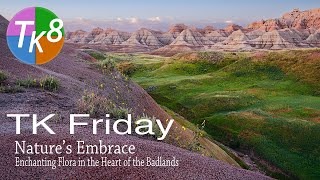
Nature's Embrace: Enchanting Flora in the Badlands - Full Edit Tutorial
Enhance your photo editing skills with Photoshop and TK8 Plugin. Learn techniques for sky, foreground, color grading, and more in this comprehensive tutorial.
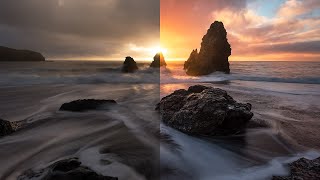
Color Grading in Lightroom and Adobe Camera Raw - New Features Tutorial
Explore advanced color grading techniques in Lightroom and ACR, including midtone control, luminosity adjustments, and blending options for enhanced photo editing.

Working with Color Using TK7 GO PANEL and TK7 COMBO/CX PANEL - Photoshop Tutorial
Enhance your photo editing skills using TK7 panels for color balance and fine art adjustments. Learn to apply finishing touches that elevate your images with expert techniques.

How to Create a 3D Letter Effect in Photoshop
Learn to recreate the 3D lettering effect from the Sharper movie poster using Photoshop tools like transform, distort, blur gallery, masking, and gradient map for coloring.

Barbie Movie Poster Photoshop Tutorial
Learn to recreate Barbie movie character posters using Photoshop. Master selections, gradients, fibers, and noise techniques while creating eye-catching designs quickly and efficiently.