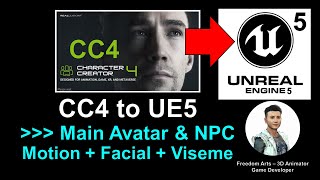
Character Creator 4 to Unreal Engine 5 - Creating Animated Avatars and NPCs with Motion, Facial, and Viseme Lip Sync
Learn to create and animate 3D avatars using Character Creator 4, iClone 8, and Unreal Engine 5. Master body motion, facial expressions, and lip-sync for game characters and NPCs.
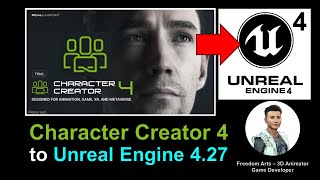
Character Creator 4 to Unreal Engine 4.27 - Full Tutorial
Step-by-step guide for importing Character Creator 4 avatars into Unreal Engine 4.27, enabling their use as main characters or NPCs in game projects.
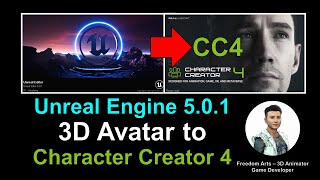
Unreal Engine 5.0.1 Avatar to Character Creator 4 - Full Tutorial
Step-by-step guide on importing Unreal Engine 5.0.1 3D Avatars into Character Creator 4, transforming them into ccAvatars for enhanced 3D modeling and game development workflows.
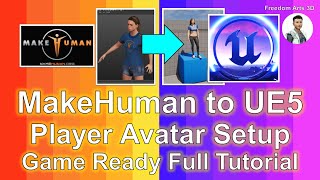
MakeHuman to Unreal Engine 5 - Player Avatar Setup for Game-Ready Characters
Step-by-step guide for importing MakeHuman 3D models into Unreal Engine 5, setting up game-ready skeletons and materials, and creating player avatars or NPCs for game projects.
Motionbuilder Mocap Crash Course - Transferring Raw Motion Data to HIK - Lecture 2
Learn to convert raw optical data into usable animation in MotionBuilder, exploring techniques for transferring motion capture data to the Human IK system.
Super Humans of New York - Managing the Many Faces in Marvel's Spider-Man
Discover Insomniac Games' efficient pipeline for managing 150 facial rigs in Marvel's Spider-Man. Learn about character tiers, feedback processes, and innovative solutions for open-world head integration.
Introducing Animation Rigging for 2019.3
Animation Rigging in Unity 2019.3: Create procedural skeletal animations, keyframe rig constraints in Timeline, and author new clips. Learn setup, examples for game content, and interactive gameplay.
Proper Character Rigging in Adobe Animate - Part 1-2
Explore character rigging in Adobe Animate using the EDAP Toolset. Learn FK & IK workflows, symbol setup, registration points, and character building techniques for advanced animation.
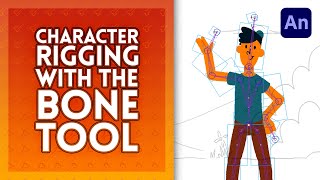
Character Rigging in Adobe Animate
Learn character rigging in Adobe Animate using the bone tool. Master techniques for realistic limb movement, joint constraints, and armature animation to bring your characters to life.

Rig Your Own Ghost in Blender 3D for Halloween - Easy
Learn to create a spooky animated ghost in Blender 3D, covering modeling, cloth physics, and face animation techniques for a haunting Halloween project.

Walking in Adobe Character Animator - ARCHIVED
Learn to create realistic walking animations in Adobe Character Animator. Master character rigging, customize walk styles, and bring your characters to life with step-by-step guidance on artwork setup and behavior adjustments.
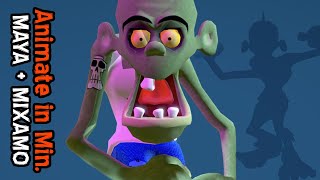
Quick 3D Character Animation in Maya - Beginner Tutorial
Master rapid 3D character animation techniques using auto-rigging and auto-skinning in Maya, plus learn to clean up motion capture files with Animation Layers for efficient workflow.
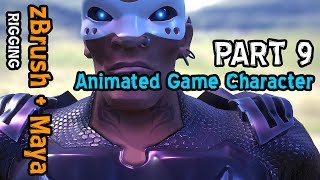
Game Character Weapon Rigging and Preview in Marmoset Toolbag - Part 9
Master advanced rigging techniques for integrating weapons and additional elements while previewing character models in Marmoset Toolbag for game-ready visualization and testing.
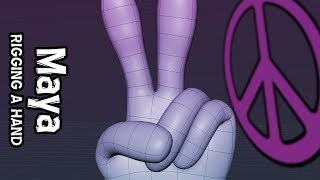
Creating Hand Gestures with Maya Rigging
Master the art of rigging a low-poly hand mesh in Maya to create and manipulate custom hand gestures efficiently and effectively.
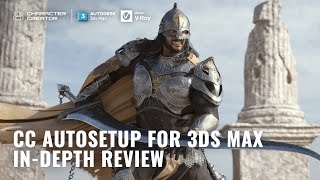
Creating Game-Ready Characters with Character Creator 4 and 3ds Max
Master the game character creation workflow from concept to final render using Character Creator 4, ZBrush, and 3ds Max, covering modeling, texturing, rigging, and rendering techniques.
Rigging a Two-headed Ogre - Creating Belly Drivers - Part 1
Learn advanced Rigify techniques for creating dynamic belly movement automation in character rigging, focusing on bone placement and leg-driven motion systems.
Loading Figures and Fitting Clothing in Daz Studio - Part 9
Master character loading, clothing selection, and material preset adjustments in Daz 3D, including smart content filtering and file management for efficient 3D character customization.
Working with Accessories in Daz Studio - Masterclass 33
Master the handling of different accessory types in Daz Studio, from smart props to rigged figures, while learning essential techniques for fitting glasses, hats, and other accessories to 3D characters.
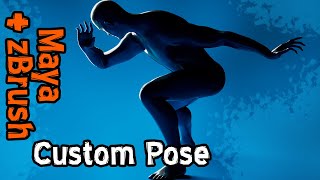
Creating Dynamic Poses in Maya for ZBrush Integration
Master Maya's auto rig tools to transform generic poses into dynamic, eye-catching compositions for zBrush sculpting, enhancing your 3D character design workflow.
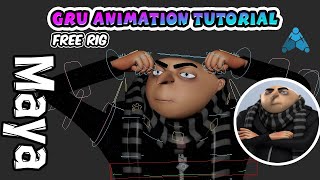
Learn to Animate Gru Character in Maya - Free Character Rig Tutorial
Master character animation using a free Maya rig of Gru from Despicable Me. Explore facial controllers, expressions, and lip-syncing while recreating Gru's iconic dance moves through keyframe animation.
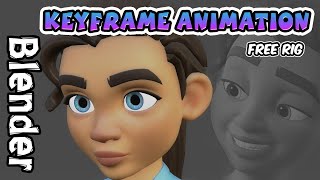
Basic Keyframe Animation in Blender
Learn essential keyframe animation techniques in Blender using the Rain character rig, perfect for beginners starting their 3D animation journey.