Export Unreal Engine 5.1 Animation Sequence to iClone and Character Creator as rlMotion
Learn to transfer animation sequences from Unreal Engine 5.1 to iClone 8.22 and Character Creator 4.22 using rlMotion format, streamlining your workflow for game development and virtual production projects.
iClone 8.1 Avatar to Unreal Engine 5.1 - Retargeting for Main Avatar and NPC - Full Tutorial
Step-by-step guide for importing and retargeting iClone iAvatar to Unreal Engine 5.1, including facial and lip sync morphs, for use as player avatar or NPC in game projects.
Importing Daz Genesis 8.1 Avatar into Unreal Engine 5.1 - Tutorial
Learn to import Daz Genesis 8.1 avatars into Unreal Engine 5.1 for game characters with facial expressions. Step-by-step guide covers exporting, transforming, and setting up in UE5.1 with morph shapes and blueprints.
Character Creator 3.4 to Unreal Engine Integration - Full Tutorial
Step-by-step guide on transferring Character Creator 3.4 avatars directly to Unreal Engine, enabling them to run, walk, and jump as main characters or NPCs in game projects.
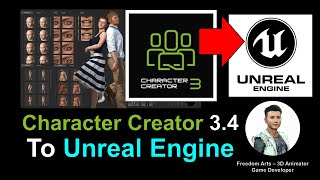
Character Creator 3.4 to Unreal Engine Tutorial - Designing and Transferring 3D Human Avatars
Step-by-step guide to designing 3D human avatars in Character Creator 3.4 and transferring them to Unreal Engine for use as main characters or NPCs in game projects.
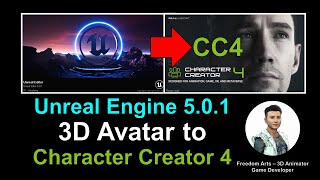
Unreal Engine 5.0.1 Avatar to Character Creator 4 - Full Tutorial
Step-by-step guide on importing Unreal Engine 5.0.1 3D Avatars into Character Creator 4, transforming them into ccAvatars for enhanced 3D modeling and game development workflows.
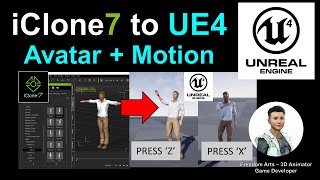
iClone Motion and Avatar to Unreal Engine - Animate Your Avatar Like a Gamer
Learn to import iClone animations and Character Creator avatars into Unreal Engine, enabling real-time animation control through keyboard inputs for dynamic, game-like character performances.
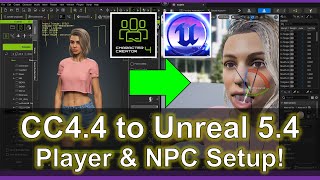
Player and NPC Setup - Character Creator 4.4 to Unreal Engine 5.4 Pipeline Tutorial
Comprehensive guide for importing Character Creator 4.4 avatars into Unreal Engine 5.4, including facial morphs, material baking, and animation blueprint setup for player and NPC characters.
Motion Builder Motion Editing for Unreal Characters - Part 1
Learn to edit motion capture files for Unreal characters using Motion Builder. Explore seamless FBX export from iClone and Character Creator, and compare editing processes in Motion Builder and iClone.
DeepMotion AI Motion Capture for iClone and Character Creator - Full Tutorial
Step-by-step guide on using DeepMotion AI to convert MP4 videos into body motion for iClone and Character Creator, enhancing 3D animation workflows with AI-powered motion capture technology.
Webcam and MP4 AI Motion Capture for Unreal Engine 5.0.1 - Plask AI Tutorial
Learn to create AI-powered motion capture animations using webcam or MP4 video for Unreal Engine 5.0.1 with Plask. Step-by-step guide covers workflow from capture to import, enhancing 3D animation skills.
Facial Animation and AccuFace Mocap in Character Creator and iClone - Part 9
Enhance character animations with AccuFace mocap in iClone. Learn to export from Character Creator, import mocap data, and refine animations using iClone tools for realistic facial expressions.
Creating Game-Ready Characters with Character Creator 4 and 3ds Max
Master the game character creation workflow from concept to final render using Character Creator 4, ZBrush, and 3ds Max, covering modeling, texturing, rigging, and rendering techniques.
From Video to Fully Animated 3D Character Using 3DPresso AI, Blender, Accurig and iClone 8
Master the process of transforming a static figure into an animated 3D character using multiple tools including 3DPresso AI, Accurig, Blender, and iClone 8, with step-by-step guidance for character rigging and animation.
Sending 3D Characters from 3DPresso AI to Unreal Engine Using Live Link
Learn how to transfer and animate a 3D character from 3DPresso AI through multiple tools including Accurig, Blender, Character Creator 4, and iClone 8 for seamless integration into Unreal Engine.
Rendering Custom Characters from iClone in Blender Using Go Blender Addon - Autosetup Tutorial
Master the process of rendering iClone characters in Blender using the Go Blender plugin, covering essential setup steps and workflow optimization for seamless character integration.
Unreal Engine 5.5 - Creating Realistic MetaHuman Facial Animation Using Audio
Master realistic MetaHuman facial animations in Unreal Engine 5.5 by converting audio inputs into lifelike expressions and lip movements, streamlining character animation workflows.
Using Character Creator Textures on MetaHuman in Unreal Engine 5.1 - Mesh to MetaHuman Tutorial
Learn how to apply Character Creator 4 and Daz textures to MetaHuman characters using Mesh to MetaHuman plugin in Unreal Engine 5.1, enhancing character expressiveness and realism for game development.
How to Edit Wonder Studio Motion Capture in iClone 8 and Character Creator 4
Master the workflow of importing and editing Wonder Studio motion capture data in iClone 8 and Character Creator 4 to achieve smooth, stable animations without foot sliding issues.
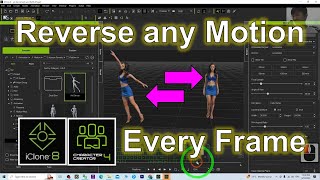
How to Reverse Any Motion in iClone 8 - Tutorial
Learn to reverse any motion in iClone 8 with this step-by-step tutorial. Master advanced animation techniques to enhance your 3D modeling and game development projects.
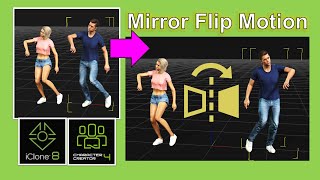
How to Mirror Flip Motion in iClone 8 and Character Creator 4 - Tutorial
Learn to mirror flip motion in iClone 8 and Character Creator 4 with this step-by-step tutorial, covering T-pose creation, Blender animation flipping, 3DXchange 7 export, and iClone 8 testing.