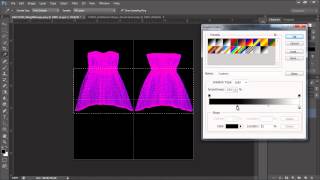
Daz to iClone 6 Tutorial - Soft Cloth for Daz Characters
Learn to animate Daz characters in iClone with realistic physics for hair, accessories, and clothing. Covers weight maps, simulation, and character hair options.
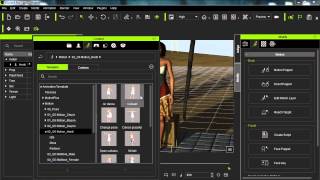
iClone Beginner's Guide: Animating with Motion Clips
Learn to animate characters in iClone using motion clips. Explore persona menus, motion libraries, and tools like Motion Puppet. Discover techniques for blending, breaking, and adjusting clips to create custom animations.
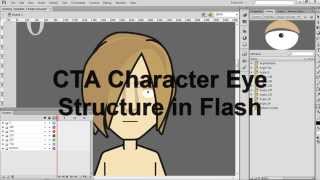
CrazyTalk Animator 2 Tutorial - Creating Eye Sprite Pose Libraries in Flash
Learn to create custom eye sprite pose libraries for CrazyTalk Animator 2 characters using Adobe Flash. Master techniques for designing, importing, and integrating eye sprites into your animations.
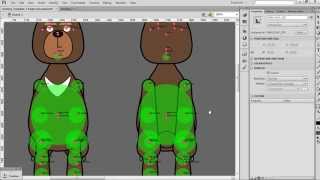
CrazyTalk Animator 2 Tutorial - Multi-Angle G2 Character Creation in Flash
Learn to create multi-angle G2 characters in Flash for CrazyTalk Animator 2. Master symbol mirroring, transferring, and modification techniques, plus importing and fine-tuning characters for 3D motion.
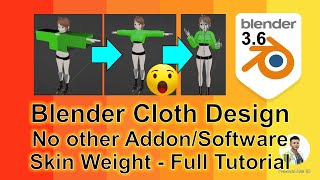
Cloth Design for Blender 3.6 3D Avatars - Skeleton Binding and Skin Weight Tutorial
Learn to create and bind custom clothing for 3D avatars in Blender 3.6 without addons. Master cloth design, skeleton binding, and skin weight techniques for realistic character animation.
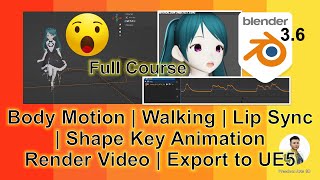
Blender 3.6 Animation - Lip Sync, Rendering, and Exporting to Unreal Engine 5
Learn to create animations with lip sync in Blender 3.6, render videos, and seamlessly export to Unreal Engine 5 while preserving motion and lip sync in this comprehensive silent tutorial.
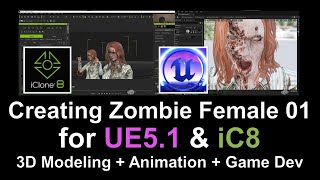
Create and Animate a 3D Female Zombie Character Using Multiple Software Tools
Learn to design, rig, and animate a 3D female zombie character using multiple software platforms, from initial creation to final testing in game engines and animation tools.
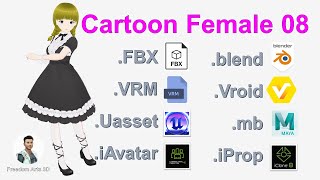
Master 3D Character Workflow: Vroid to Unreal Engine 5 - Cartoon Female Model
Comprehensive guide to creating a 3D cartoon female character, from initial design in Vroid Studio to implementation in Unreal Engine 5, covering multiple software and file formats for versatile use in games and animations.
Character Creator 4.2 Motion to Unreal Engine 5.1 - Retargeting 3D Avatars with Root Motion
Learn to import Character Creator 4.2 motions into Unreal Engine 5.1 and retarget them to custom 3D avatars with root motion. Essential skill for game developers working with various 3D character models.
AccuRIG AutoRig to Unreal Engine 5.1 - Retargeting for Main Avatar and NPC
Step-by-step guide on using AccuRIG to autorig avatars and import them into Unreal Engine 5.1 for retargeting as main characters or NPCs in game projects. Includes software recommendations and resources.
iClone 8 3D Avatar to Unreal Engine 5 - Motion, Facial, and Viseme Animation Transfer Tutorial
Learn to transfer iClone 8 3D avatars with motion, facial expressions, and lip-sync animations to Unreal Engine 5 using iClone Unreal Live Link. Step-by-step guide for creating animation sequences in UE5.
Maya Quick Rig FBX/OBJ with Finger to Unreal Engine 5 - Game Avatar and NPC
Step-by-step guide to rig humanoid 3D avatars in Maya 2022 and import them into Unreal Engine 5 as playable characters or NPCs, including finger rigging and animation retargeting.
Maya 3D Avatar to Unreal Engine Game Character - Full Tutorial
Learn to export Maya 3D avatars to Unreal Engine, creating playable game characters. Master rigging, animation retargeting, and integration for custom 3D game avatars and NPCs.
How to Create 3D Piano and Dance Animation - Full Tutorial
Learn to create a 3D animated piano and dance sequence using Blender, iClone, and video editing software. Master modeling, texturing, and animation techniques for realistic musical performances.
Walking Characters in iClone 7 and CC3 Using Director Mode
Learn to animate characters in iClone 7 and CC3 using Director Mode, enabling FPS-style movement and real-time motion recording. Master keyboard controls and camera techniques for dynamic 3D animations.
iClone and Character Creator 3 Animation Pipeline for Unreal Engine 4 and 5
Learn to transfer Character Creator 3 avatars with facial expressions, visemes, and body animations to Unreal Engine 4 & 5 using iClone's iMotionPlus system. Master advanced animation workflows for game development.
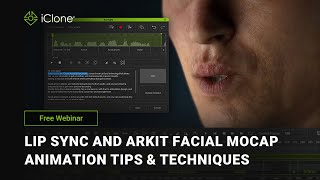
Lip Sync and ARKit Facial Mocap Animation Tips and Techniques
Explore advanced facial animation techniques using iClone, including ARKit motion capture, AI-powered lip-sync, and real-time integration with Unreal Engine for creating lifelike character dialogues.

Importing and Auto-rigging 3D Characters with Advanced AccuRIG in Character Creator 4
Learn to import and auto-rig 3D characters using AccuRIG in Character Creator 4. Master efficient workflows for Maya HumanIK, Blender MetaRig, and custom meshes, then animate in iClone 8 for streamlined 3D character creation.
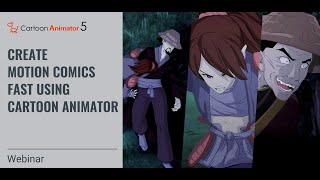
Create Motion Comics Fast Using Cartoon Animator 5 - 8-Step Production Pipeline
Learn to create dynamic motion comics using Cartoon Animator 5. Master character animation, camera movement, and an 8-step production pipeline for eye-catching, energetic animations in this comprehensive tutorial.
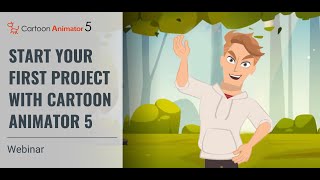
Start Your First Project with Cartoon Animator 5
Learn to create engaging animated videos using Cartoon Animator 5. Explore the interface, discover new features, and gain tips for wowing audiences with your first animated project.
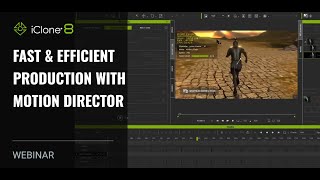
Fast and Efficient Production with Motion Director - iClone 8 Webinar
Discover AI-enhanced Motion Director for quick character animations in iClone 8. Learn techniques for follow-cam sequences, ArchViz projects, and crowd direction in this hands-on webinar.