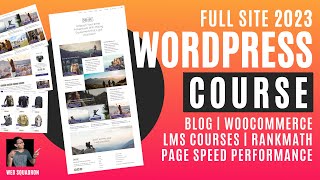
How to Build a Full WordPress Website - Blogs - WooCommerce - LMS - SEO - Elementor Tutorial
Comprehensive guide to building a professional WordPress website with e-commerce, blogging, LMS, and SEO capabilities using Elementor. Covers setup, optimization, design, and advanced features.
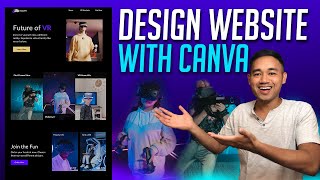
How to Design a Website Using Canva - Beginner Tutorial
Learn to create a simple website design using Canva's free browser-based software. This beginner-friendly tutorial covers layout, sections, and design elements for an effective online presence.
How Canva Can Help Web Designers and Clients - Canva Tutorial - Graphics Online Tool
Comprehensive tutorial on Canva for web designers: create logos, infographics, and presentations. Learn about templates, animations, background removal, and creative design techniques.
How to Use Canva for Beginners
Learn to create stunning designs with Canva's user-friendly interface. Master templates, layouts, image editing, text customization, and element manipulation for eye-catching visuals.
YouTube Thumbnails Tips & Tricks - How to Make Thumbnails That Get Views & Clicks
Discover effective techniques to create eye-catching YouTube thumbnails that boost views and clicks, enhancing channel growth and audience engagement.
How to Crop and Save for Web Using Photoshop
Master Photoshop techniques for cropping, resizing, and optimizing web images without quality loss. Enhance your design skills for social media and online content creation.
Marshall Creates Dynamic Countdown Graphics with Ecamm
Learn to create engaging countdown graphics for live streams using Ecamm. Covers logo enhancement, background selection, Canva design, scene creation, music addition, and timer font tips for professional-looking countdowns.

Video Production & Live Interviews - Ecamm Challenge Day 3
Learn advanced video production techniques for live interviews, including remote producing, guest management, and overlay creation. Enhance your Ecamm Live skills for professional-looking broadcasts.

Graphics & Animations for Live Video - Ecamm Challenge Day 2
Learn to create professional graphics, overlays, and animations for live video using Ecamm Live. Master essential techniques to enhance your broadcasts with visually appealing elements.
Creating Flipbooks in Canva and News Overlay Reveal - BuildingBlocks
Learn to create engaging flipbooks using Canva and integrated apps. Explore Heyzine, Publuu, and Canva's flipbook options. Discover a new overlay system for professional, interactive live streaming and video production.

Generate Dynamic Images With Node-Canvas
Learn to create custom, dynamically generated images using node-canvas. Explore techniques for drawing, positioning, and rendering text, with insights on productivity and on-demand builders.

Canva Video Editor - Complete Tutorial for Beginners
Comprehensive guide to Canva's video editor, covering importing, editing, effects, transitions, audio, color correction, and AI tools for creating professional-looking videos.
Creating Professional Websites in Canva - Tutorial and Walkthrough
Explore Canva's website builder capabilities, from templates to wireframes, and learn professional web design techniques in this comprehensive tutorial.

Canva Video Editing - A Beginner's Guide
Learn to edit videos like a pro using Canva's intuitive platform. Import clips, add text and music, and create stunning videos with ease. Perfect for beginners and content creators looking for a simple yet powerful editing tool.

Create Stunning Gmail Signatures with Canva - Easy and Professional
Learn to design professional Gmail signatures using Canva. Step-by-step guide for creating, customizing, and implementing eye-catching signatures to enhance your email communication and personal brand.
Creating Professional Email Signatures with Canva for Outlook
Create professional Outlook email signatures using Canva. Learn to customize templates, add personal branding elements, and integrate your design into Outlook for polished, eye-catching signatures across devices.
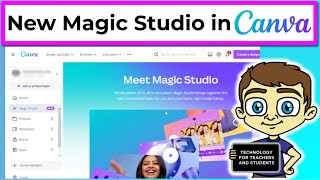
Unlock Canva Magic Studio Secrets
Explore Canva's AI-powered Magic Studio to effortlessly create stunning designs. Learn innovative features that revolutionize the design process for both professionals and beginners.

How to Make YouTube Thumbnails on iPhone and Android - Quick and Easy Tutorial
Learn to create eye-catching YouTube thumbnails on your smartphone using Canva. Master design techniques, image editing, and text customization to boost your video's click-through rate and visibility.
Canva vs Adobe - 30 Day Graphic Design Challenge
Explore a graphic designer's 30-day journey with Canva, comparing its free features to Adobe products and evaluating its effectiveness for various design tasks.
Free Photo and Painting Tools: Game-Changing Alternatives to Paid Software
Explore powerful free alternatives to expensive photo editing and digital painting software. Discover GIMP, Krita, Canva, Adobe Express, and more for professional-grade features without subscription fees.

Canva Tutorial for Beginners - Full Design Guide 2024
Master Canva's design tools and features to create stunning visuals effortlessly. Learn step-by-step techniques for beginners to kickstart your graphic design journey.