Outlook 2021 Beginner Tutorial
Comprehensive guide to mastering Microsoft Outlook 2021, covering email management, calendar use, task organization, and productivity features for beginners and intermediate users.
Gantt Chart Calendar Tutorials
Learn to create, manage, and optimize Gantt charts for production scheduling, including event revision, grouping, dependencies, and sharing calendars using StudioBinder's software.
Outlook Advanced Tutorial
Unlock Outlook's full potential: master advanced features for efficient email management, calendar optimization, contact organization, and collaborative workspaces.
Outlook 2019 Beginner Tutorial
Master Outlook 2019 essentials: email management, calendar organization, task tracking, and productivity features. Ideal for beginners and those looking to enhance their Outlook skills.
Protect Your Code Time and Stay in Flow with Software.com in VS Code
Maximize productivity with Software.com extensions for VS Code: track coding time, enter Flow Mode, control Spotify, and use data-driven insights to optimize your workflow and minimize distractions.

Outlook 2016 Advanced Tutorial
Enhance productivity with advanced Outlook 2016 features: automate tasks, manage emails efficiently, customize views, and integrate with other Office applications for streamlined workflow.

Gmail Basics Tutorial
Master Gmail's features, from basic messaging to advanced tools like filters and integrations. Enhance productivity with chat, calendar, and task management functionalities.
Outlook 2021 Full Course Tutorial
Comprehensive tutorial on Microsoft Outlook 2021, covering email management, calendar use, task organization, and advanced features for both beginners and experienced users seeking to optimize productivity.
Time Management - Strategize Your Day With Outlook
Learn to strategize your day using Outlook's advanced features for efficient time management, task organization, and productivity enhancement.

Create Your Own Office App Suite with OnlyOffice - Setup, Features, and Deployment Tutorial
Comprehensive tutorial on setting up and using OnlyOffice, an online software suite for document management, covering UI, features, and server deployment on Akamai's cloud platform.

Radicale - Open Source, Self Hosted, Syncing and Shareable Calendars, Contacts, and Events
Learn to set up Radicale, an open-source solution for self-hosted calendars and contacts. This tutorial covers installation, configuration, and integration with calendar applications for seamless syncing.

Microsoft 365 Beginner's Guide - Essential Basics and Productivity Tools
Comprehensive guide to Microsoft 365 essentials, covering Outlook, OneDrive, and Groups. Learn email management, file sharing, collaboration tools, and productivity-enhancing features for effective workplace communication.
Microsoft 365 Basics - Outlook and Teams Tutorial
Learn essential skills for Outlook and Teams, including message management, scheduling, chat, and collaboration features to boost productivity and communication in Microsoft 365.

Outlook 2021 Productivity Tips and Tricks Tutorial
Maximize Outlook efficiency with custom layouts, Quick Steps, and advanced features. Learn to streamline your interface, manage tasks, and enhance communication through interactive tools and productivity hacks.

Microsoft Outlook Beginner Tutorial - Email Management and Productivity
Comprehensive guide to mastering Microsoft Outlook's email, calendar, and task management features. Learn to optimize your workflow, automate tasks, and integrate with other Microsoft apps.
Owning MS Outlook with Powershell
Explore PowerShell automation for MS Outlook: data mining, email management, and security implications. Learn to create powerful scripts for enhanced productivity and potential risks.
Calendars for Humans - How to Undo the All-day Cram
Discover strategies to optimize your calendar, reduce meeting overload, and increase productivity. Learn how to create an ideal schedule that balances collaboration and focused work time.

The Complete Guide to Using Templates in OneNote
Master OneNote templates to streamline organization - from built-in planners to custom designs. Learn creation, customization, and sharing techniques while discovering productivity-boosting features and real-world applications.

Calendly Tutorial - Setting Up and Managing Online Appointment Scheduling
Master the essentials of Calendly's scheduling platform - from account setup and availability management to customizing booking pages and integrating calendars for streamlined appointment scheduling.

Lindy 2.0 - AI-First Automation Platform Tutorial and Comparison
Discover Lindy 2.0, an advanced AI automation platform for custom tasks. Learn to create AI agents, build versatile tools, and integrate with various apps to enhance productivity.
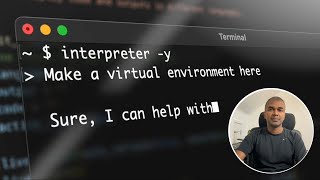
Open Interpreter: Beginners Tutorial with 10+ Use Cases
Explore Open Interpreter's versatile capabilities: code execution, app creation, PDF summarization, image editing, game development, data analysis, AI music composition, and automation tasks.